22
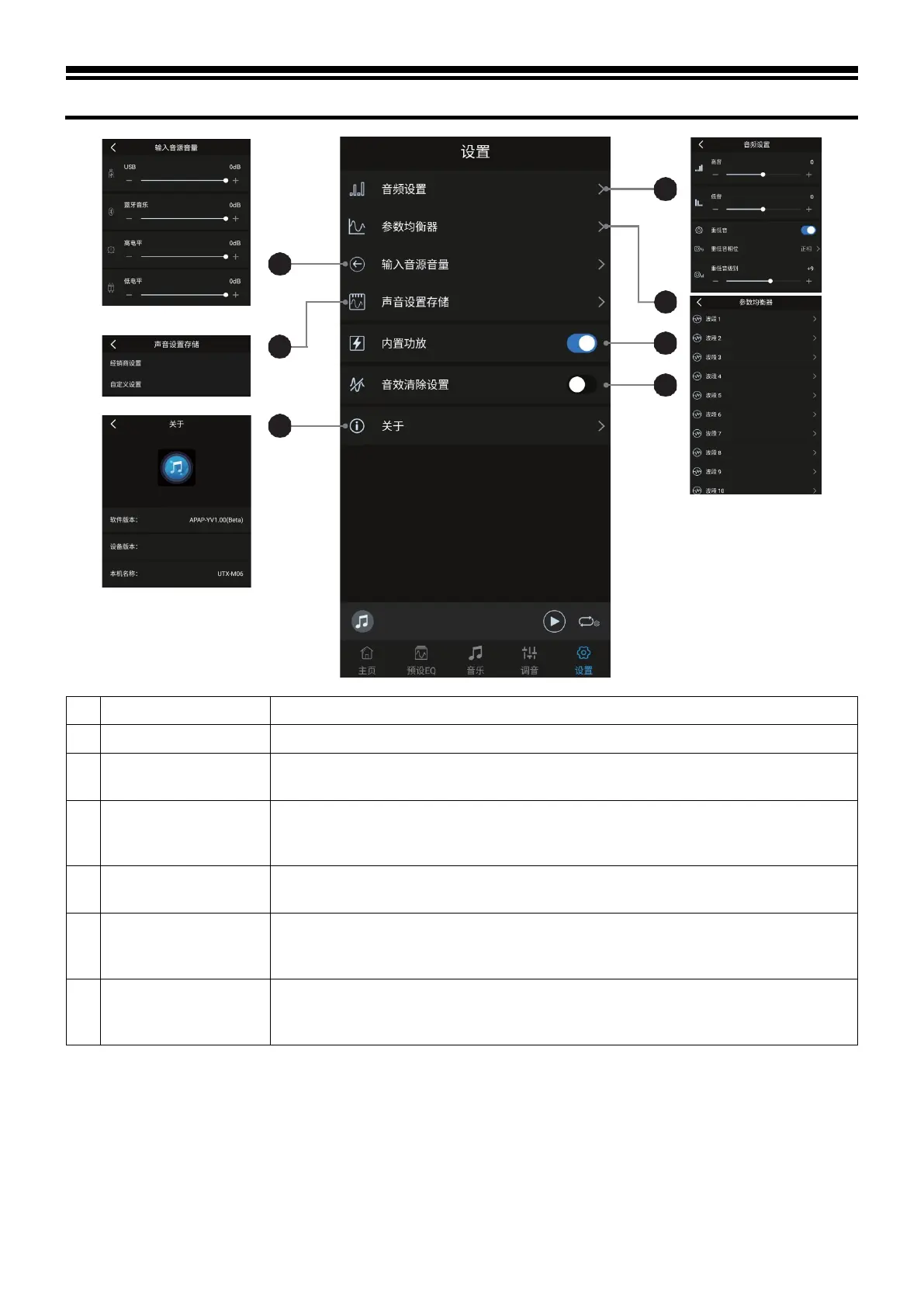
Description of mobile APP - Setting
Check information such as device version.
It can call or save dealer settings and custom settings.
3 Input source volume
Adjust the volume of audio sources including USB, Bluetooth music, High level and
AUX. The adjustable range is: -60dB~0dB (initial value: 0dB)
4 Audio setting
Select Treble or Bass and adjust the level; the adjustable range is: -7 ~ +7 (initial value:
0). When the subwoofer is turned on, you can adjust the phase and output level of the
subwoofer.
5 Parametric Equalizer
There are 10 sections of input EQ to choose from. Click the corresponding waveband to
adjust the parameters frequency, Q value and gain.
6 Built-in power amplifier
When using the pre-output of this device to drive the external amplifier, turn off the built-
in amplifier; when using the built-in amplifier to drive the speaker, turn on the built-
7
Sound effect clear
setting
When this setting is enabled, the settings on sound effects such as preset equalizer will
become invalid. Disable this setting and the previous sound effect settings will be
restored.



 To Next Page