Altai Technologies Ltd. All rights reserved
Altai A3-Ei Dual-band 3x3 802.11ac Wi-Fi Access Point
Installation Guide
2.5. Installing Waterproof Plug
With the field installation requirements, two CAT 5e (or above) Ethernet
cable with appropriate length (Max. 100m) should be prepared before
installation.
2.5.1. Waterproof plug installation procedure
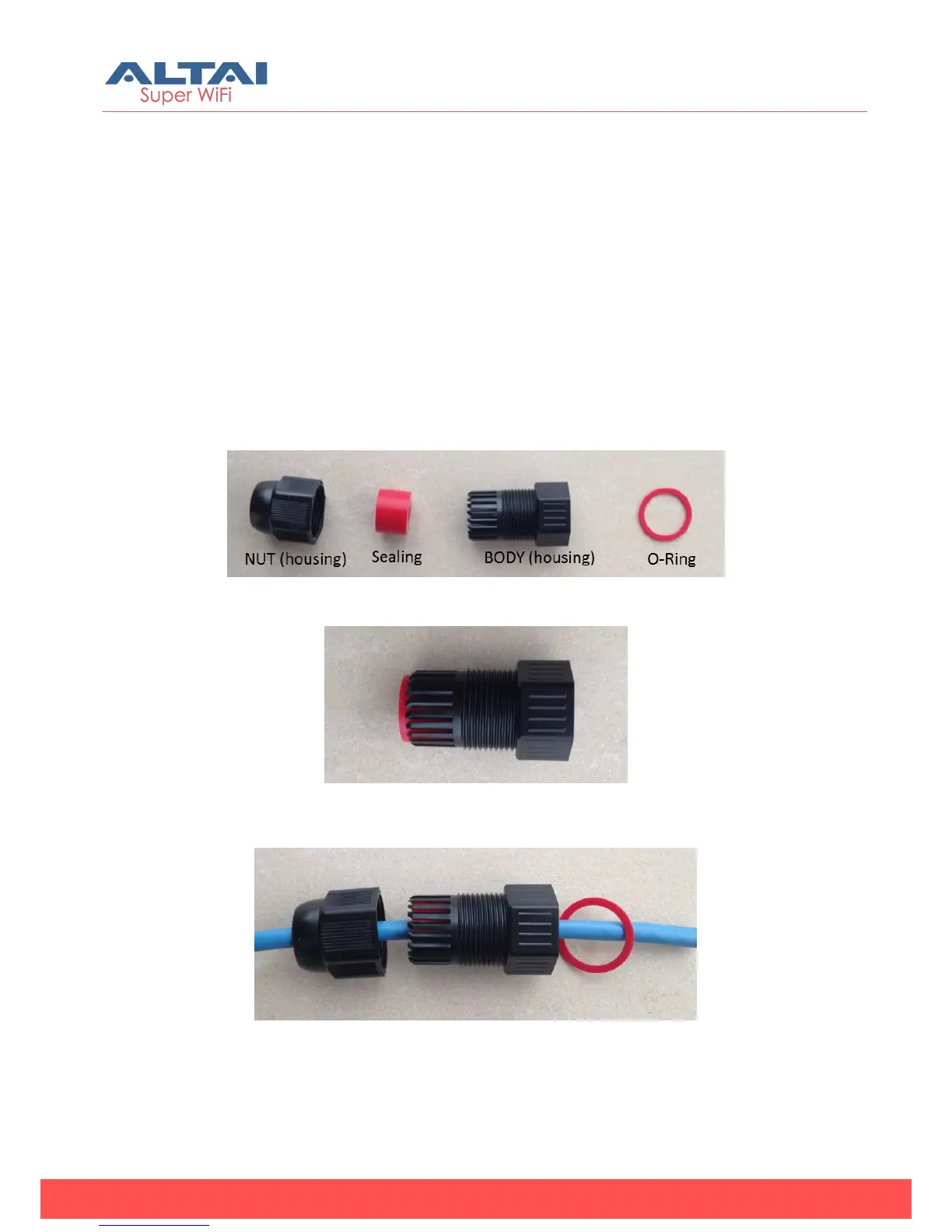
1. Make sure the waterproof plug should contains four components
(see Figure 8):
Figure 8 - Waterproof Plug Set
2. Insert sealing into the BODY(housing) as shown in Figure 9
Figure 9 - Insert sealing in the BODY(housing)
3. Thread Ethernet Cable through the component parts as shown in
Figure 10.
Figure 10 - Insert Ethernet cable into the waterproof plug
4. Use wire stripping tool to remove Ethernet cable jacket.



 To Next Page