4
Getting Started
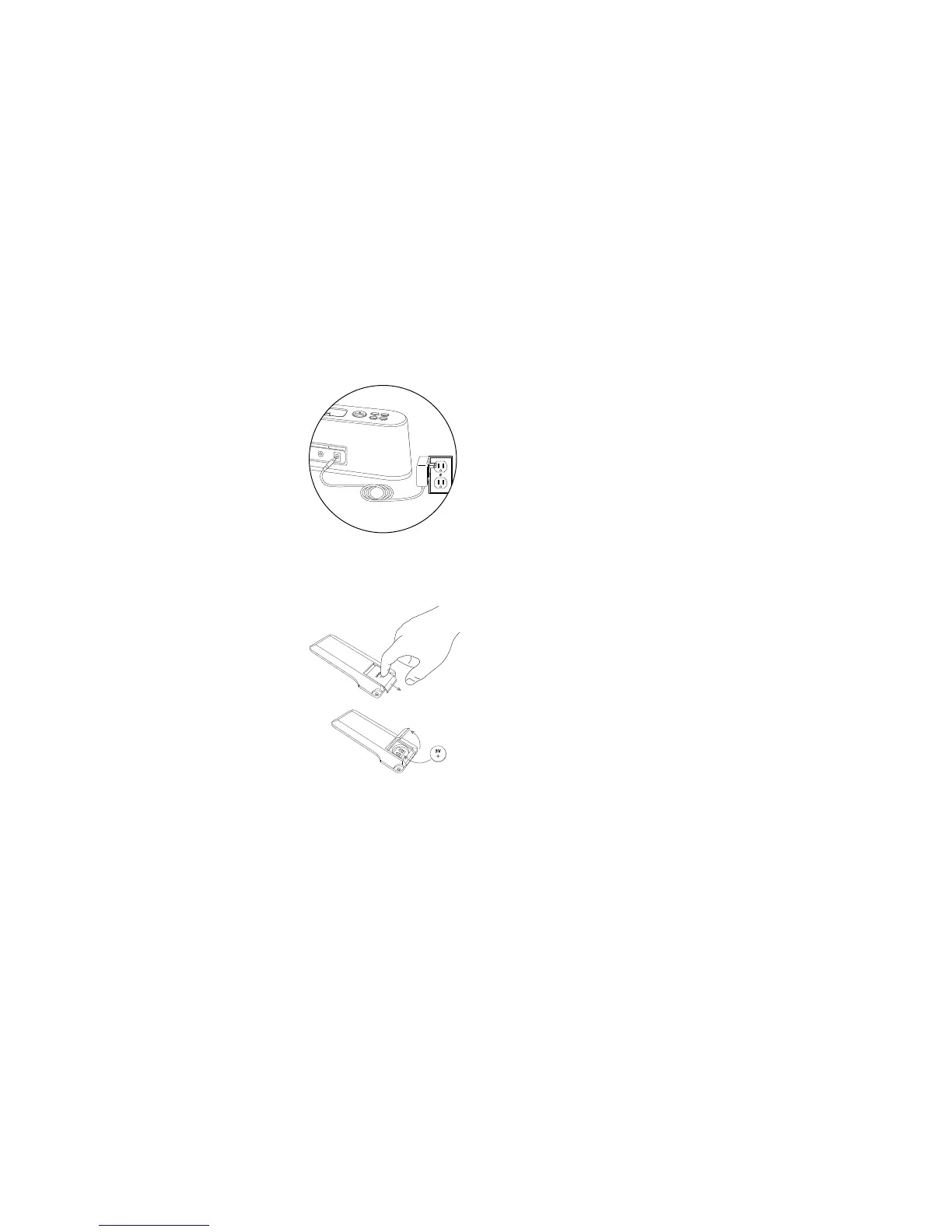
How to Install the AC Adapter
1 Connect the AC adapter cable plug
into the speaker system’s power
jack.
Thejackislocatedonthebackofthe
systemandlabeledPOWER.
2 Plug the AC adapter into a wall
outlet.
How to Install the Wireless Remote Battery
Thewirelessremotebattery(included)isnotinstalledatthefactory.To
install the battery, follow these steps:
1 Open the battery compartment
door.
The battery compartment door is
located on the back end of the remote.
Simplyslidethedoorinthedirectionof
the arrow until it clicks, and then swing
the door open.
2 Position the battery (included) so it
sits in the battery holder correctly.
Makesurethepolarity(the+and
–sidesofthebattery)iscorrectas
illustrated on the inside of the door.
3 Close the battery compartment door
Swingthedoorshut,andthenslideitintheoppositedirectionofthe
arrow until it clicks.
NOTE Please discard used batteries properly.



 To Next Page