+31(0)78 - 615 20 33
info@altec.nl
+32(0)2 - 270 34 88
info@altec.
be
be
4.3 Calibration
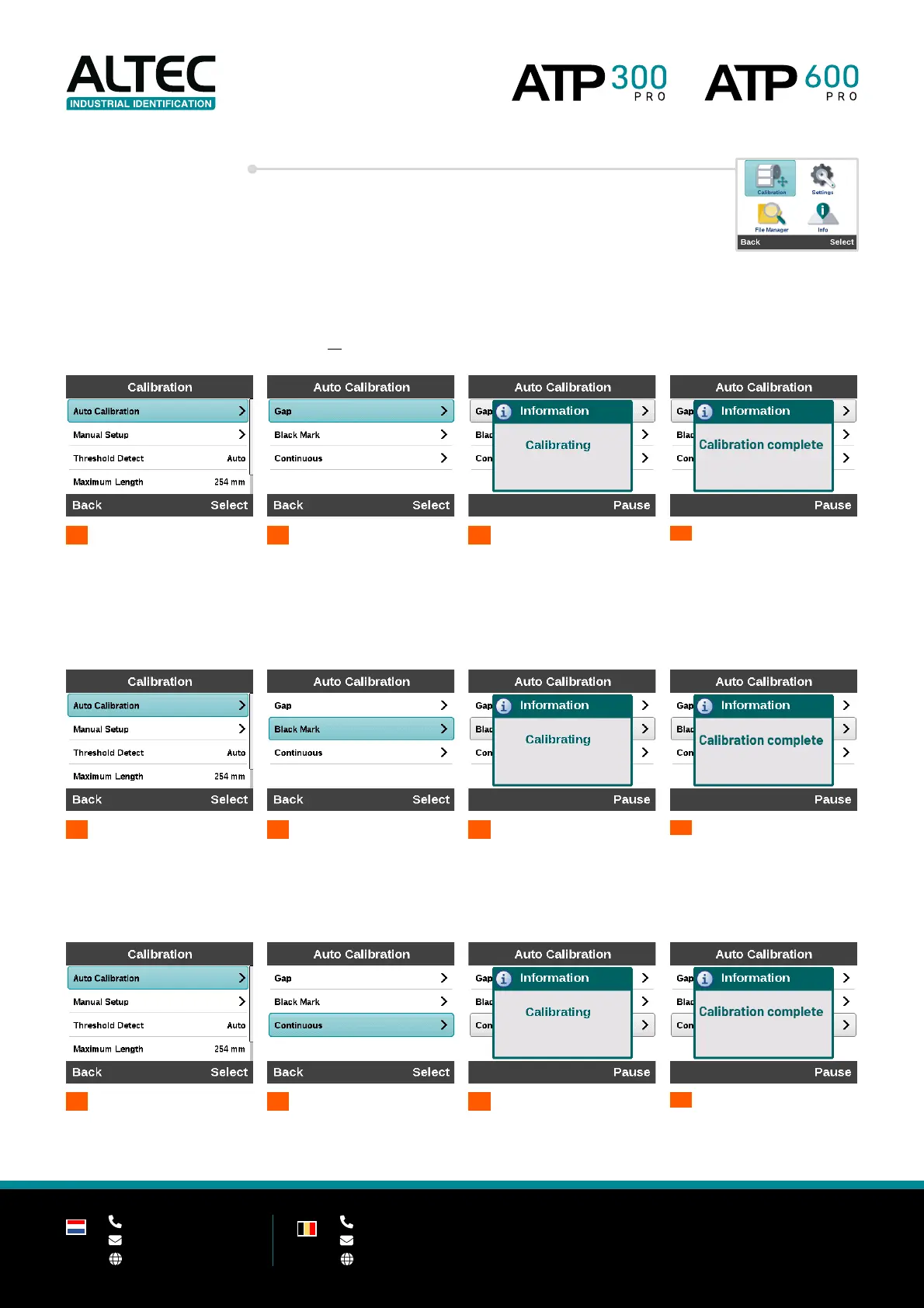
4.3.1 Auto calibration
The printer will feed 2 to 3 labels to calibrate the sensor automatically.
Gap
Use this method when labels have a gap between them.
This can be space between the labels or a (cut out) notch in the media.
Black mark
Use this method when a media has a notch that is out of range of the gap sensor -
or when media has black marks on the back of the label.
1
2
Black Mark
3
Continuous
Use this method for continuous media (A320 Industrial Vinyl for example)


 To Next Page