+31(0)78 - 615 20 33
info@altec.nl
+32(0)2 - 270 34 88
info@altec.
be
be
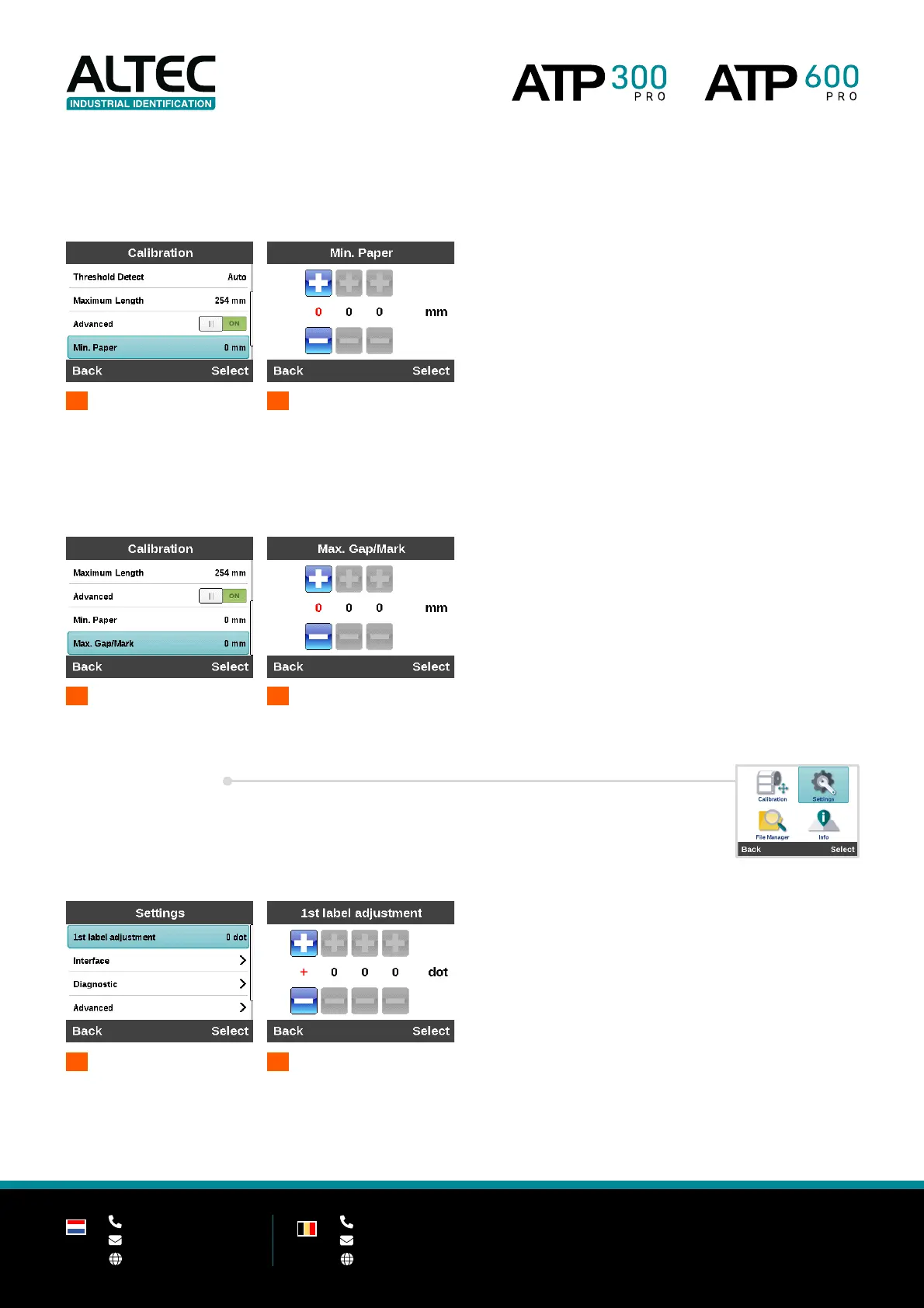
4.3.6 Minimum paper length (advanced)
Set the minimum paper length to auto-calibrate the sensor sensitivity.
1
2
Set min. paper length
4.3.7 Maximum paper length (advanced)
Set the maximum gap / black mark length to auto-calibrate the sensor sensitivity.
4.4 Settings
4.4.1 1st label adjustment
This option is used to set the amount of dots to adjust the first label of the print job.
-300 Pro (300 DPI) 1 mm = 12 dots
-600 Pro (600 DPI) 1 mm = 24 dots
1
adjustment
2
Set the amount of dots


 To Next Page