+31(0)78 - 615 20 33
info@altec.nl
+32(0)2 - 270 34 88
info@altec.
be
be
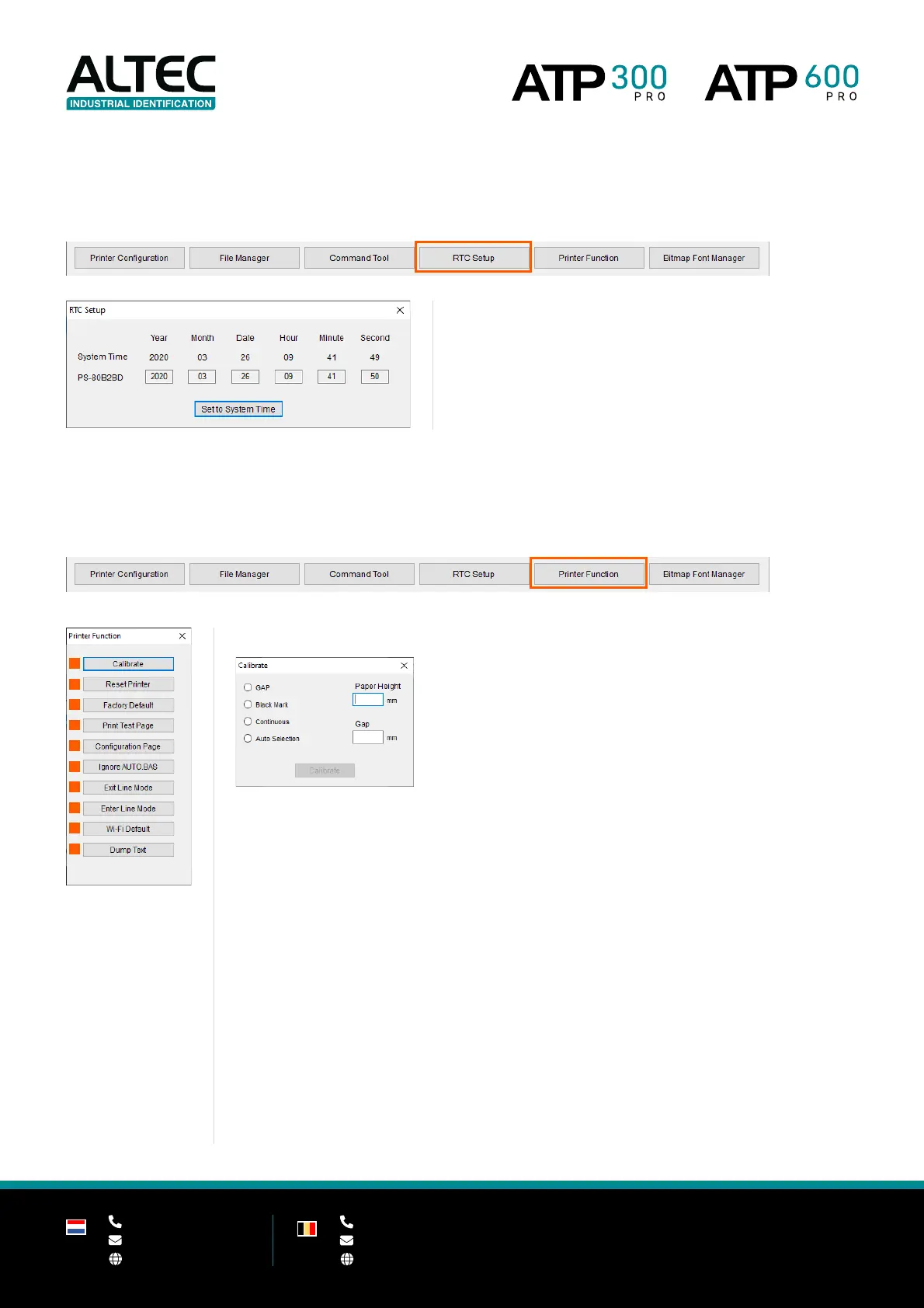
6.2.4 RTC Setup
Send the system time to the printer.
Click on Set to System Time to set the printer clock equal to the
clock on your computer.
6.2.5 Printer function
These functions are performed directly on the printer.
Choose the required sensor and enter the label height and gap.
Paper
Height Vertical label height from gap to gap
Height of the gap
2 | Reset Printer
Restart the printer. Use this function when an error occurs.
3 | Factory default
Reset all printer settings back to the default factory values.
4 | Print Test Page
Print a test page with all current media settings (dimensions).
5 | Configuration Page
Print a test page with all current printer settings.
6 | Ignore AUTO.BAS
Restart the printer without a loaded (.bas) program.


 To Next Page