+31(0)78 - 615 20 33
info@altec.nl
+32(0)2 - 270 34 88
info@altec.
be
be
5 Printer Web Interface
The ATP-300/600 Pro can be accessed via a web browser if it is connected with an Ethernet cable.
In this menu you can access printer information and change settings.
5.1 Accessing the Printer Web Interface
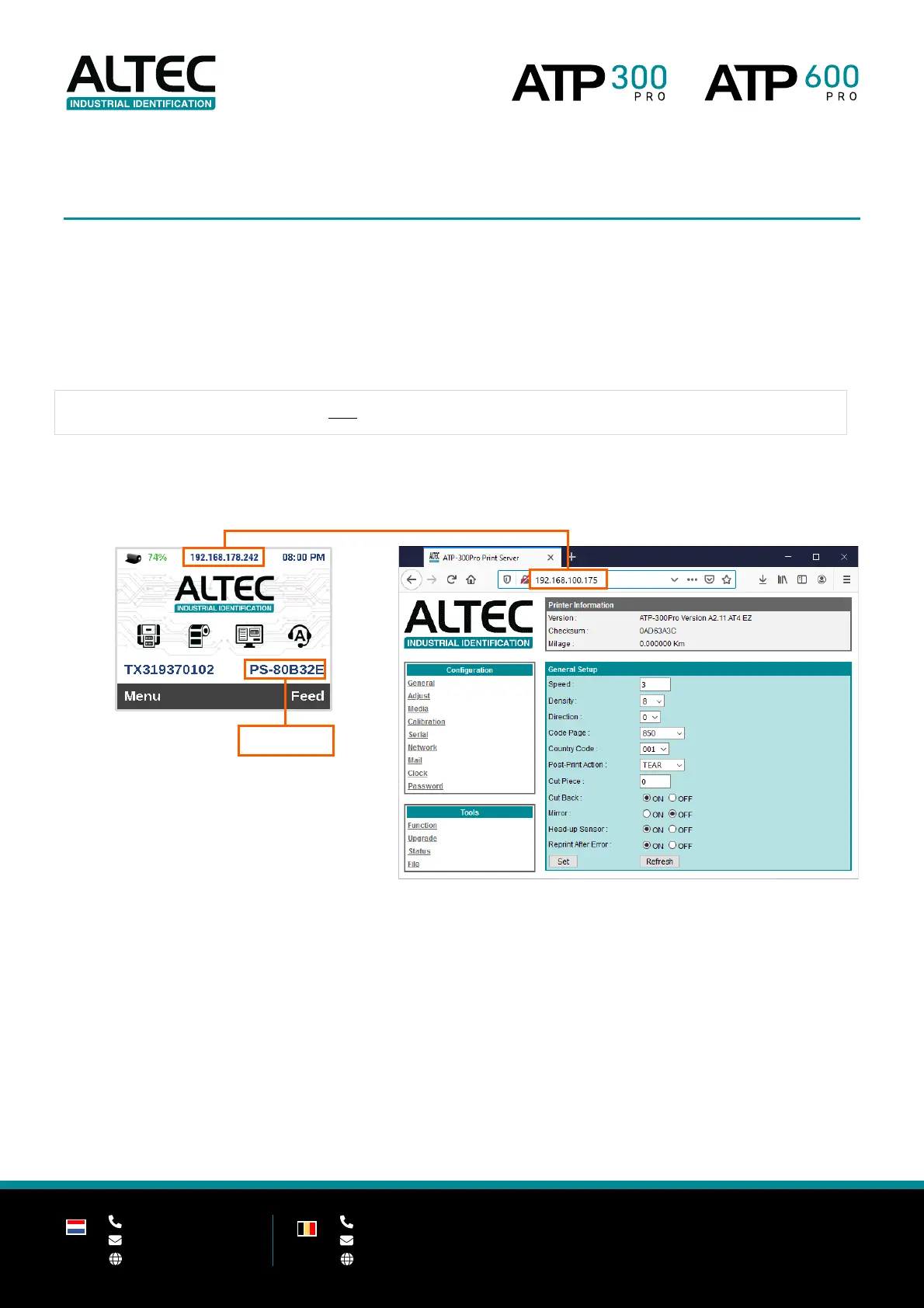
Open a web browser and enter the IP address (or host name) of the printer in the address bar.
Important the web interface can only be accessed if the printer is connected with an Ethernet cable
You can find the IP address and host name on the LCD display of the printer.


 To Next Page