+31(0)78 - 615 20 33
info@altec.nl
+32(0)2 - 270 34 88
info@altec.
be
be
5.3 Tools
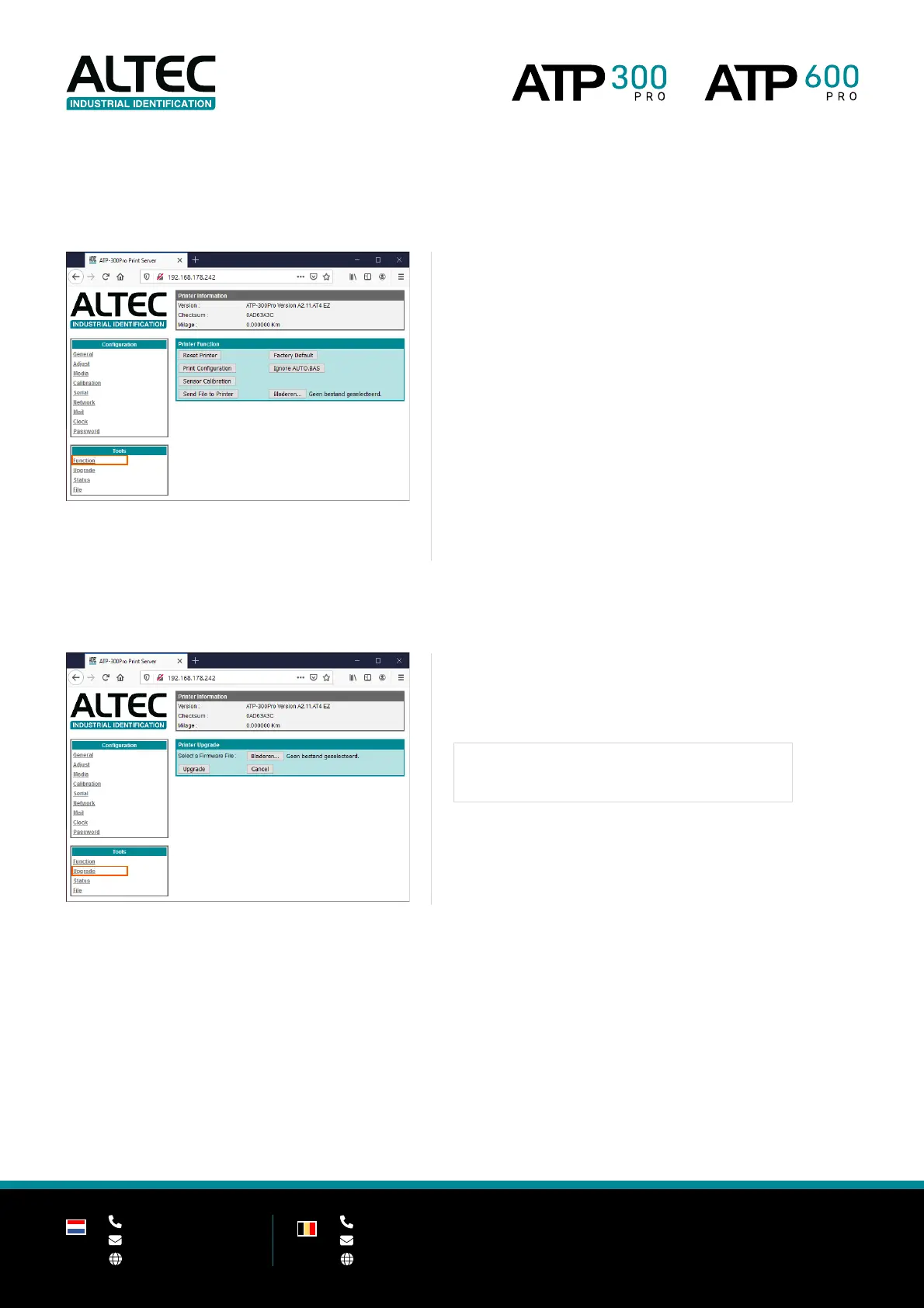
Function
These functions are performed directly on the printer.
Restart the printer. Use this function when an error occurs.
Factory Default
Reset all printer settings back to the default factory values.
Print Configuration
Print a test page with all current printer settings.
Please use media with a minimum width of 50mm (preferably 100mm).
Ignore AUTO.BAS
Restart the printer without a loaded (.bas) program.
Sensor Calibration
Calibrate the printer with current calibration settings.
Send File to Printer
Send a file to the printer memory (via ‘Browse…’).
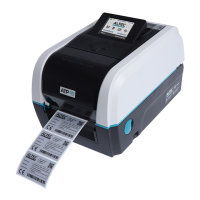
Upgrade
Upgrade printer firmware
Upgrade the printer firmware
Use the ‘Browse…’ button to select a firmware file an click Upgrade to
send it to the printer.
Upgrade the printer firmware only upon request of Altec.


 To Next Page