+31(0)78 - 615 20 33
info@altec.nl
+32(0)2 - 270 34 88
info@altec.
be
be
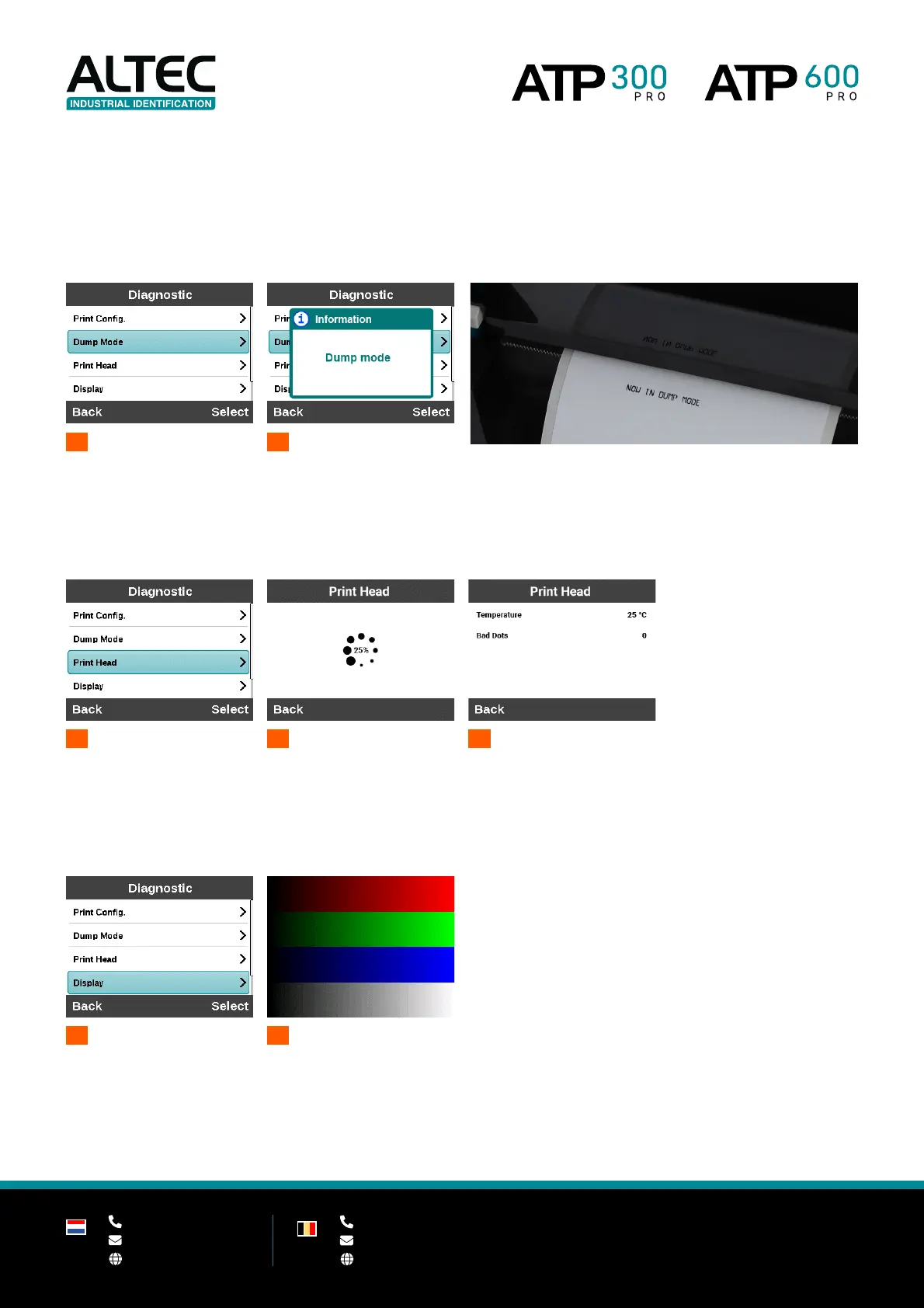
Dump mode
Captures the data from the communications port and prints out the data received by the printer. In the dump mode,
all data will be printed in two columns. The left side characters are received from your system and the right side
characters are the corresponding hexadecimal values of the characters. It allows users to verify and debug the
data received by the printer. To leave dump mode, please restart the printer.
Print head
This feature is used to check the print head temperature, resistance and bad dots.
1
2
In progress
3
Display
This feature is used to check the LCD’s color state.
1
2
Check the display colors


 To Next Page