EasyManua.ls Logo

Ambient Weather WS-3000 - Temperature Units Selection; Sensor Calibration Procedures

Ambient Weather WS-3000
34 pages
Print Icon
To Next Page IconTo Next Page
To Previous Page IconTo Previous Page
Loading...
Version 1.6 ©Copyright 2020, Ambient LLC. All Rights Reserved. Page 12
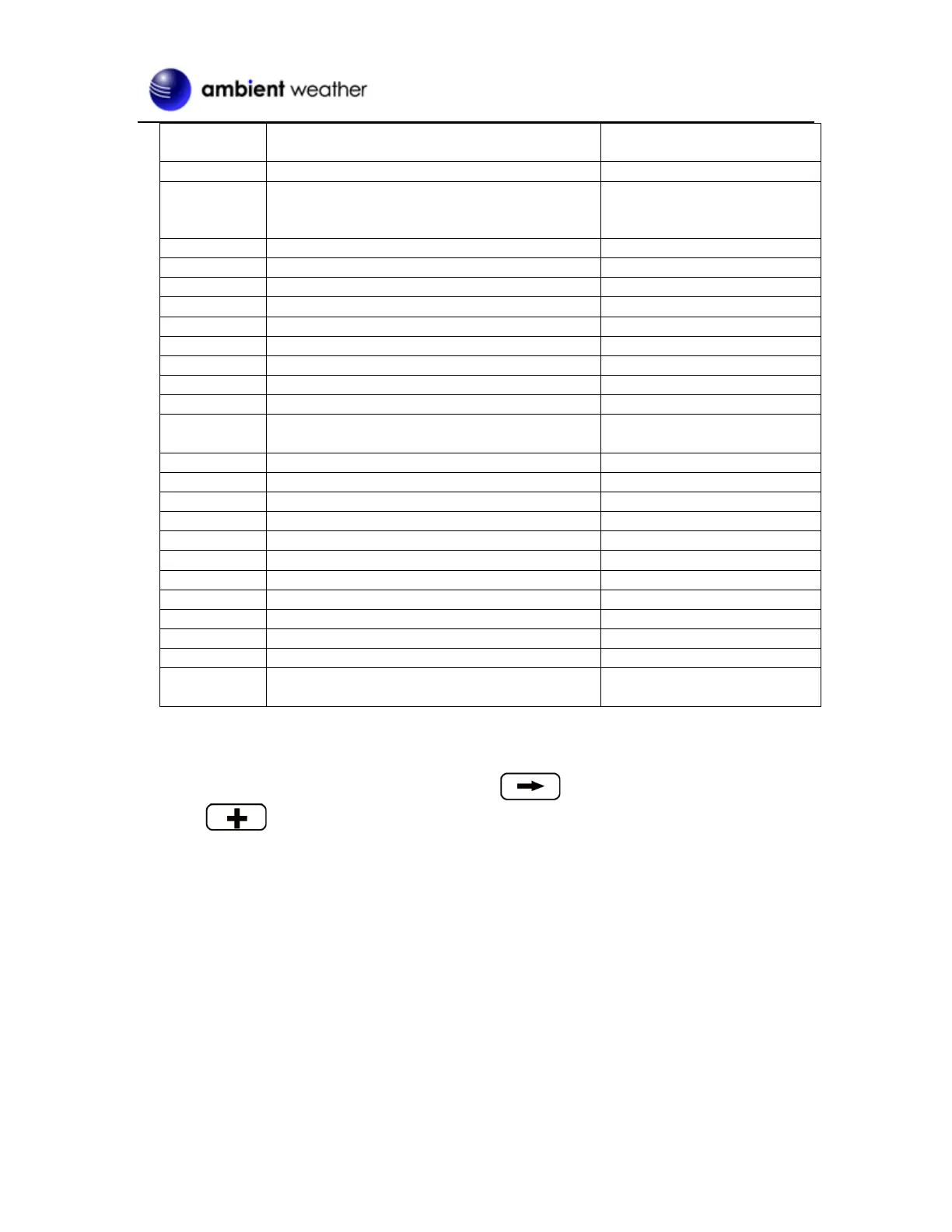
Hours from
GMT
Time Zone
Cities
-11
NT: Nome
Nome, AK
-10
AHST: Alaska-Hawaii Standard
CAT: Central Alaska
HST: Hawaii Standard
Honolulu, HI
-9
YST: Yukon Standard
Yukon Territory
-8
PST: Pacific Standard
Los Angeles, CA, USA
-7
MST: Mountain Standard
Denver, CO, USA
-6
CST: Central Standard
Chicago, IL, USA
-5
EST: Eastern Standard
New York, NY, USA
-4
AST: Atlantic Standard
Caracas
-3
---
São Paulo, Brazil
-2
AT: Azores
Azores, Cape Verde Islands
-1
WAT: West Africa
---
0
GMT: Greenwich Mean
WET: Western European
London, England
1
CET: Central European
Paris, France
2
EET: Eastern European
Athens, Greece
3
BT: Baghdad
Moscow, Russia
4
---
Abu Dhabi, UAE
5
---
Tashkent
6
---
Astana
7
---
Bangkok
8
CCT: China Coast
Bejing
9
JST: Japan Standard
Tokyo
10
GST: Guam Standard
Sydney
11
---
Magadan
12
IDLE: International Date Line East
NZST: New Zealand Standard
Wellington, New Zealand
Figure 11
4.1.6 Temperature Units of Measure
To change the temperature units of measure, scroll to the Temperature Units field, and
press the key to toggle between °F and °C.
4.2 Calibration
To enter the calibration mode, press the MENU key twice.

Related product manuals