DRIVERS INSTALLATION
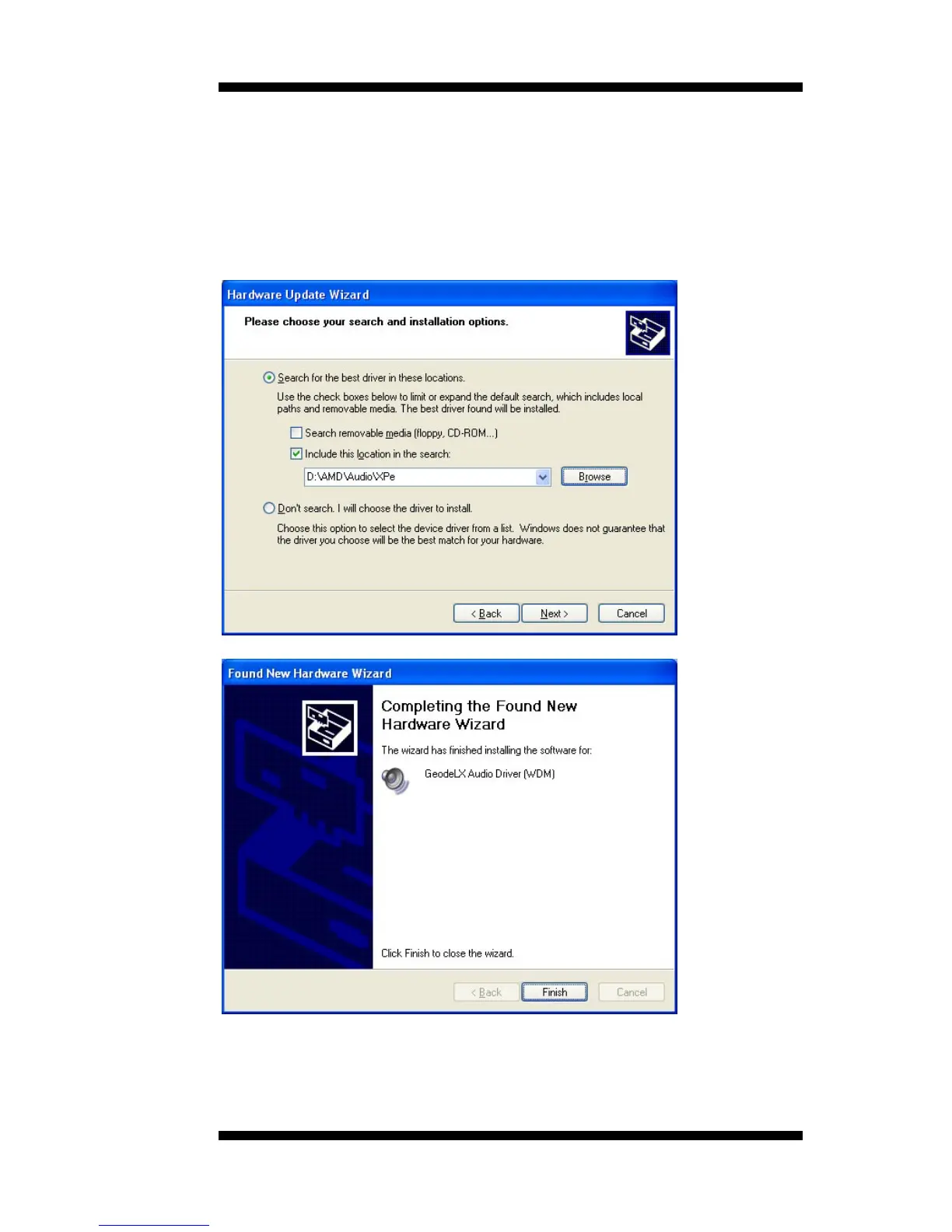
5. In the next screen, click Search for the best driver in these
locations. Check Include this location in the search. Click Browse to
find the driver’s path in the CD provided or enter the path directly -
\AMD\Audio\XPe. Then, click Next to start the drivers installtion. Then
click Finish after the wizard has finished installing the software for
GeodeLX Audio Driver (WDM).
MB500 User’s Manual 49



 To Next Page