M O D E L 2 1 7 W D R
O P E R A T O R ’ S M A N U A L
21
4.3 COPYING WELD SCHEDULES FROM AN EXTERNAL
MEMORY DEVICE TO THE MODEL 217 WDR LIBRARY
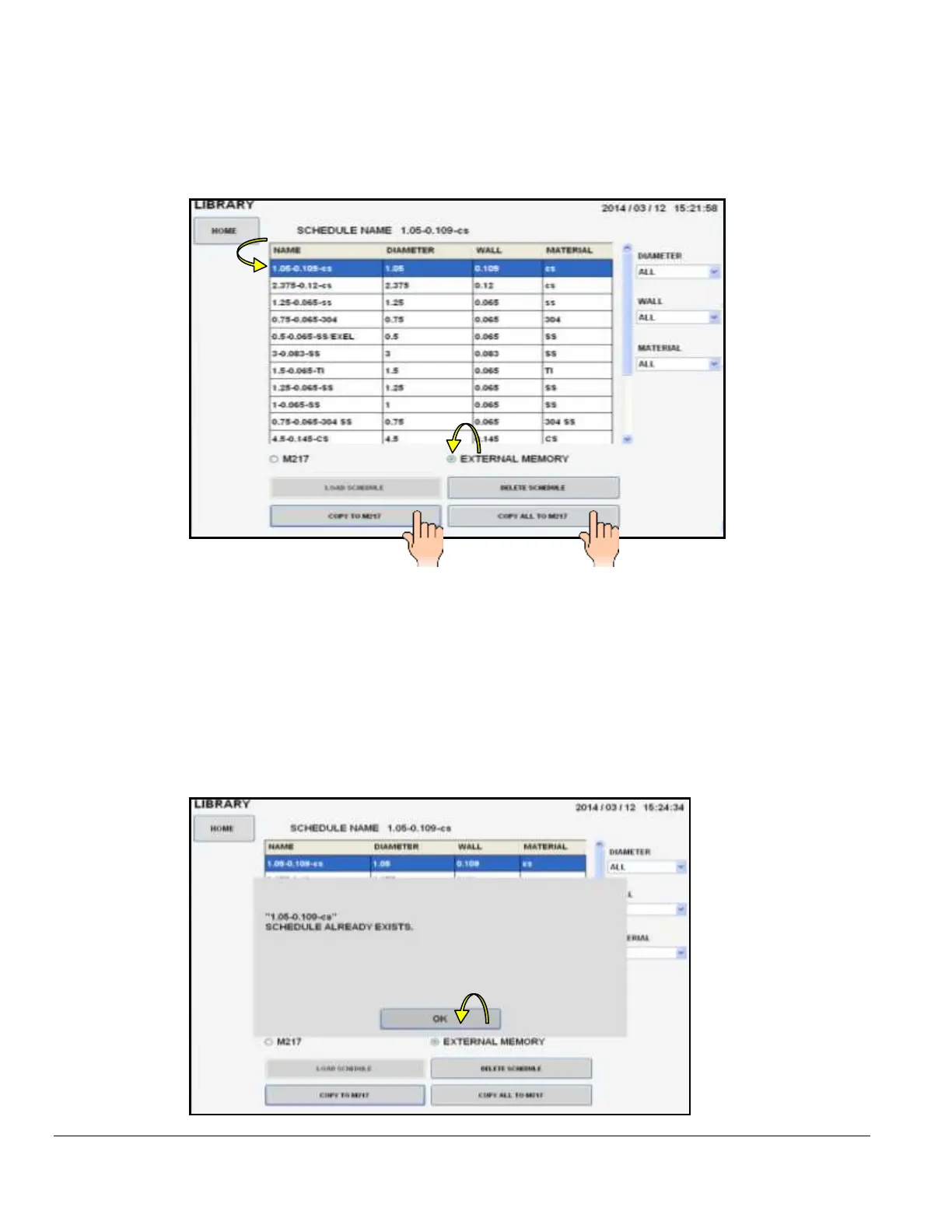
1. Open LIBRARY. Insert external memory device in the Model 217 WDR USB port.
2. Touch EXTERNAL MEMORY to open and display external memory device library.
3. Select (highlight) one weld schedule to be copied to the Model 217 WDR library.
4. Touch COPY TO M217 WDR to copy that one weld schedule, or touch COPY ALL
TO M217 WDR if you want the entire external memory library copied to the Model
217 WDR library.
Note: Should the weld schedule(s) you are trying to copy from the external memory device
already exist in the Model 217 WDR library the following screen be displayed:



 To Next Page