M O D E L 2 1 7 W D R
O P E R A T O R ’ S M A N U A L
39
7.0 ALARMS AND FAULTS
7.1 PROGRAMMING ALARM SETTINGS
ALARM SETTINGS are only accessible using a 5 digit “1-Day Programmer Password”,
which is only available by calling AMI Technical Support (In USA 818-896-9556).
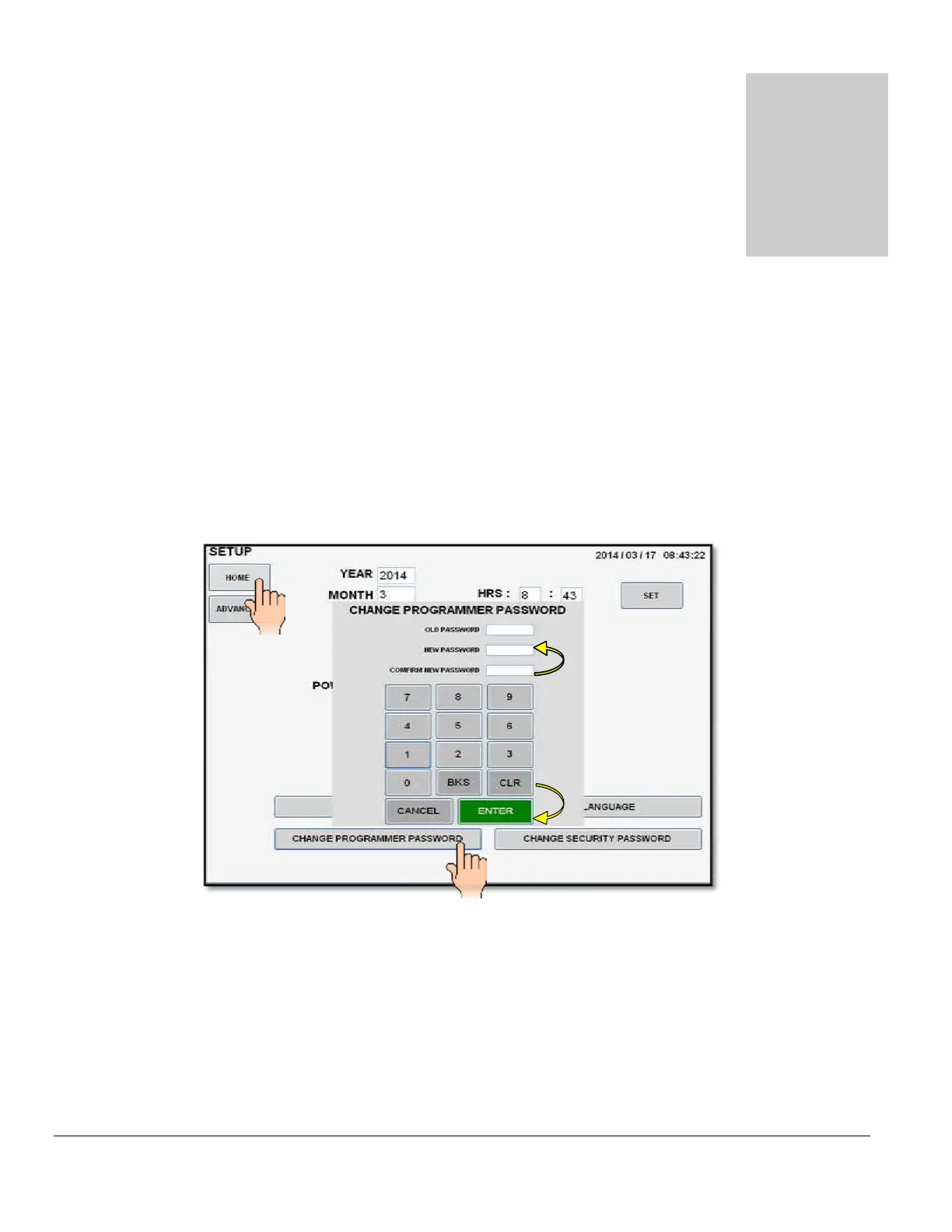
1. From the MAIN SCREEN touch the SETUP pad. The SETUP SCREEN will be
displayed. Touch the CHANGE PROGRAMMER PASSWORD pad and the password
screen will appear.
2. Enter and confirm the 5 digit
1-Day Programmer Password. NEW PASSWORD IS SET
will appear on the screen if password is set properly.
3. Touch the HOME pad on the SETUP SCREEN to return to the MAIN SCREEN.
4. From the MAIN SCREEN follow standard SHUT DOWN procedure.
5. Once the MAIN SCREEN turns OFF, flip the MAIN POWER SWITCH (CB-1) to the
OFF position.



 To Next Page