M O D E L 2 1 7 W D R
O P E R A T O R ’ S M A N U A L
28
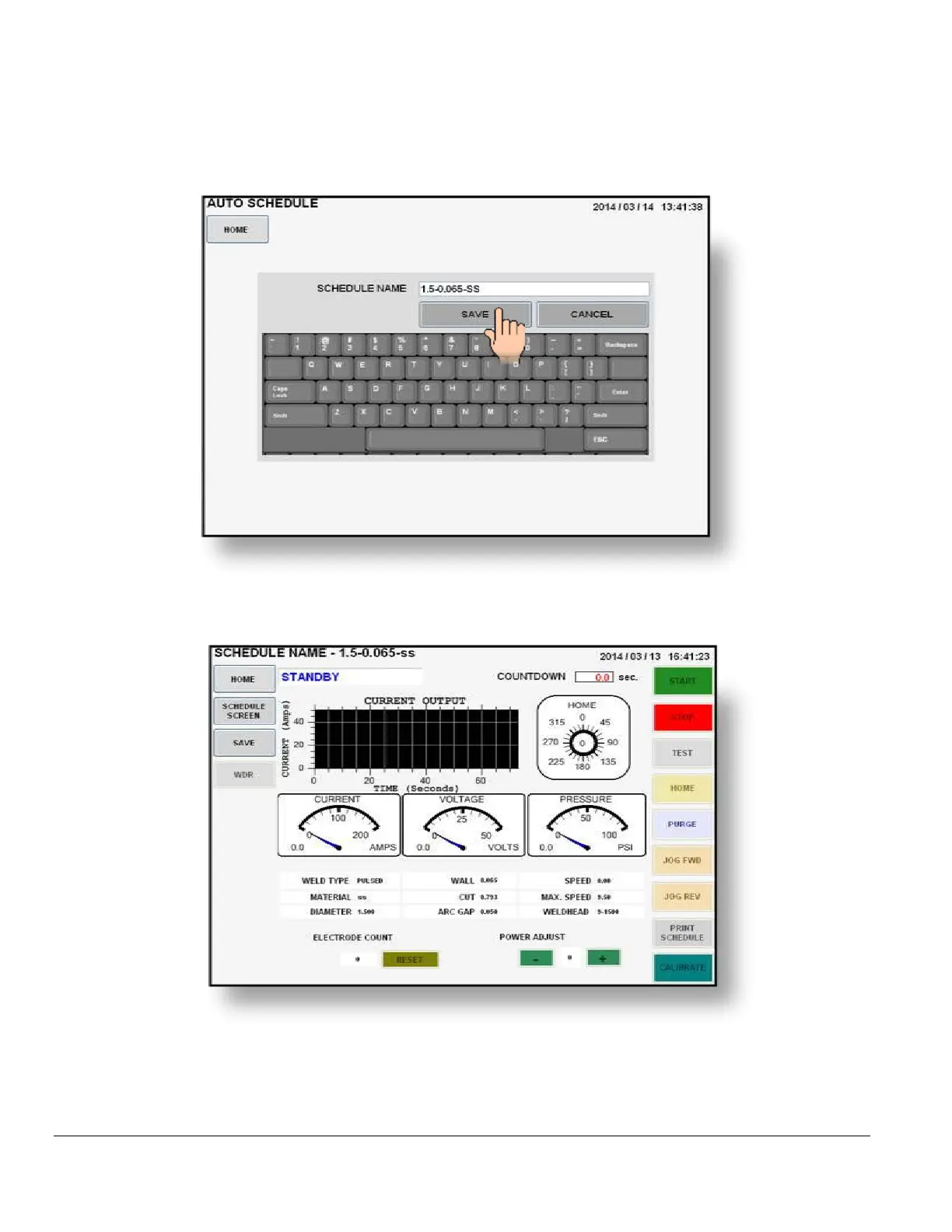
4. The AUTO SCHEDULE NAME screen will be displayed. The default schedule name is
based on the tube O.D., wall thickness and material you entered when creating this weld
schedule. You may save it as is or use the keypad to assign your own personal weld
schedule name. Press SAVE when finished.
5. Pressing SAVE will store all data in the library under the SCHEDULE NAME you
selected and the WELD SCREEN will be displayed with the schedule name on top.
6. The Model 217 WDR is now loaded with the weld schedule and is in
STANDBY mode,
ready to weld.



 To Next Page