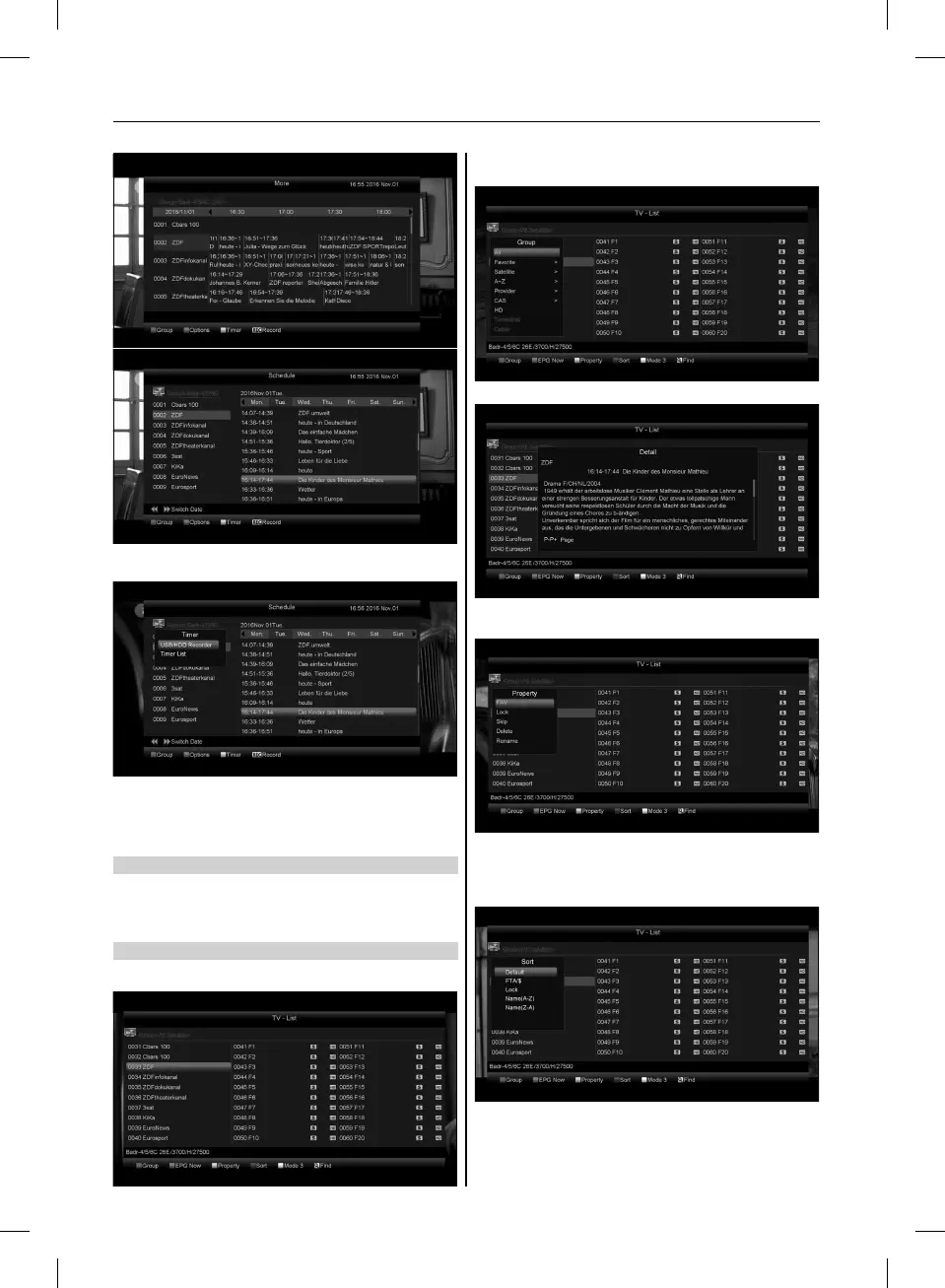
4. Press [Yellow] key in EPG menu can set one record timer or
go to Timer List menu.
5. In EPG menu, when you select one event by high light item,
you can set this event to record timer list directly by press
[REC] button.
6. In EPG menu, press [Exit] to close EPG screen.
8.10 TV/RADIO
In TV mode, pressing [TV/RADIO] key can switch to Radio
mode. In Radio mode, press [TV/RADIO] key to switch to TV
mode.
8.11 CHANNEL LIST
1. In full screen, press [OK] key can enter ”Channel List”.
2. Press [Red] key to change the different group. Which you can
watch like below.
3. Press [Green] key to display details information for EPG Now.
4. Press [Yellow] key you can change the current channel’s
property, such as FAV/ Lock/ Skip/ Delete/ Rename.
5. Press [Blue] key can open the ”Sort” window like below.
There are five kinds of sorting ways. You can press [Channel
Up/Channel Down] key to move highlight and press [OK] key
to confirm you selection.
6. The five kinds of sorting way are:
• Default: Sorting by scanning result.
• FTA/$: Sort channel through free and scramble sequence.
Free channel will in the front of channel list and scramble
channel will at the rear of channel list
16
USER’S MANUAL



 To Next Page