7. Timeshift Path
You can select the timeshift path by press[left/right] key.
13.6 DISK MANAGE
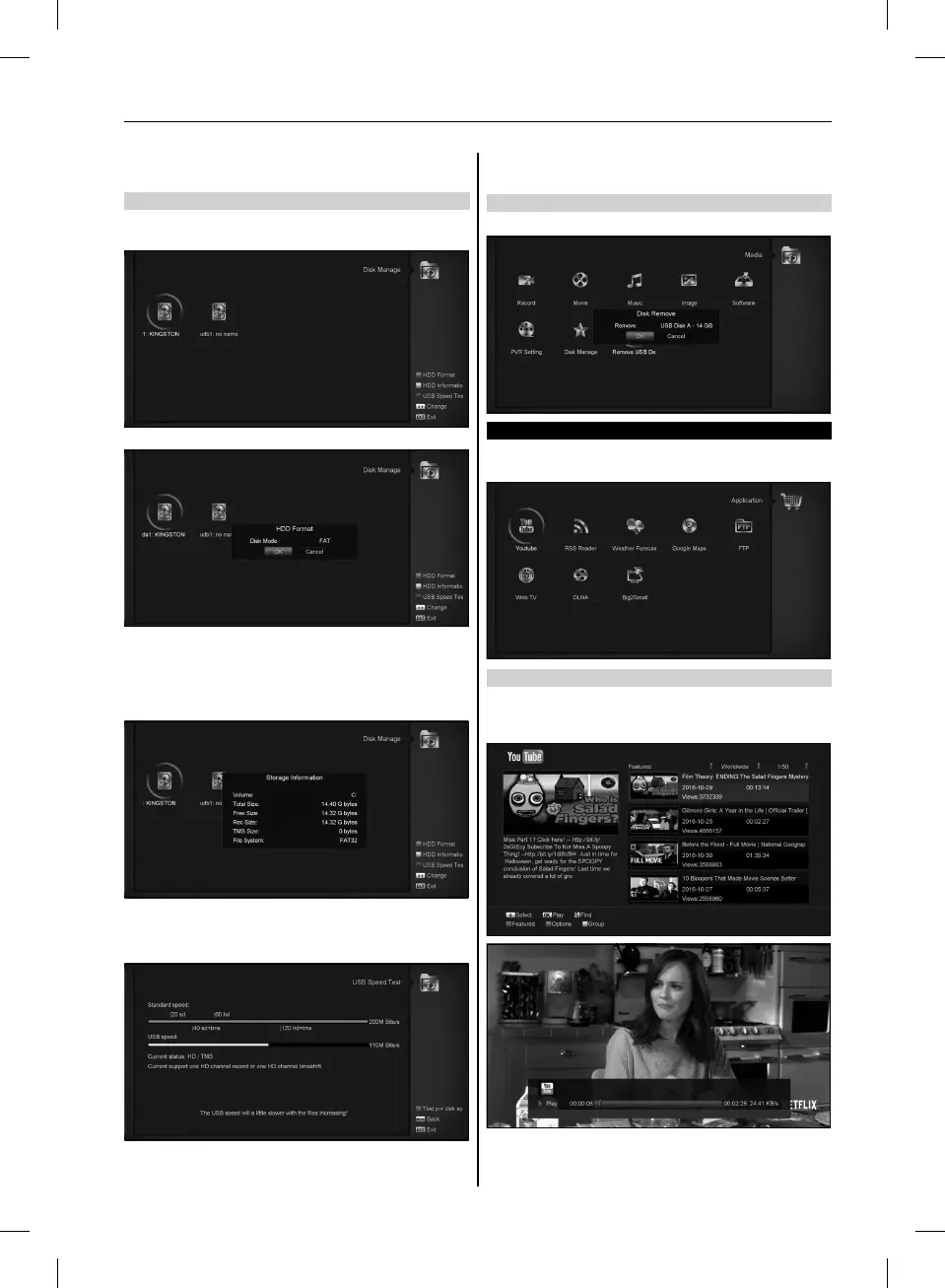
In this menu you can select USB disk for HDD Format,HDD
information and USB Speed test.
HDD Format
Press ”Green” button to enter the HDD Format menu like the
below picture.If you want to format the HDD then select the File
System between the ”FAT” and the ”NTFS”, Press ”OK” Button
to confirm.
HDD Information
Press ”Yellow” button to enter the HDD Information menu like the
below picture, you can see details information about the HDD.
USB Speed Test
Press ”Blue” button to enter the USB Speed Test menu like the
below picture, you can see the Standard speed and your USB
harddisk speed, according this information you can know what
operation your disk can support..In this menu,and you can press
”Red” button refurbish the USB disk speed.
13.7 REMOVE USB DEVICE SAFELY!
Use this menu you can remove the USB Device safely.
14. APPLICATION
If you enter to the ” Application ” Menu, you will see the picture
like the below:
14.1 YOUTUBE
This menu is some internet applications. ”youtube” can play
stream media from ”www.youtube.com”. When you enter this
menu, you will see a screen like below:
1. Press [up/down] key to move highlight.
2. Press [ok] key on one item, it will play pertinent video. The
video will show on top left corner. Press [ok] again, it only
29
USER’S MANUAL



 To Next Page