EasyManua.ls Logo

Amiko Mini Combo Extra - User Manual

Amiko Mini Combo Extra
32 pages
Print Icon
To Next Page IconTo Next Page
Loading...

Questions and Answers

  • M
    Matthew HallAug 13, 2025
    Why does my Amiko Set-top boxes say no signal?
    • I
      idavisAug 14, 2025
      A 'No signal' message on your Amiko Set-top box might appear if the signal level is weak, the LNB is out of order, the cable from the LNB is incorrectly connected (short circuit or open circuit), or the dish position is aligned incorrectly.
  • V
    vazquezginaAug 17, 2025
    Why is there no picture on my Amiko Set-top boxes screen?
    • J
      Jason MartinezAug 17, 2025
      If there is no picture on the screen when using your Amiko Set-top boxes, the receiver might be in Standby mode. Also, check if the RCA jack or cable is not connected firmly to the video output port of the television, ensure the correct channel or video output is selected on the television, or verify that the brightness level of your TV set is correctly defined.
  • T
    Timothy MedinaAug 21, 2025
    What to do if Amiko Set-top boxes remote is not working?
    • H
      huntmaryAug 21, 2025
      If your Amiko Set-top boxes receiver isn't responding to the remote control unit (RCU), the RCU batteries might be dead or inserted incorrectly. Also, make sure the RCU is pointing in the right direction.
  • Z
    Zachary EspinozaAug 25, 2025
    How to fix no sound on Amiko Set-top boxes?
    • C
      cassandrasavageAug 26, 2025
      If there is no sound from your Amiko Set-top boxes, check if the cable is connected correctly, ensure the volume level is not too low, and verify that the muting function is not active.
  • B
    brittneypowellAug 29, 2025
    Why is the picture quality poor on my Amiko Set-top boxes?
    • D
      Danielle ReynoldsAug 29, 2025
      If you're experiencing poor picture quality with your Amiko Set-top boxes, it could be due to a low signal strength.
  • M
    Matthew BassSep 1, 2025
    What to do if Amiko Set-top boxes shows 'No TV program'?
    • H
      Heidi TaylorSep 1, 2025
      If your Amiko Set-top boxes receiver is on but there's no picture or sound (with a 'NO TV program' message), it could be because the channel is not available or the channel is scrambled.
  • M
    Manuel RobbinsSep 5, 2025
    Why haven't settings changed on my Amiko Set-top boxes?
    • A
      Adam ColemanSep 5, 2025
      Settings you made in the Amiko Set-top boxes menu might not change if the receiver lost power before entering standby mode or some settings saved by the user were partly or fully deleted.
  • J
    James SmithSep 9, 2025
    Why is there no display on the Amiko Set-top boxes LED Display Panel?
    • L
      Laura BrownSep 9, 2025
      If there is no display on the LED Display Panel of your Amiko Set-top boxes, the power cord may not be plugged in correctly.


Summary

Safety Precautions

Remote Control

Front Panel

Amiko HD8140 C SE Front Panel

Describes the keys, indicators, and card slot of the HD8140C SE model.

Amiko HD8142 Front Panel

Describes the front panel components of the HD8142 model, including remote sensor, USB, and display.

Amiko HD8155 Front Panel

Details the front panel controls and indicators for the Amiko HD8155 receiver.

Amiko HD8265+ Front Panel

Outlines the front panel features of the HD8265+ model, including power, menu, and remote sensor.

Amiko Mini HD265 Front Panel

Details the front panel features of the Amiko Mini HD265, including power, signal indicators, card slot, and common interface.

Amiko Mini Combo Extra Front Panel

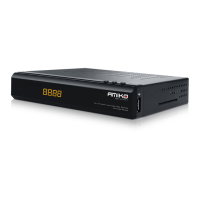
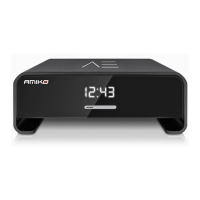
Describes the front panel components of the Mini Combo Extra, noting power indicators, card slot, and USB.

Amiko Mira WiFi Front Panel

Covers the front panel of the Mira WiFi, including power, signal indicators, card slot, and USB port.

Amiko Impulse T2 C Front Panel

Details the front panel of the Impulse T2C, including remote sensor, indicators, card slot, USB, and display.

Amiko T60 Front Panel

Outlines the front panel features of the Amiko T60, including remote sensor, indicators, USB, and buttons.

Amiko T70 Front Panel

Describes the front panel of the Amiko T70, focusing on remote sensor, indicators, USB, and buttons.

Rear Panel

Amiko HD8140 C SE Rear Panel

Details the rear connections for the HD8140C SE, including RF IN, S/PDIF, USB, and TV.

Amiko HD8142 Rear Panel

Outlines the rear panel connections for the HD8142, covering RF IN, Ethernet, HD OUT, and audio/video ports.

Amiko HD8155 Rear Panel

Describes the rear panel of the HD8155, detailing LNB IN, S/PDIF, HDMI, RS 232, Ethernet, TV, and USB ports.

Amiko HD8265+ Rear Panel

Details the rear connections for the HD8265+, including LNB IN, RF IN, S/PDIF, USB, AV OUT, HD OUT, and RS 232.

Connecting Your System

Basic Operations

Receiver Power and Mute

Manages receiver power states and audio mute functionality.

Installation

Satellite Installation

Explains how to scan for satellite channels, including LNB types and DiSEqC settings.

Software Upgrade

Upgrade Via USB

Details how to upgrade the receiver's software using a USB drive.

Http Upgrade

Explains how to perform manual or automatic software updates via an internet connection.

Ftp Upgrade

Describes how to update software from an FTP server when connected to the internet.

Conditional Access

Media

Application

Trouble Shooting

Specifications

Amiko Mini Combo Extra Specifications

General IconGeneral
EthernetYes
High Definition (HD)Yes
Audio DecodingMPEG-1 Layer I/II, MP3, AAC
RAM512MB
Ethernet Speed10/100 Mbps
USB Version2.0
CI SlotNo
Operating SystemProprietary
Tuner TypeDVB-S2, DVB-T2
Video OutputHDMI
Audio OutputHDMI, RCA
Power Supply12V DC
Supported standardsDVB-S2, DVB-T2
ConnectorsHDMI, RCA, USB, Ethernet
Conditional Access SystemConax
Video DecodingMPEG-2, MPEG-4, H.264

Related product manuals