M7225 User’s Guide
18
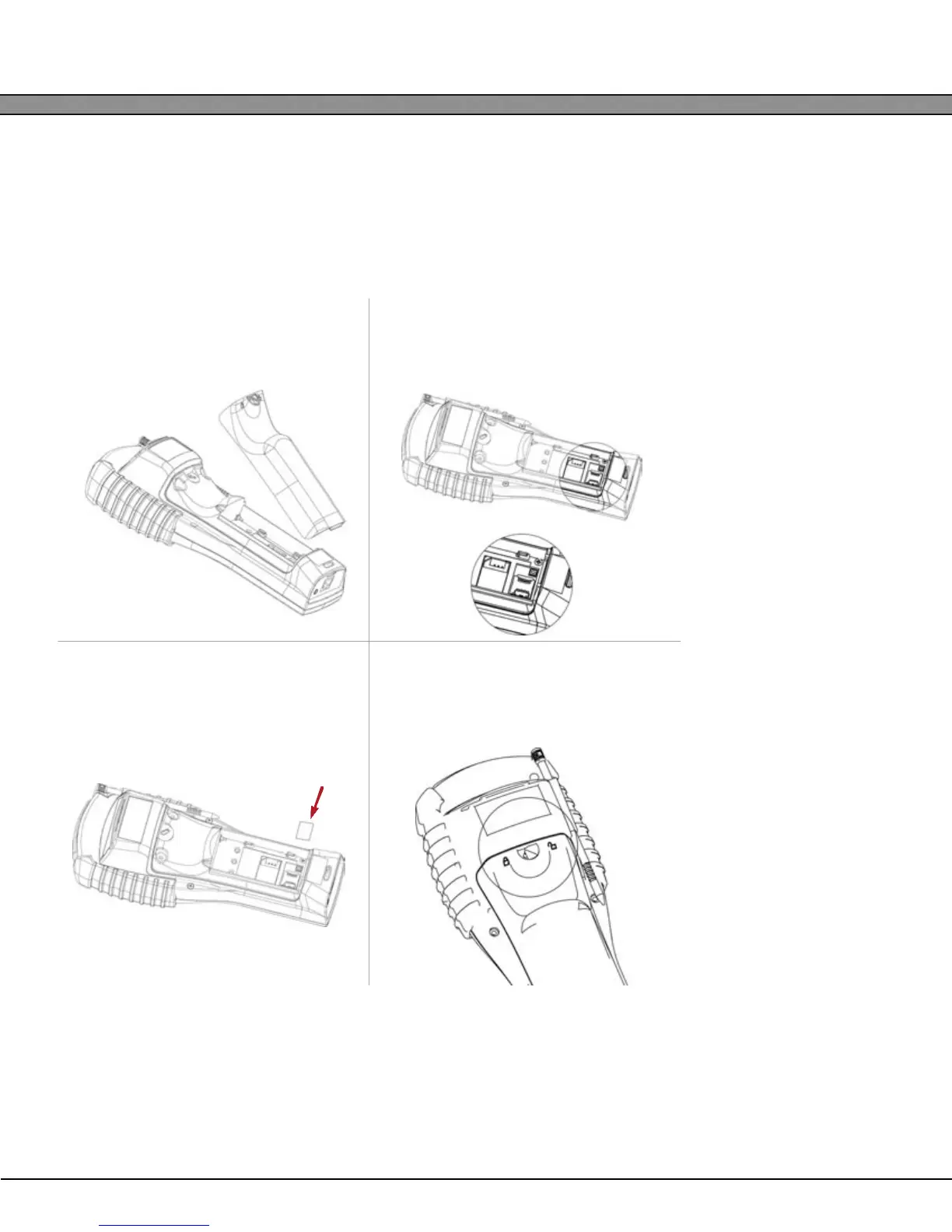
Installing a MicroSD Card
The M7225 has a user accessible microSD card slot in the main battery compartment. This slot can accomi-
date up to a 4GB microSD card for use additional memory expansion. The SD card will be mounted as
“Storage Card” in the operating system.
M7225 Handheld Units
1
Remove the battery compartment
cover and main battery.
2
Locate the microSD card slot. To open
the socket, slide the metal tab to the
right and hinge upward.
3
Insert the microSD card fully into the
slot. Hinge the tab downward and
slide into the locked position.
4
Replace the battery door and lock the
access latch. THE UNIT MUST BE COLD
BOOTED AFTER INSERTING A SD CARD!


 To Next Page