M7225 User’s Guide
37
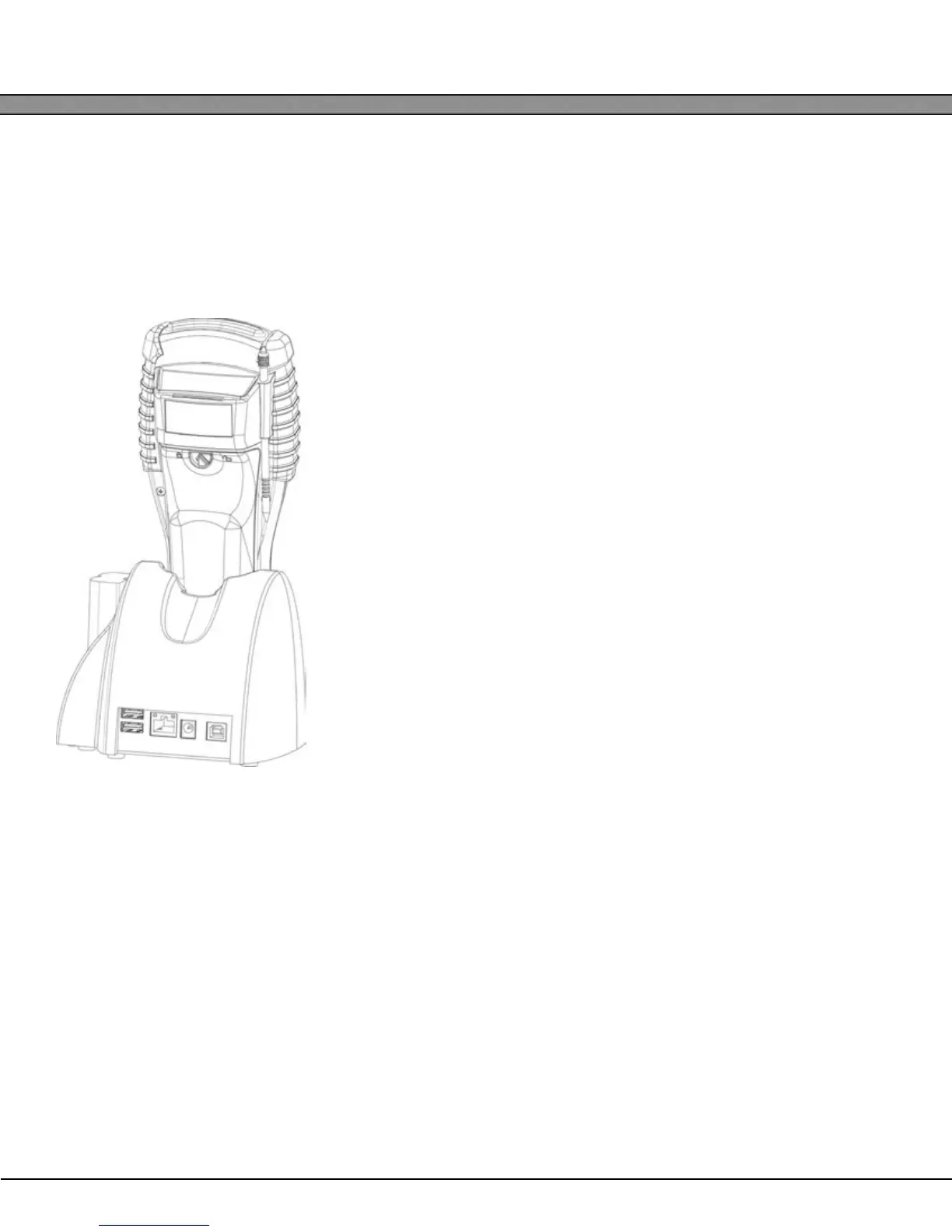
All compatible cradles have three indicator lights:
POWER - Indicates that the M7225 Cradle is plugged in.
MAIN - Indicates the M7225 main battery is charging.
SPARE - Indicates the spare battery is charging.
When the battery charging LED is red, the battery is charging. When the battery charge LED is green the bat-
tery is fully charged.
The ACC-7225 has four communication ports and one power jack locat-
ed on the rear of the cradle. From left to right, these ports are:
2 x Stacked USB 1.1 Host - Full-size Type A
1 x 10/100 Ethernet Networking
1 x 2.1mm 5V DC Center Positive Power Jack
1 x USB 1.1 Slave – Full-size Type B
All configuration of the ports and setup of external devices connected to
the ACC-7225 is done through the M7225 unit. The ACC-7225 has no
internal or external settings that can be changed.


 To Next Page