M7225 User’s Guide
19
M7225 Pistol-Grip Units
1
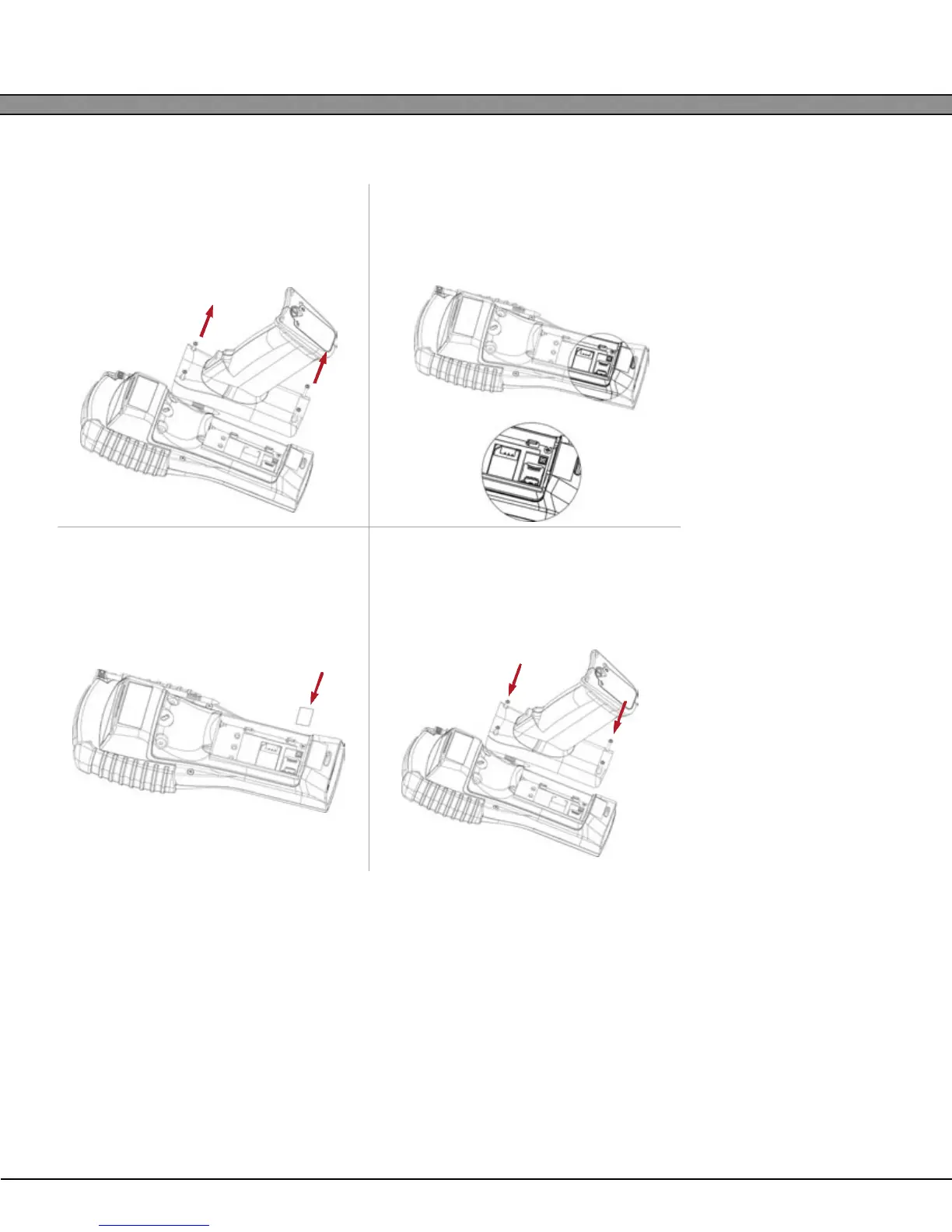
Remove the battery and loosen the four
pistol grip screws with a Phillips style
screwdriver.ch counter-clockwise.
2
Locate the microSD card slot. To open
the socket, slide the metal tab to the
right and hinge upward.
3
Insert the microSD card fully into the
slot. Hinge the tab downward and
slide into the locked position.
4
Replace the pistol-grip and tighten the
four screws. Do not over-tighten the
screws! THE UNIT MUST BE COLD BOOT-
ED AFTER INSERTING A SD CARD!


 To Next Page