M7225 User’s Guide
22
M7225 Handheld Units
M7225 Pistol-Grip Units
Power down the M7225 as described in the Cold Booting section. Hold down the button when re-inserting
the main battery. The unit will display CLEAN BOOTING on the LCD to confirm the procedure.
Once the message is visible, release the button.
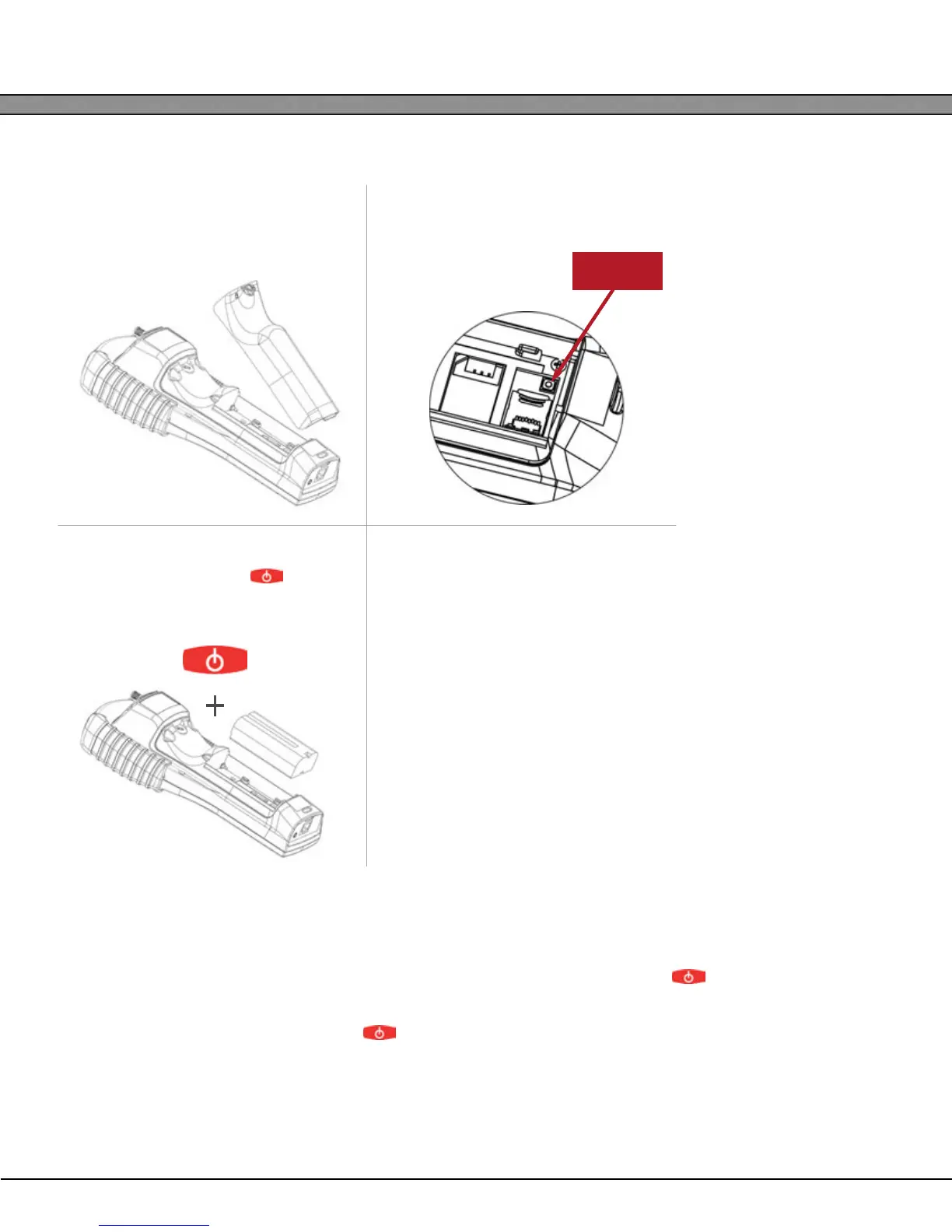
1
Remove the battery compartment
cover and main battery.
2
Press the internal RESET button.
3
While holding down the button
on the keypad, re-insert the main bat-
tery and replace the battery cover.
4
The unit will display CLEAN BOOTING on
the LCD to confirm the procedure.
Once the message is visible, release
the power button.
Reset
Button



 To Next Page