M7225 User’s Guide
21
M7225 Pistol-Grip Units
Clean Booting
The M7225 utilizes a persistent storage model where performing a cold boot will not cause the system to lose
user data stored on the main file system. To restore factory settings and format the main file system complete,
perform a CLEAN boot procedure as outlined below.
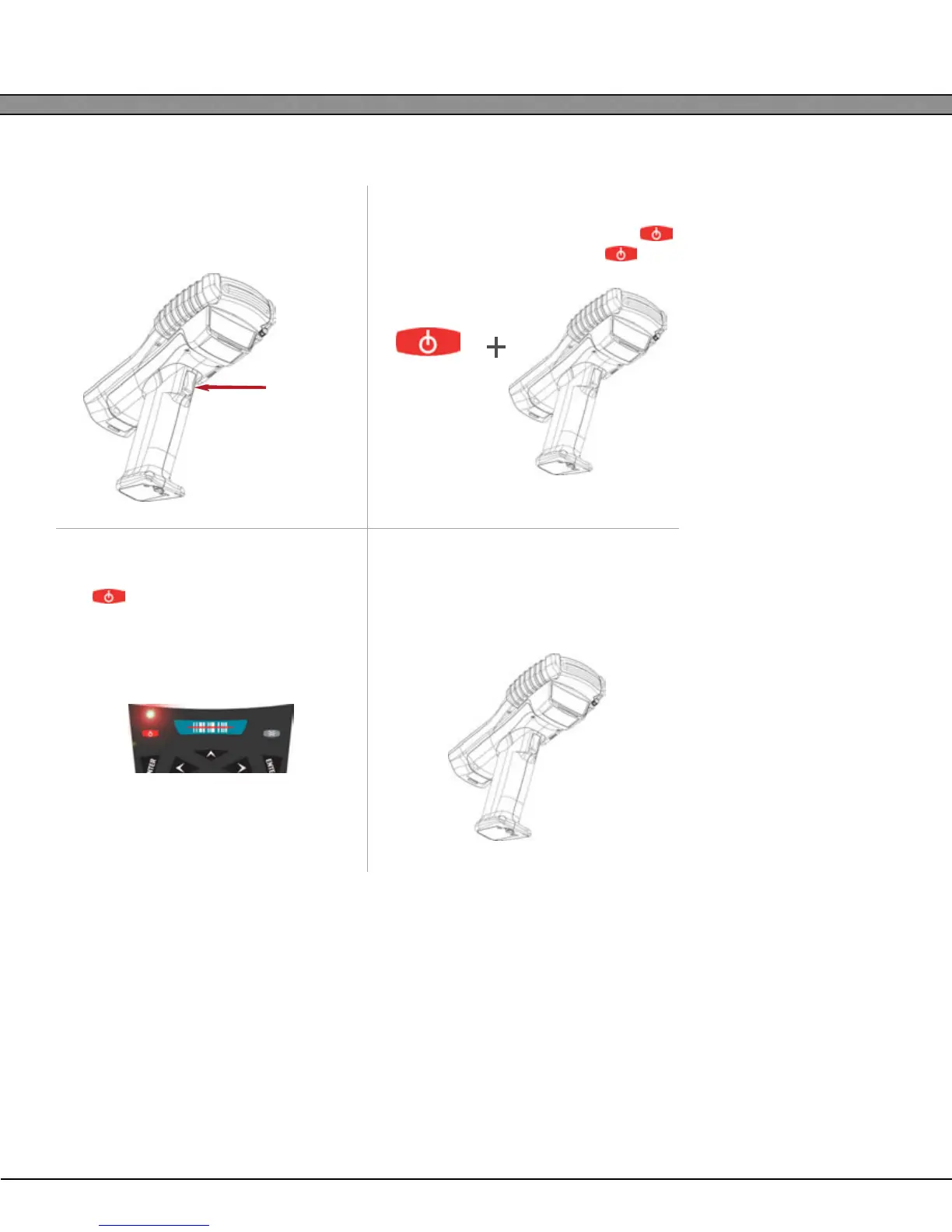
1
With the unit powered on, hold down
the trigger until the barcode scanner
times out.
2
While still holding the trigger, press the
button. Release the trigger and .
3
Wake the unit from suspend by pressing
the The red keyboard LED will indi-
cate that the backup battery has
been disabled.
4
Remove the battery. The M7225 is now
fully powered down. Upon insertion of a
battery, the unit will perform a Cold Boot.
Trigger


 To Next Page