M7225 User’s Guide
31
Data Editing
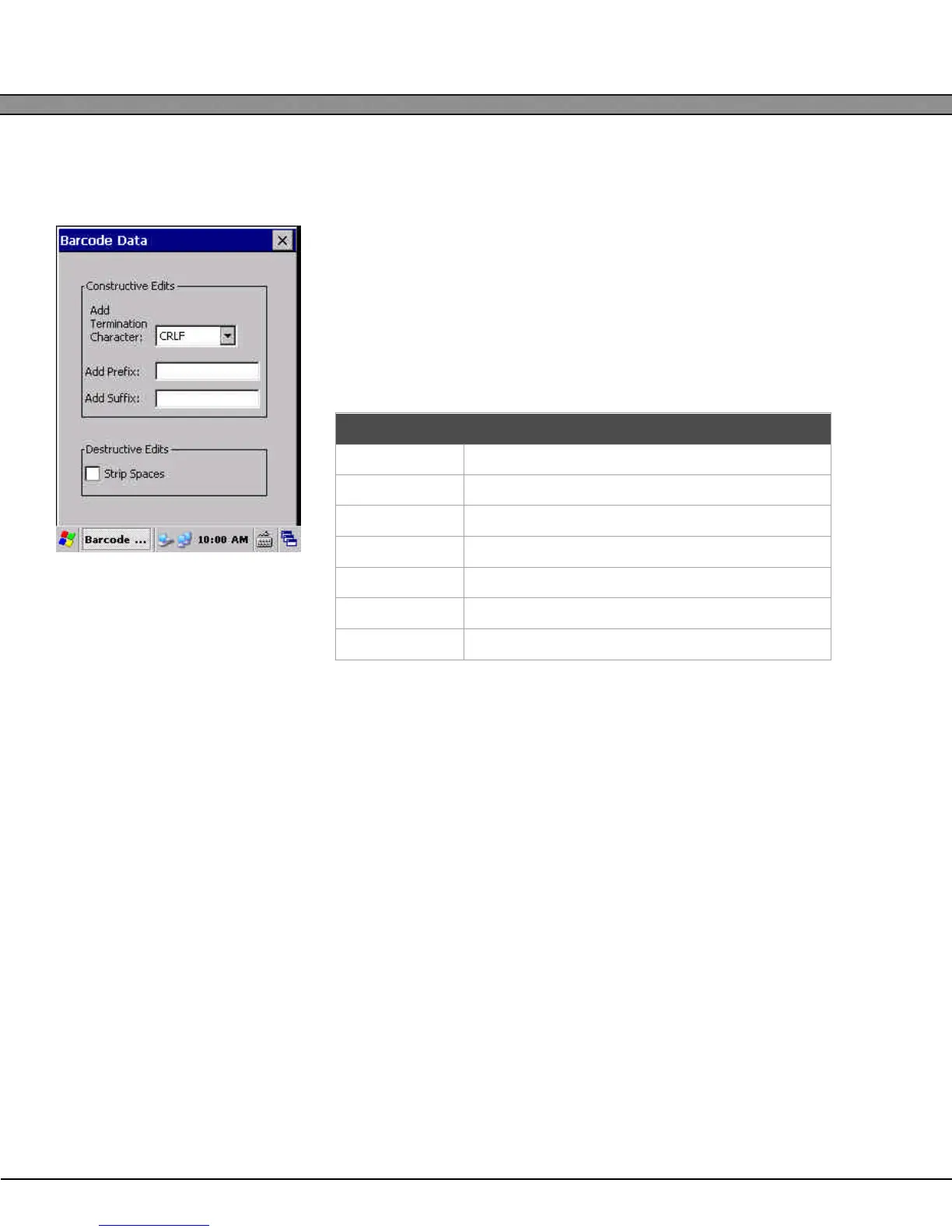
The Data Editing dialog allows the user to configure the basic data input stream of the barcode data.
Termination Character – adds a character to the end of all barcode
scans
Prefix – Prepends the barcode data with the given string
Suffix – Appends the barcode data with the given string
Strip Spaces – Delete all space characters from the barcode data before
processing
Advanced Scanner Configuration
Further configuration of the barcode scanner properties is possible through configuration barcodes. For more
information on how to obtain barcode scanner configuration manuals, contact AML.
Prefix/Suffix Special Characters
\\ Literal backslash
\t Tab character
\e Escape character
\f Form Feed character
\r Enter Keypress
\n Carriage Return
\l Line Feed


 To Next Page