M7225 User’s Guide
28
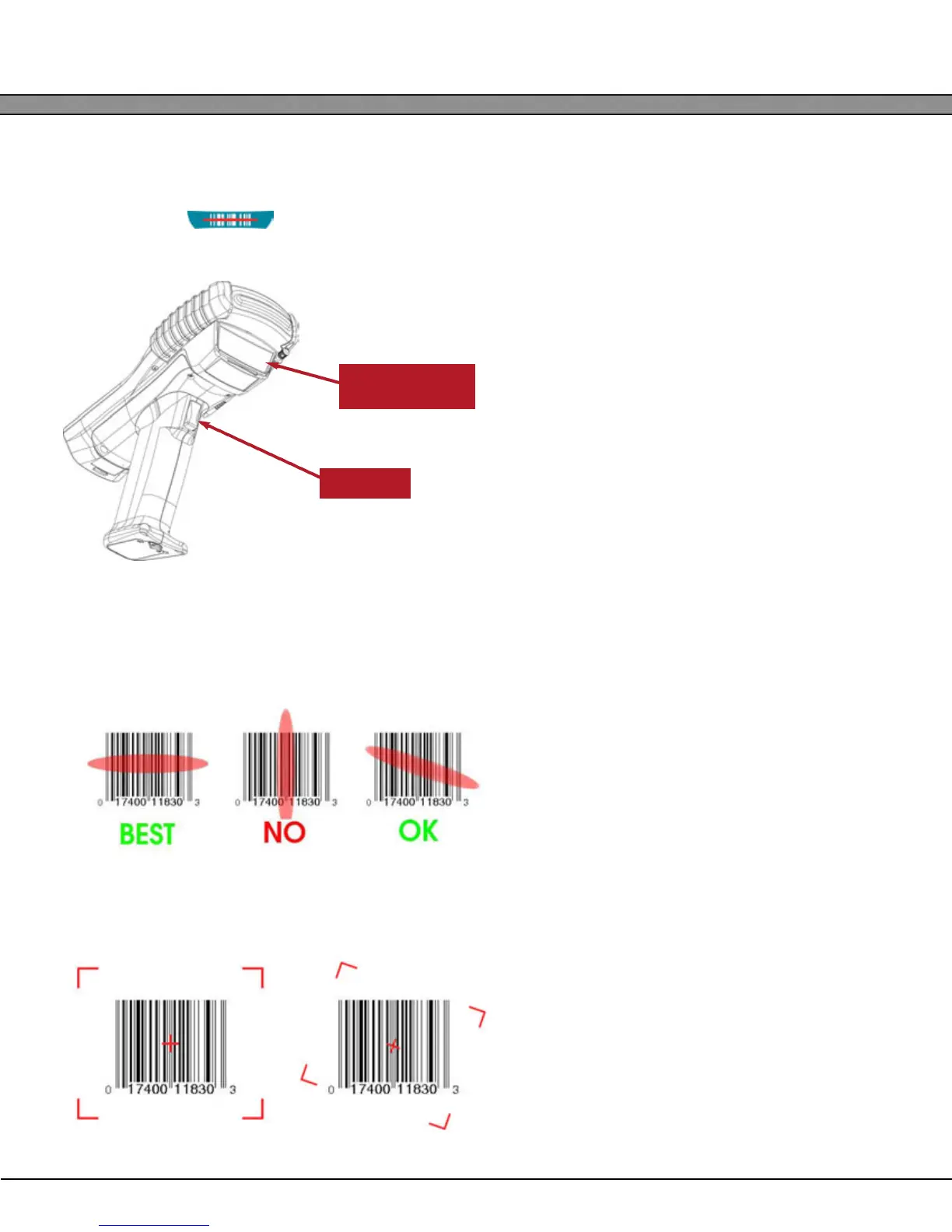
SCAN Button and Trigger
The M7225’s internal barcode scanners are designed to be manually triggered by the operator by either press-
ing the keypad’s button or by pulling the trigger if the unit is equipped with a pistol-grip-type han-
dle.
Scanning Barcodes
M7225 units equipped with the laser scan engines require proper alignment of the bar code under the scanner
window.
The 2D, omni-directional imager is capable of scanning bar codes at any orientation as long as the entire sym-
bol is visible to the scanner and illuminated.
Trigger
Scan Engine
Window


 To Next Page