M7225 User’s Guide
8
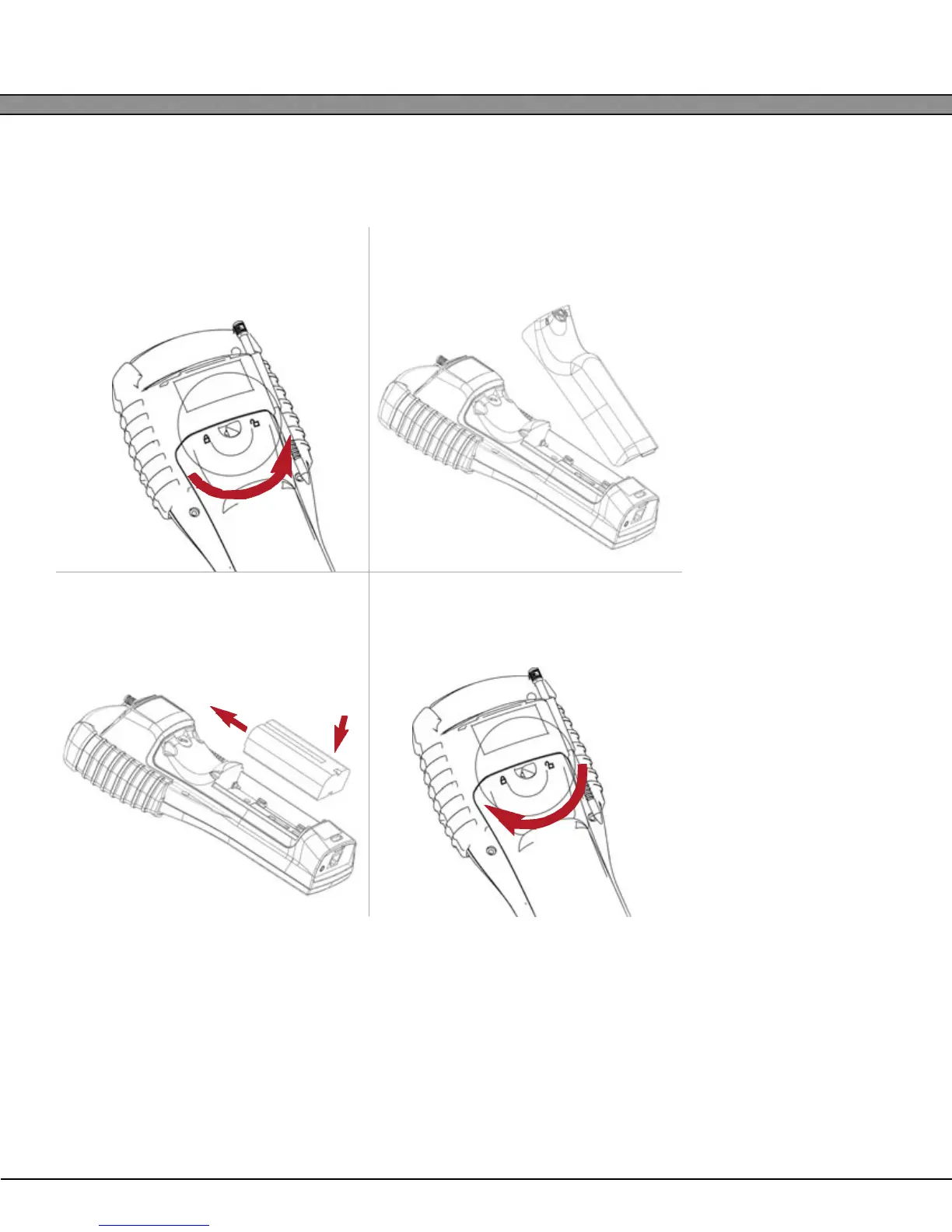
Installing the Main Battery
M7225 Handheld Units
1
Unlock the battery compartment
by turning the access latch
counter-clockwise.
2
Remove the battery door by hinging it
upward.
3
Insert the main battery near the rear of
the compartment and slide towards
the front to engage.
4
Replace the battery door and lock the
access latch.
2
1



 To Next Page