WEB
MANAGEMENT
fatbox G3
3. 2
LAN ETHERNET
LAN Port Settings
255.255.255.0
255.255.255.0
192.168.1.1
10.1.1.1
100
150
1c:bd:0e:00:00:01
1c:bd:0e:00:00:01
ETH0 Netmask
ETH1 Netmask
DHCP Start
LAN Masquerade
DHCP Limit
Specic LAN device Masquerade (eth0)
ETH0 IP Address
ETH1 IP Address
DHCP Enable
ETH1 Gateway
Enabled
For Ethernet WANOption
e.g.xxx.xxx.xxxStart
xx.xx.xx.xx.xx.xx/xxx
xx.xx.xx.xx.xx.xx
xx.xx.xx.xx.xx.xx
Limit no.ofIPstoassign
Disabled
Advanced Settings
ETH0 MAC Spoong
ETH1 MAC Spoong
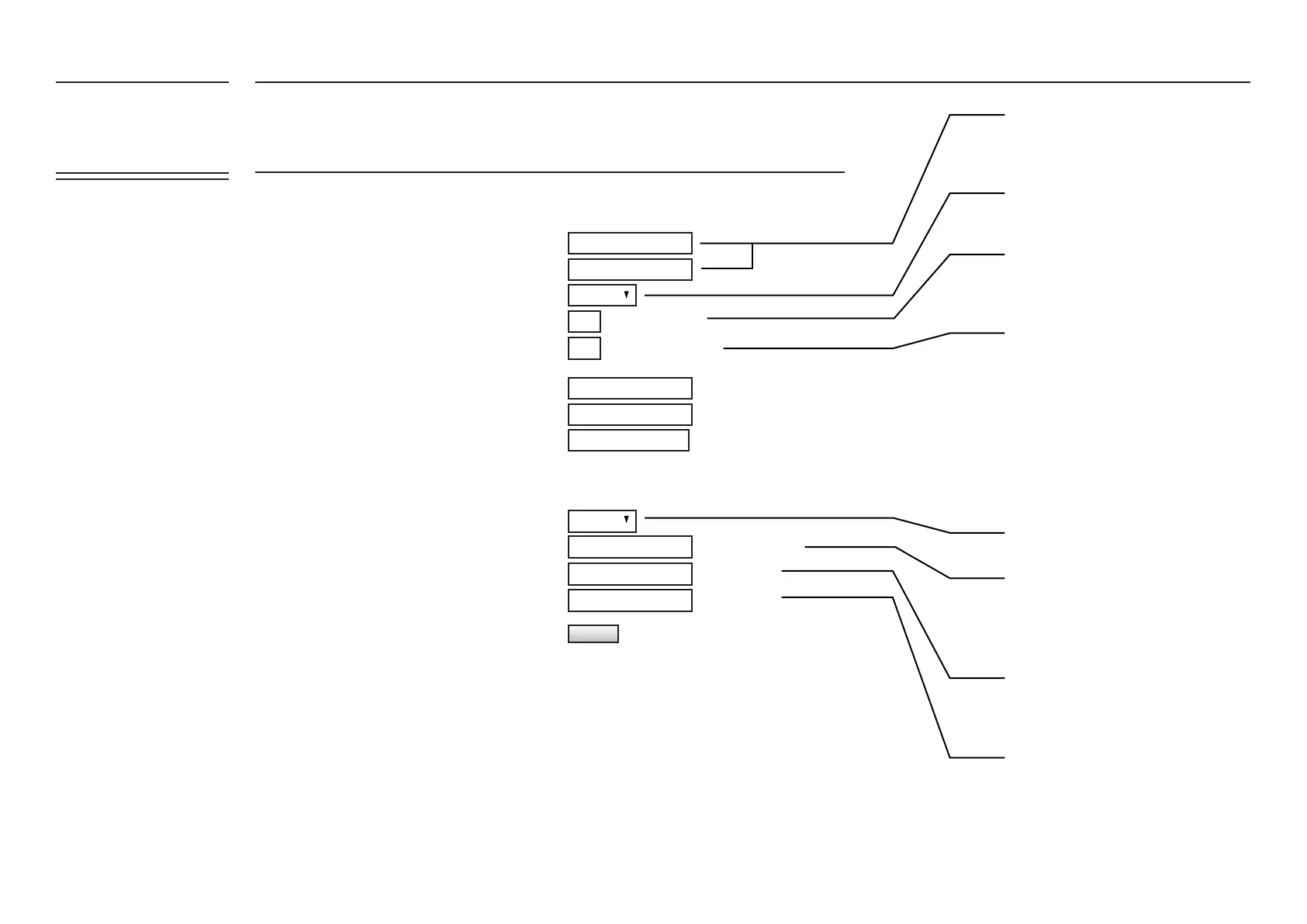
Sets the IP address of LAN port on FATBOX
G3
Setup the FATBOX G3 to automatically
assign IP addresses to your connected LAN
devices.
This would be the starting address for con-
nected devices. For the example above, the
rst device connected would be assigned
192.168.1.100.
This would be the limit for number of con-
nected devices. For the example above, the
last device connected would be assigned
192.168.1.150
This is to enable/disable masquerade
Sets the ETH0 MAC address of the FATBOX
G3
Sets the ETH1 MAC address of the FATBOX
G3
IP masquerading allows internal machines
that don’t have an ofcially assigned IP ad-
dresses to communicate to other networks
and especially the Internet. Set this to the
specic device on your network.
UPDATE
FATBOX_G3
MENU OPTIONS
Quick Start
LAN Settings
WiFi & BT Settings
WAN Settings
Port Forwarding
Dynamic DNS
IPsec VPN
Port Settings
IoT Hardware
IoT Client
SNMP
Management
System Status
Logout


 To Next Page