SETTING UP
fatbox G3
2. 1
SIM INSTALLATION
WHAT YOU’LL NEED
1
3G Data Enabled micro SIM
Card
2
PC/Laptop with an
Ethernet port
3
SIM card network details –
APN/USERNAME/PASSWORD.
You would need to get this
information from
your operator.
INSERTING THE SIM
CARD
STEP 1 of 6 -
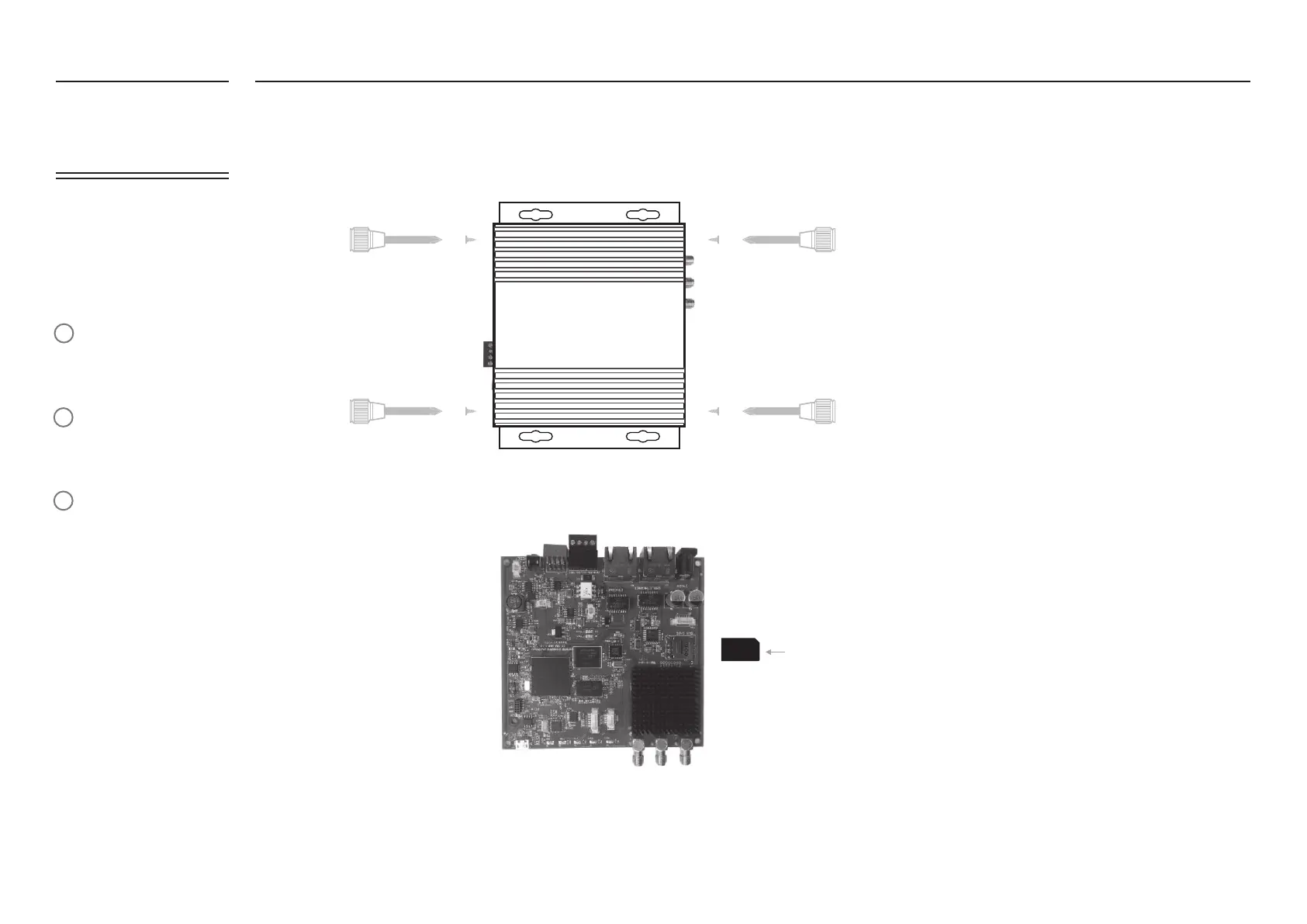
Dismantle the casing cover and slide out the PCB. Avoid touching the electronics, handle the board by the edges.
STEP 2 of 6 -
Insert your micro SIM card into the SIM card slot. Push the metal latch left/right to lock/unlock.
Reassemble the metal casing.
STEP 3 of 6 - Connect the power adapter/antenna and plug the Ethernet cable to your pc.
STEP 4 of 6 - Power up the FATBOX G3.
(SIM card’s
orientation
ts as shown)


 To Next Page