WEB
MANAGEMENT
fatbox G3
3. 8
PORT SETTINGS
FATBOX G3 has built in TCP
Serial server and client
mode.
In the server mode it allows
remote devices (e.g. a meter
reading server) to connect
over cellular network* to
device(s)** attached to the
serial port of the FATBOX.
In the client mode, the G3
will connect out to a public
server on internet which can
be an IP address or dnsname
(eg www.myserver.org)
*
Requires public IP SIM
**
Note that only in the RS-485
mode can you connect multiple
devices to the FATBOX.
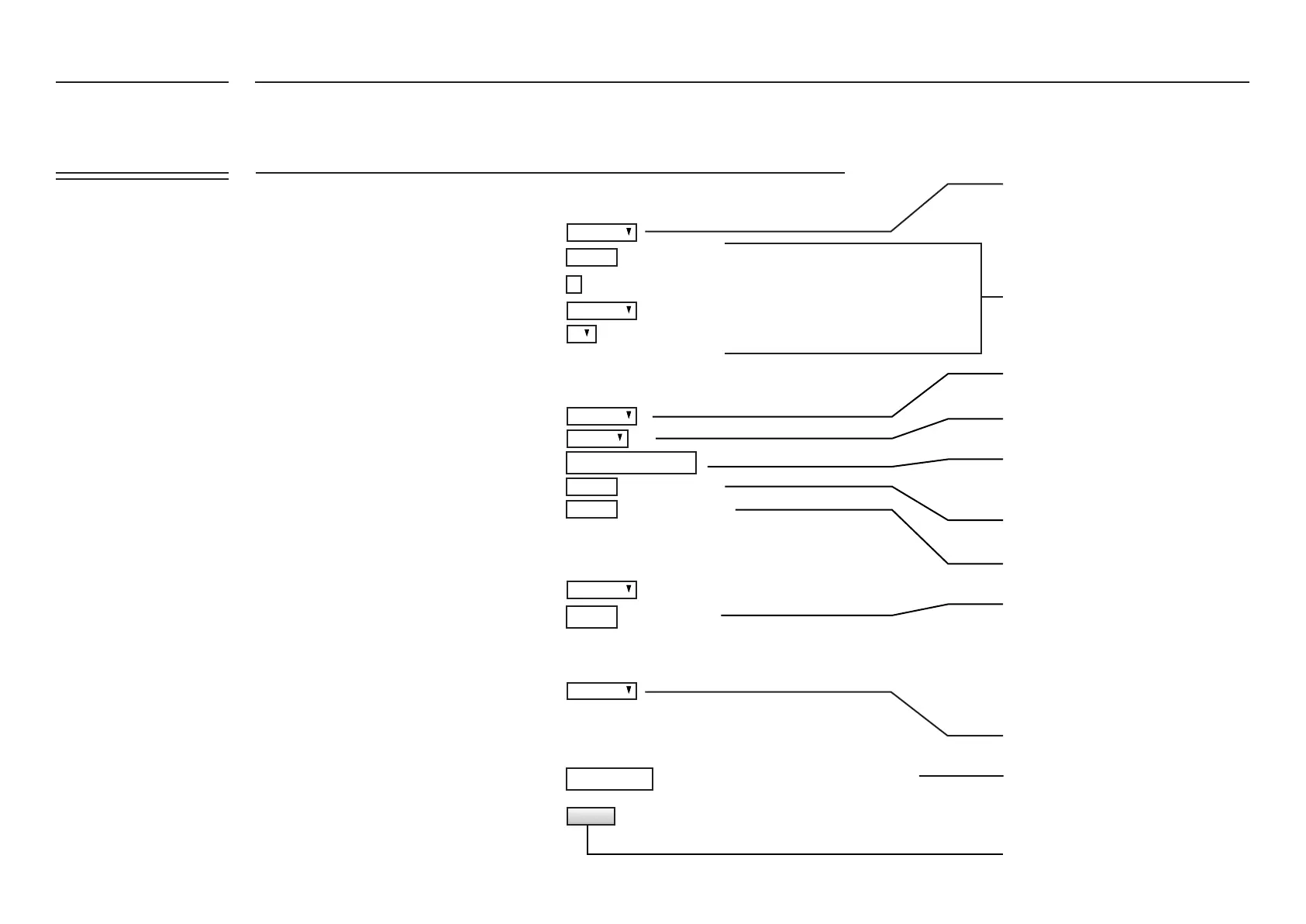
Serial Port Parameters
Serial to TCP Transport
AT over Ethernet
Serial AT
Port Mode Selection
Enable
Mode
Enable
CAN Port Parameter
Enable
Stop Bits
Data Bits
Listening Port
No Activity Timeout
E.g. 7, 8
E.g. 70 (default)
secs (0=no timeout)
8
70
0
115200
0.0.0.0.
77
500000
Speed
Server IP
Listening Port
Baudrate
Parity
Choose the mode of Serial Port
Click to enable AT commands over
serial port
Enter CAN Bus system baudrate
Enable or Disable TCP Transport
Select Serial server or client mode
If you have selected to the client mode,
input the IP Address or DNS name of the
server here
If you selected the server mode, input your
listening port (default port 70) here
When there is no data activity, port
connection is terminated on timeout
FATBOX G3 also allows messages (e.g.
modem AT commands) to be send and
received from the cellular modem via the
LAN port (e.g. port 77). For example, an
Ethernet attached Data Concentrator can
send AT commands to the FATBOX (e.g.
192.168.1.1:77) to query signal strength
(AT+CSQ) or to send custom SMS.
Setting to match attached serial device
Update and reboot FATBOX.
E.g. 9600, 19200, 38400, 57600, 115200
E.g. 77 (default)
E.g. 50000, 100000, 125000, 250000, 500000, 1000000
UPDATE
Disabled
Server
RS-232
Disabled
Disabled
Disabled
Disabled
Disabled
None
1
FATBOX_G3
MENU OPTIONS
Quick Start
LAN Settings
WiFi & BT Settings
WAN Settings
Port Forwarding
Dynamic DNS
IPsec VPN
Port Settings
IoT Hardware
IoT Client
SNMP
Management
System Status
Logout


 To Next Page