WEB
MANAGEMENT
fatbox G3
3. 6
DYNAMIC DNS
The Dynamic DNS feature
helps to keep a standard
domain name pointed to
theFATBOX even if its assigned
IP changes during reboot/
reconnection.
WHAT YOU’LL NEED TO USE
DYNAMIC DNS
1
A data sim card with a
public IP [You can check this
with your operator.]
2
An account with dyndns.org/ no-
ip.com
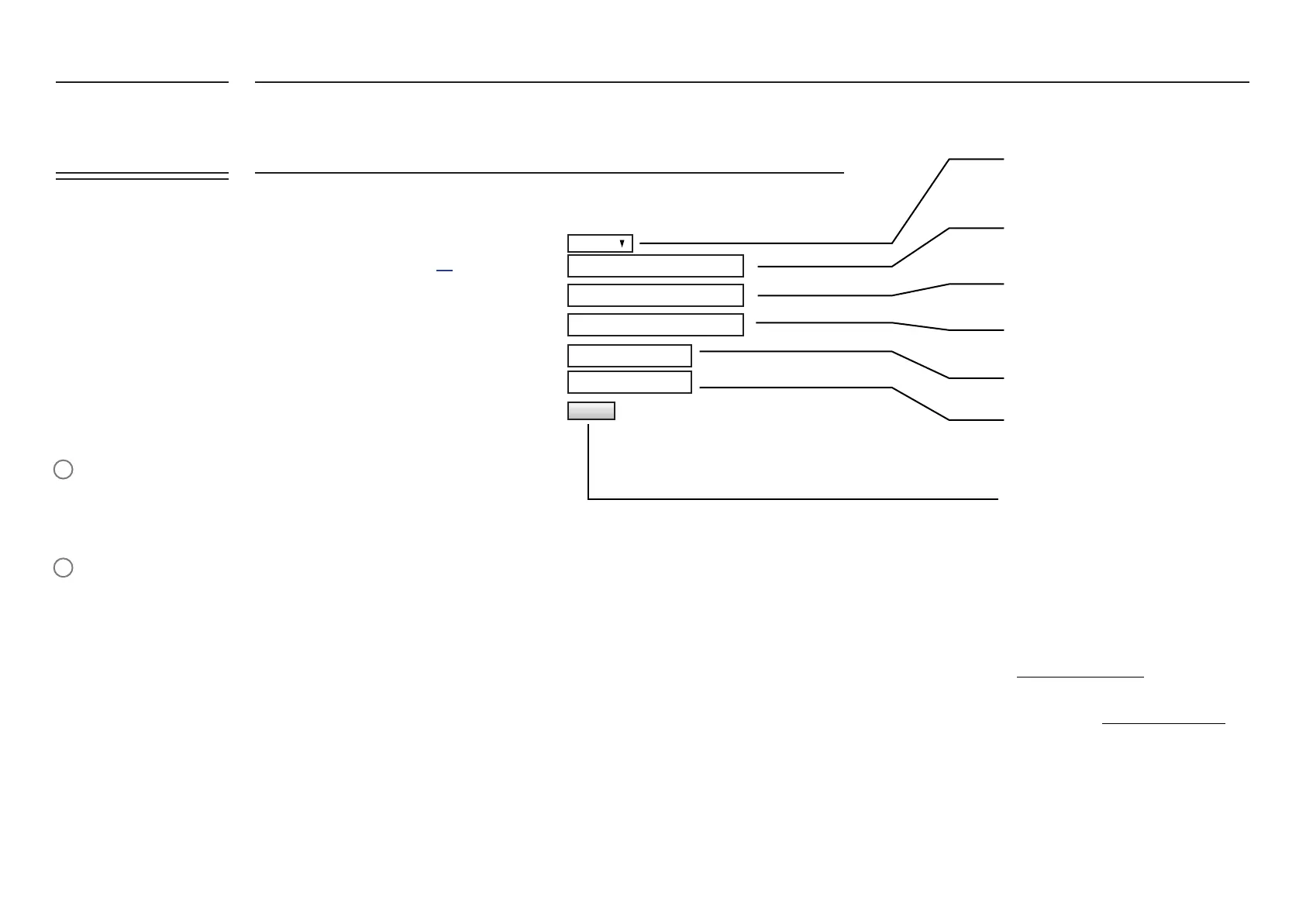
Dynamic DNS Settings
Enable
Disabled
dyndns.org
your_host.dyndns.org
your_host.dyndns.org
********
your_username
Service Name [list]
Lookup Host
Domain
DDNS Service Password
DDNS Service Username
Enable or Disable the DYNDNS Service
Enter in the DYNDNS service you have
registered with (eg. dyndns.org, no-ip.com)
Enter in the FQDN (fully qualied domain
name) of your host at DDNS provider
Enter in your DNS name for URL update to
your DDNS provider
Key in your DYDNS Service Username
Key in your DYNDNS Service Password
Update to save your settings
The FATBOX G3 would connect to your
account and point the domain you set to
the FATBOX after you reboot.
EXAMPLE
In the above example, the Hostname is set
as:
your_host.dyndns.org.
You can access the FATBOX using the
domain name “your_host.dyndns.org “
on the browser of any regular PC with an
Internet connection.
UPDATE
FATBOX_G3
MENU OPTIONS
Quick Start
LAN Settings
WiFi & BT Settings
WAN Settings
Port Forwarding
Dynamic DNS
IPsec VPN
Port Settings
IoT Hardware
IoT Client
SNMP
Management
System Status
Logout


 To Next Page