WEB
MANAGEMENT
fatbox G3
3. 4
WAN CELLULAR
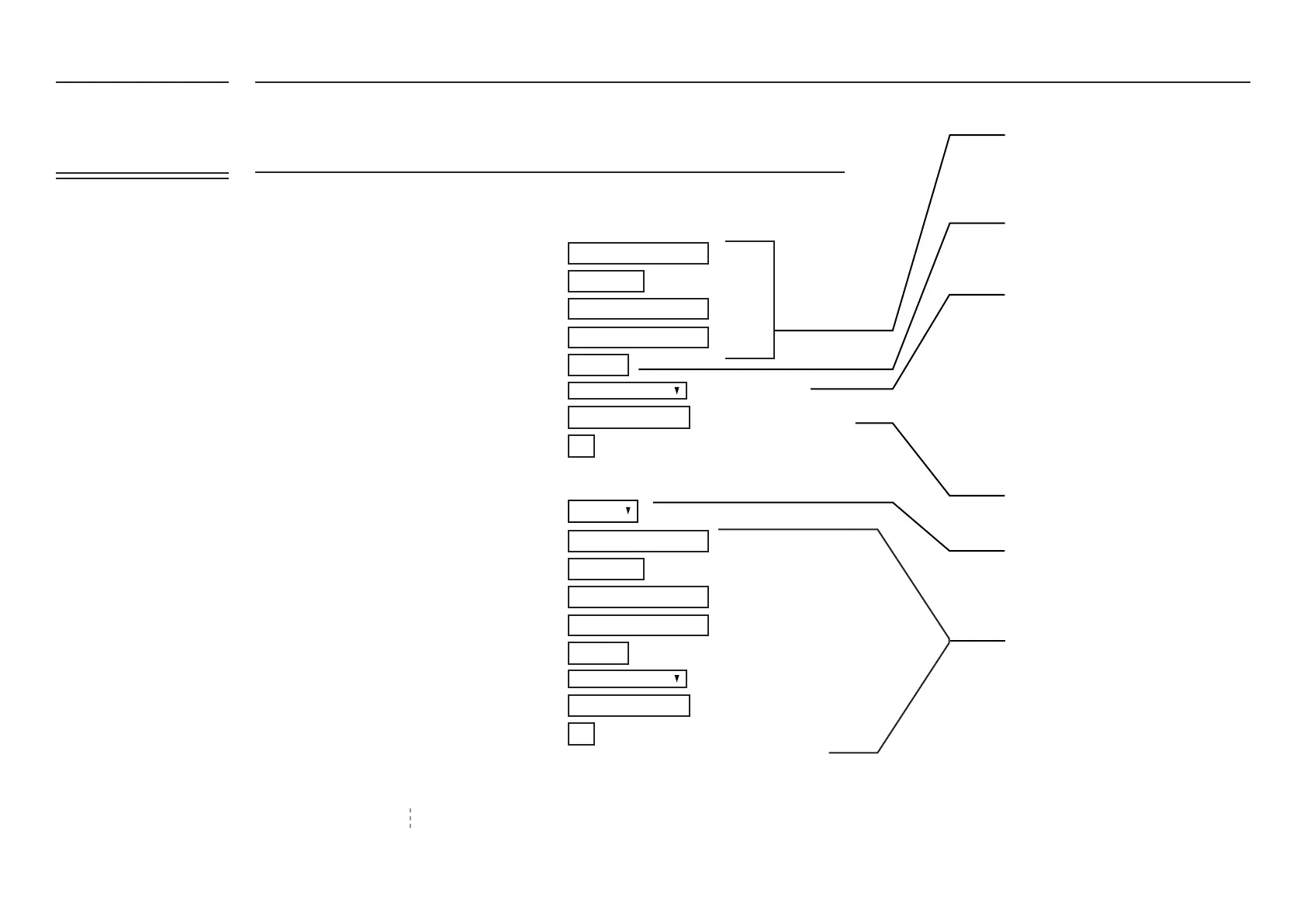
3G/4G Cellular Settings
SIM1 Settings
SIM2 Settings
*99#
*99#
yourapn
yourapn
5
5
8.8.8.8
8.8.8.8
APN
APN
SIM2 Enable
Username (PAP/CHAP only)
User Name (PAP/CHAP only)
Password (PAP/CHAP only)
Password (PAP/CHAP only)
SIM PIN Code (If required only)
SIM PIN Code (If required only)
Dial Number
Dial Number
PPP Keepalive
PPP Keepalive
Service
Service
Assigned DNS
Assigned DNS
Please check with your telco/service provider
to obtain these settings
Likewise input settings for SIM2 if
necessary
“LTE_UMTS” (Default/Preferred) - Toggles
automatically between LTE, 4G and 3G
“LTE Only” - will always try to connect to
LTE, disregards 3G networks
“UMTS Only” - will always try to connect to
UMTS, disregards LTE/GPRS networks
“GPRS Only” - will always try to connect to
GPRS, disregards LTE/UMTS networks
Setup the PIN code (usually 4-8 digit
numerics) if SIM PIN lock is enabled
To override domain name server (e.g.
Google DNS server 8.8.8.8)
This enables the SIM2 redundancy feature
No. of connection failures before reconnection
No. of connection failures before reconnection
LTE is model dependent
LTE is model dependent
To overide network assigned DNS
To overide network assigned DNS
LTE_UMTS Preferred
LTE_UMTS Preferred
Advanced Settings
Disabled
FATBOX_G3
MENU OPTIONS
Quick Start
LAN Settings
WiFi & BT Settings
WAN Settings
Port Forwarding
Dynamic DNS
IPsec VPN
Port Settings
IoT Hardware
IoT Client
SNMP
Management
System Status
Logout


 To Next Page