WEB
MANAGEMENT
fatbox G3
3. 10
IOT CLIENT
For Developers:
The FATBOX G3 enables
developers to build their own
application on AZURE IoT Hub
and AWS IoT to manage
remote industrial devices.
End-to-End IoT Solution:
Managing your device with
UBIDOTS IoT is simple as
Click, Congure & Drop.
MICROSOFT AZURE IOTHUB :: Client Setup
G3 Azure IoT Quick Start Guide.pdf
G3 Azure IoT Quick Start Guide.pdf
G3 ubidots IoT Quick Start Guide.pdf
Please upload to FATBOX the connstr.txt and iotasset.txt using
a USB drive /user via Management>User Files Management>Download to FATBOX
Client Setup :: Azure IoT
DeviceId
Enable client
Message Type
YourAzureDeviceId
fatboxg3
data
a33rz5dlue817h-ats.iot.us-west-2.am
8883
BBFF-5Pq01wWj4AmonUB
meter001
Client Setup :: ubidots
Device Token
Device Name
Enable client
Client Setup :: AWS IoT
Thing Name
Topic
AWS Endpoint
AWS Port
Enable client
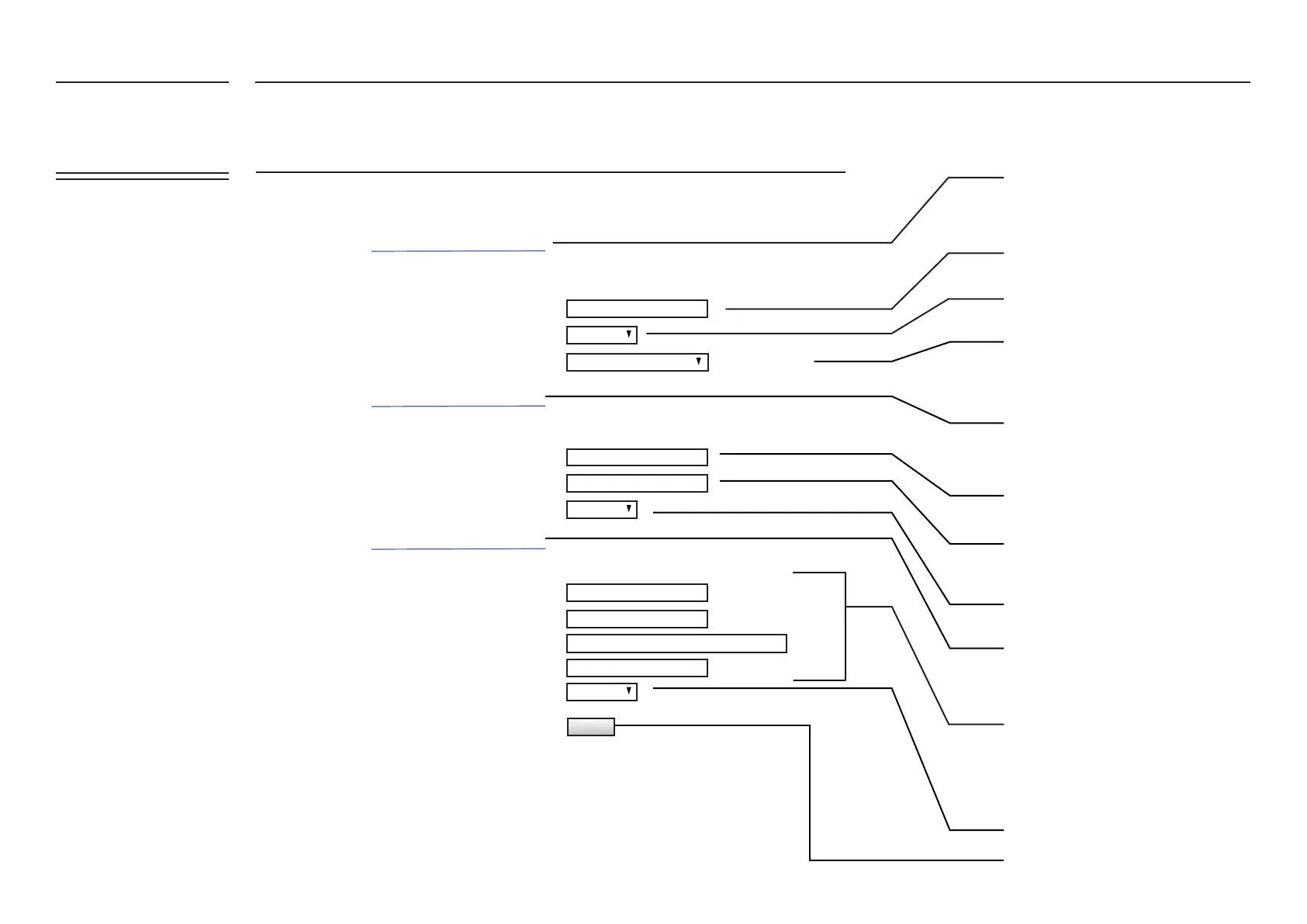
Enter your DeviceId you use to set up in
your Microsoft Azure IoT account
Enable or Disable the FATBOX as an
AZURE IOT Hub
Enter the Device Token that you copy
from your Ubidots account
Select the number of events that constitute
as a single Azure message. Azure IoT uses
JSON format.
Open Ubidots IoT Quick Start Guide PDF for
step by step instructions on designing, wiring
and setting up a simple Modbus device-to-
Ubidots
Open AWS IoT Quick Start Guide PDF for step
by step instructions on designing, wiring and
setting up a simple Modbus device-to-AWS
Open Azure IoT Quick Start Guide PDF for
step by step instructions on designing,
wiring and setting up a simple Modbus
device-to-Azure report on PowerBI
Give your Fatbox G3 a unique device
name (no spaces or special characters)
Update and reboot FATBOX.
Enable or Disable the FATBOX as an
Ubidots IOT gateway
Enable or Disable the FATBOX as an
AWS IOT gateway
per Azure message
UPDATE
Enabled
Enabled
Enabled
JSON: Single Data
FATBOX_G3
MENU OPTIONS
Quick Start
LAN Settings
WiFi & BT Settings
WAN Settings
Port Forwarding
Dynamic DNS
IPsec VPN
Port Settings
IoT Hardware
IoT Client
SNMP
Management
System Status
Logout
Add your Thing Name, Topic, AWS End
Point and AWS Port as per the settings in
your AWS account


 To Next Page