ACCEL-7450 User's Manual
- 18 -
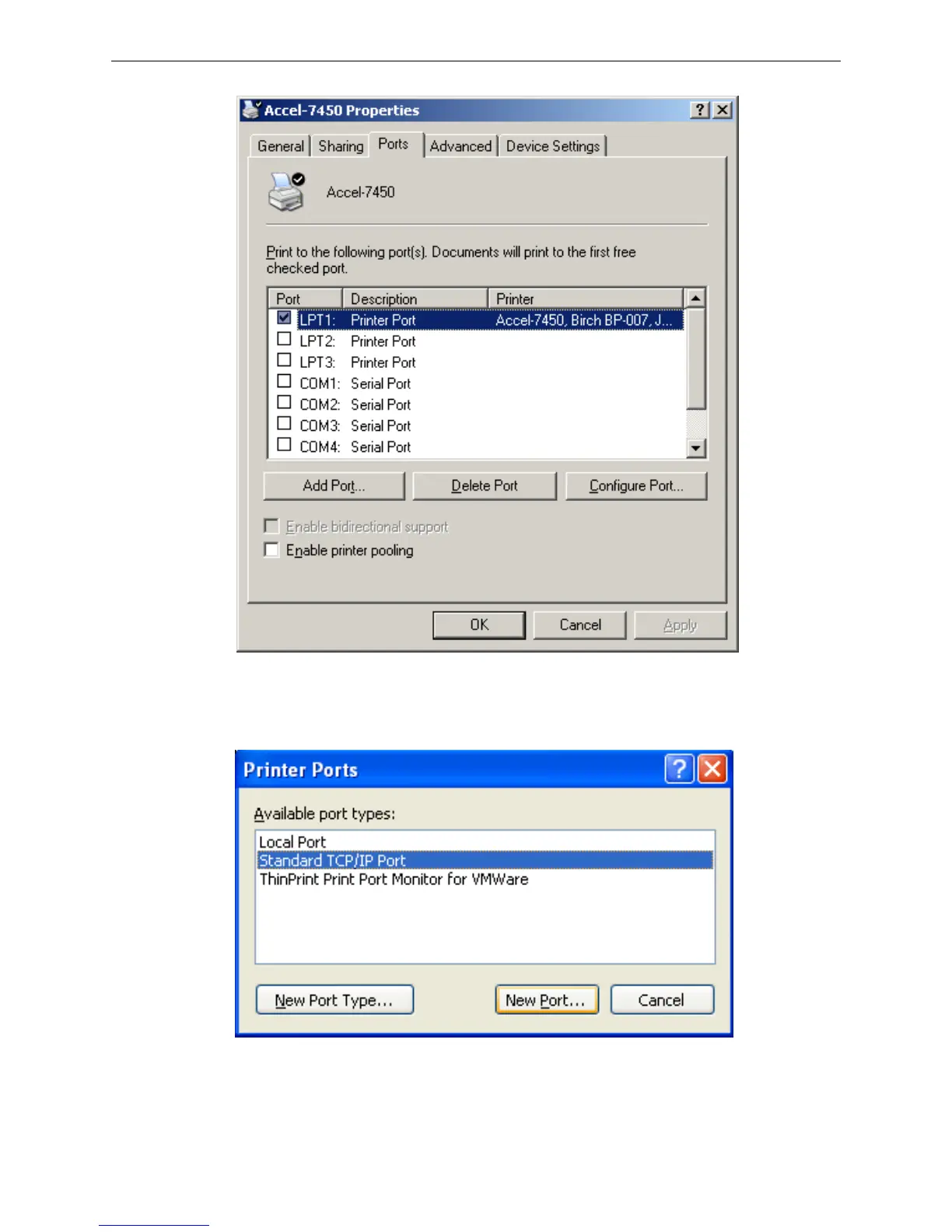
4) Come out a window of “Printer port”, select “Standard TCP/IP Port”, click “New port”.
5) Come out a window of “Add Standard TCP/IP Printer Port Wizard”, click “Next”.
6) Come out a window of “Add a port”, import the IP address reported by the “Setting printer’s IP
address” in the “Printer name or IP address” column. Take IP address “192.168.0.240” for example.


 To Next Page