ACCEL-7450 User's Manual
- 25 -
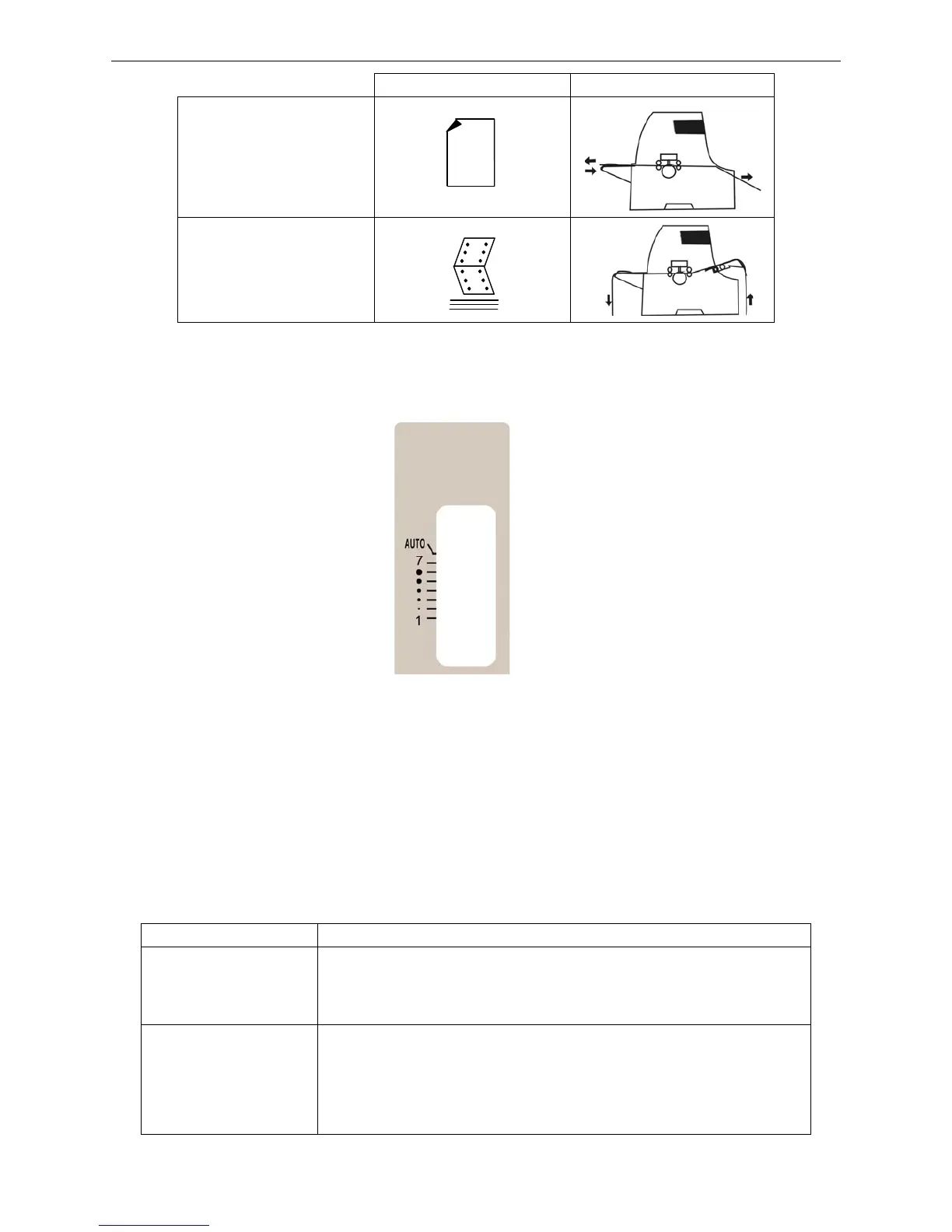
Position Paper feeding way
Manual
Tractor
3.1.5 Gap adjust lever
This lever is for adjusting the gap between the print head and the paper.
1. When the lever is in AUTO position, the printer will measure the paper thickness before printing
and then automatically adjust the gap between the print head and the paper.
2. If the lever is in the fixed gap between graduations 1-7, the gap between the print head and the
paper is fixed.
3. Best position can be selected manually to meet the paper thickness as follows.
Graduation 1 is for cut sheet.
Guraduation 7 is for 7-sheet fanfold paper.
3.1.6 Indicator Lights
Indicator light State Description
ONLINE (Green)
ON: Printer is in ONLINE mode.
OFF: Printer is in OFFLINE mode.
BLINK: Printer cover is open or the print head overheating.
SPEED (Green)
ON: High Density printing mode
OFF: Normal speed printing mode
BLINK: High (High 1)speed printing mode
FAST BLINK: Super high (High 2) speed printing mode


 To Next Page