ACCEL-7450 User's Manual
- 2 -
Chapter 2 Preparation
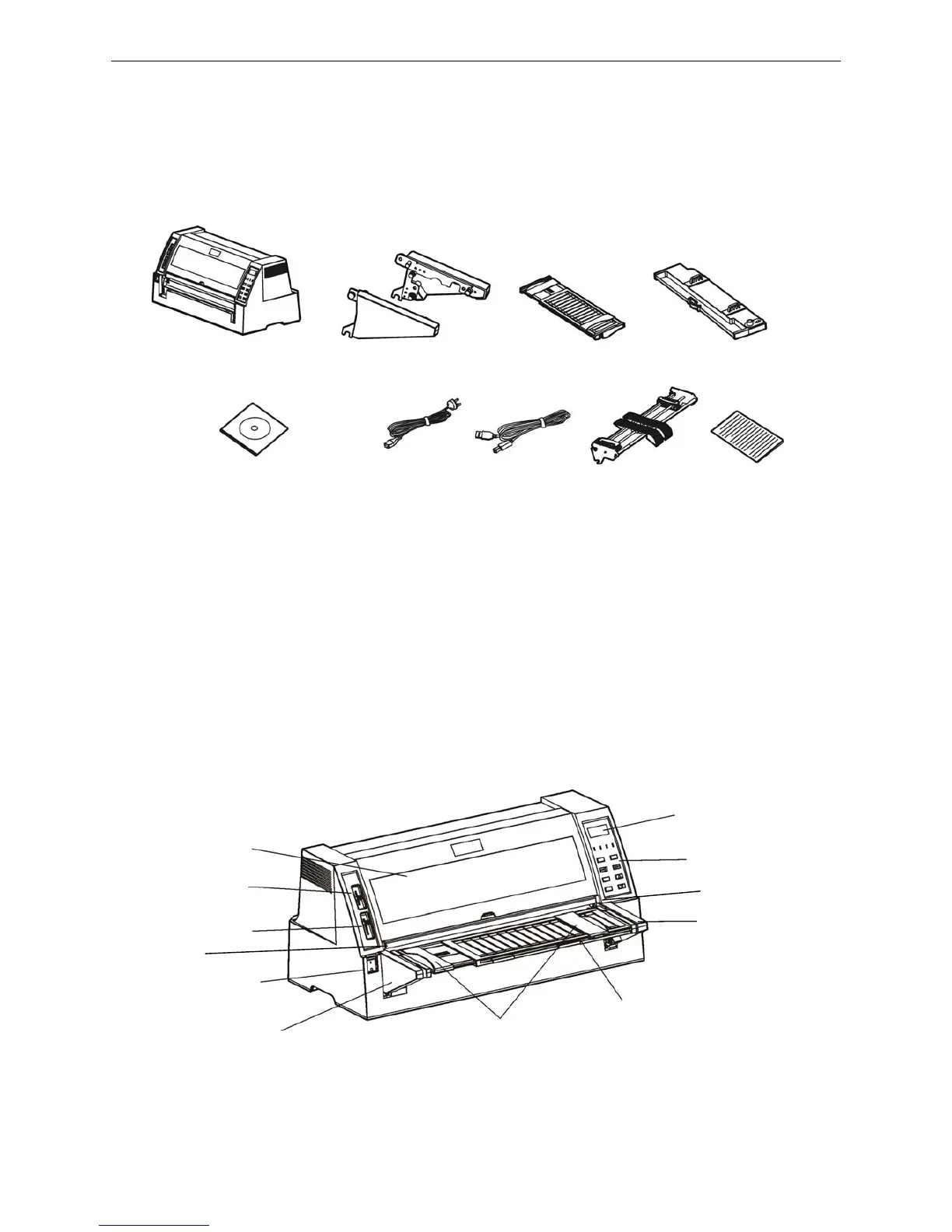
2.1 Unpacking & Checking
Check each item against the following packing list, if any of these items are missing, please contact
your dealer.
Note: The fittings please refer the packing list. The packing style above is subject to change
without notice.
2.2 Dismantling Protective Materials
1. Open the packing box, lift up the printer, and remove the packing materials.
2. Save all the original packing materials, so that they can be used when transport the printer.
2.3 Parts Identification
Figure 2-1 Packing list in the printer box
Figure 2-2 Main parts of printer (front view)
LCD display
Printer cover
Ga


 To Next Page