ACCEL-7450 User's Manual
- 32 -
Chapter 5 Menu Function Description
This section is mainly introducing the item functions in the Menu Setup Mode.
5.1 Emulation
This printer contains three emulations, use the corresponding Driver after selection.
Compatible with EPSON ESC/P-K2
Compatible with OKI 5530SC
Compatible with IBM 2391
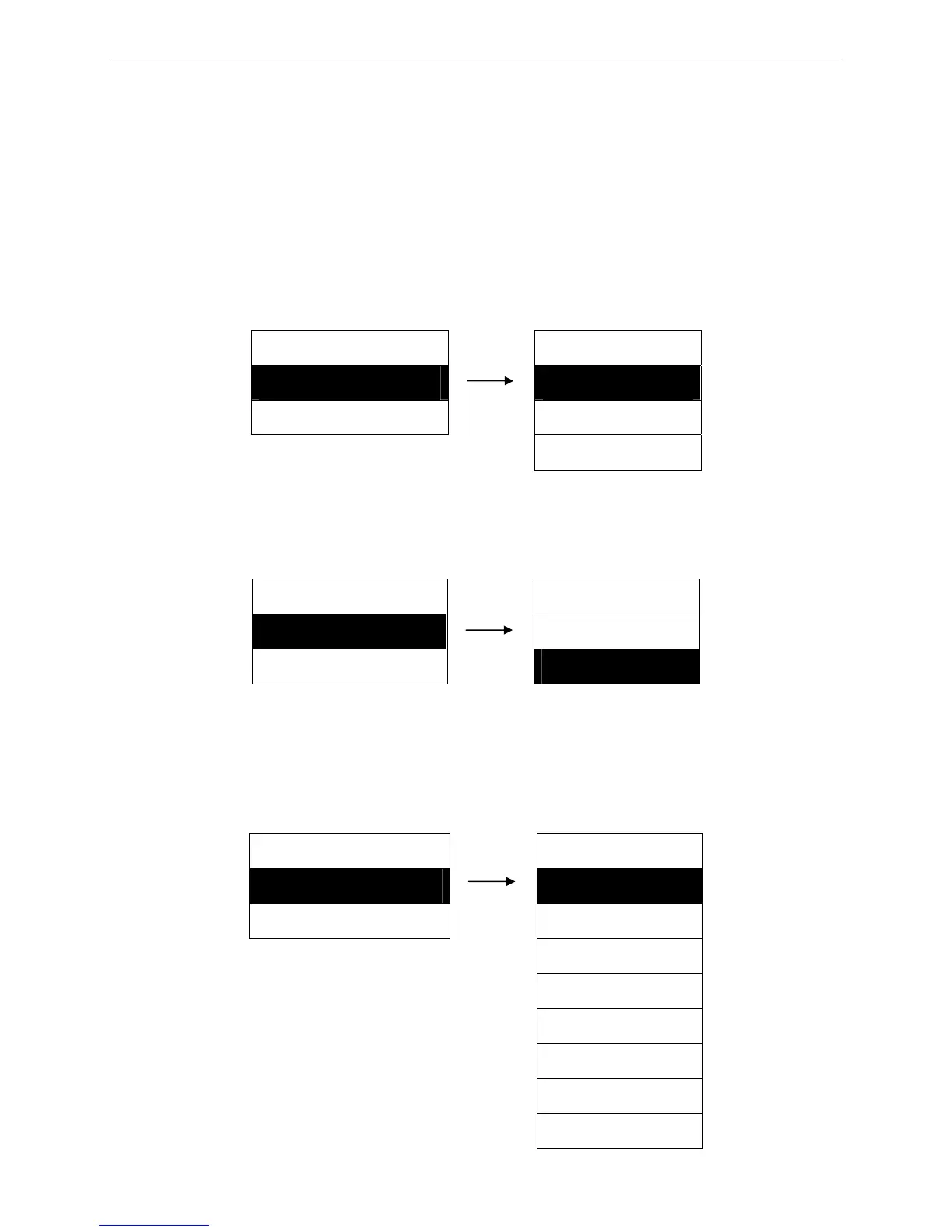
Setting process:
MENU SETUP EMULATION
1. EMULATION ► 1. EPSON ※
2. PRINT MODE ► 2. OKI
3. IBM
5.2 Print Mode
Select ASCII or Chinese printing mode.
Setting process:
MENU SETUP PRINT MODE
2. PRINT MODE ► 1. ASCII
3. FONT SELECT ► 2. CHINESE ※
5.3 Font Select
Set the English printing font, there are eight fonts are provided: Roman, Sans Serif, Courier, Prestige,
Script, OCR-B, OCR-A, Orator.
Setting process:
MENU SETUP FONT SELECT
3. FONT SELECT ►
1. ROMAN ※
4. COMPRESS PRN ► 2. SANS SERIF
3. COURIER
4. PRESTIGE
5. SCRIPT
6. OCR-B
7. OCR-A
8. ORATOR


 To Next Page