ACCEL-7450 User's Manual
- 42 -
5.35 Parity Bit
Set the printer serial interface parity checking type. It includes NONE, ODD and EVEN.
Setting process:
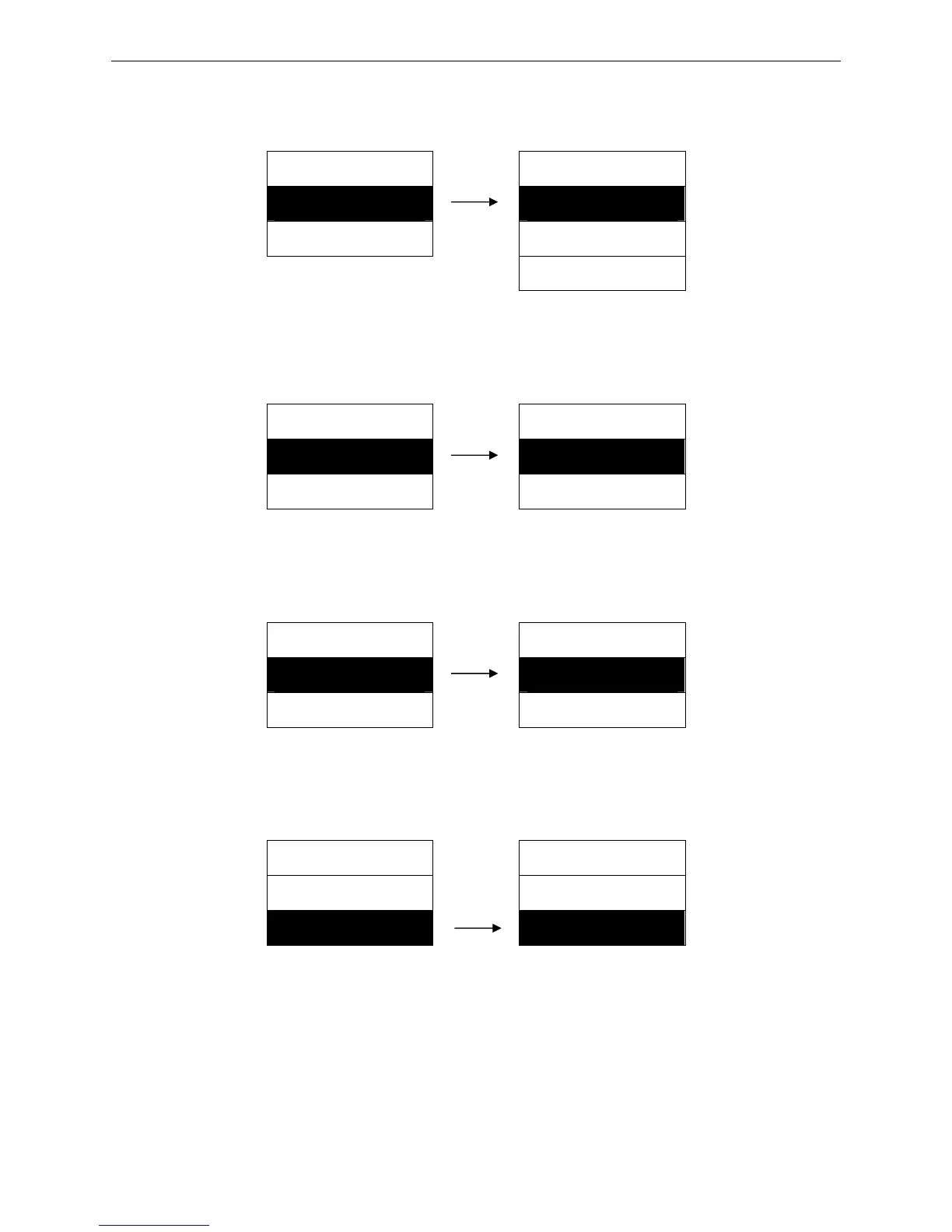
MENU SETUP PARITY BIT
35. PARITY BIT ► 1. NONE ※
36. DATA LENGTH ► 2. ODD
3. EVEN
5.36 Data Length
Select the serial interface data length.
Setting process:
MENU SETUP DATA LENGTH
36. DATA LENGTH ► 1. 8 BITS ※
37. STOP BIT ► 2. 7 BITS
5.37 Stop Bit
Select the serial interface data transport stop bit.
Setting process:
MENU SETUP STOP BIT
37. STOP BIT ► 1. 1 BIT ※
38. PROTOCOL ► 2. 2 BITS
5.38 Protocol
Set the printer’s serial interface as software control (XON/XOFF) or hardware control (DTR).
Setting process:
MENU SETUP PROTOCOL
37. STOP BIT ► 1. XON/XOFF
38. PROTOCOL ► 2. DTR ※


 To Next Page