ACCEL-7450 User's Manual
- 22 -
Chapter 3 Control Panel
3.1 Control Panel
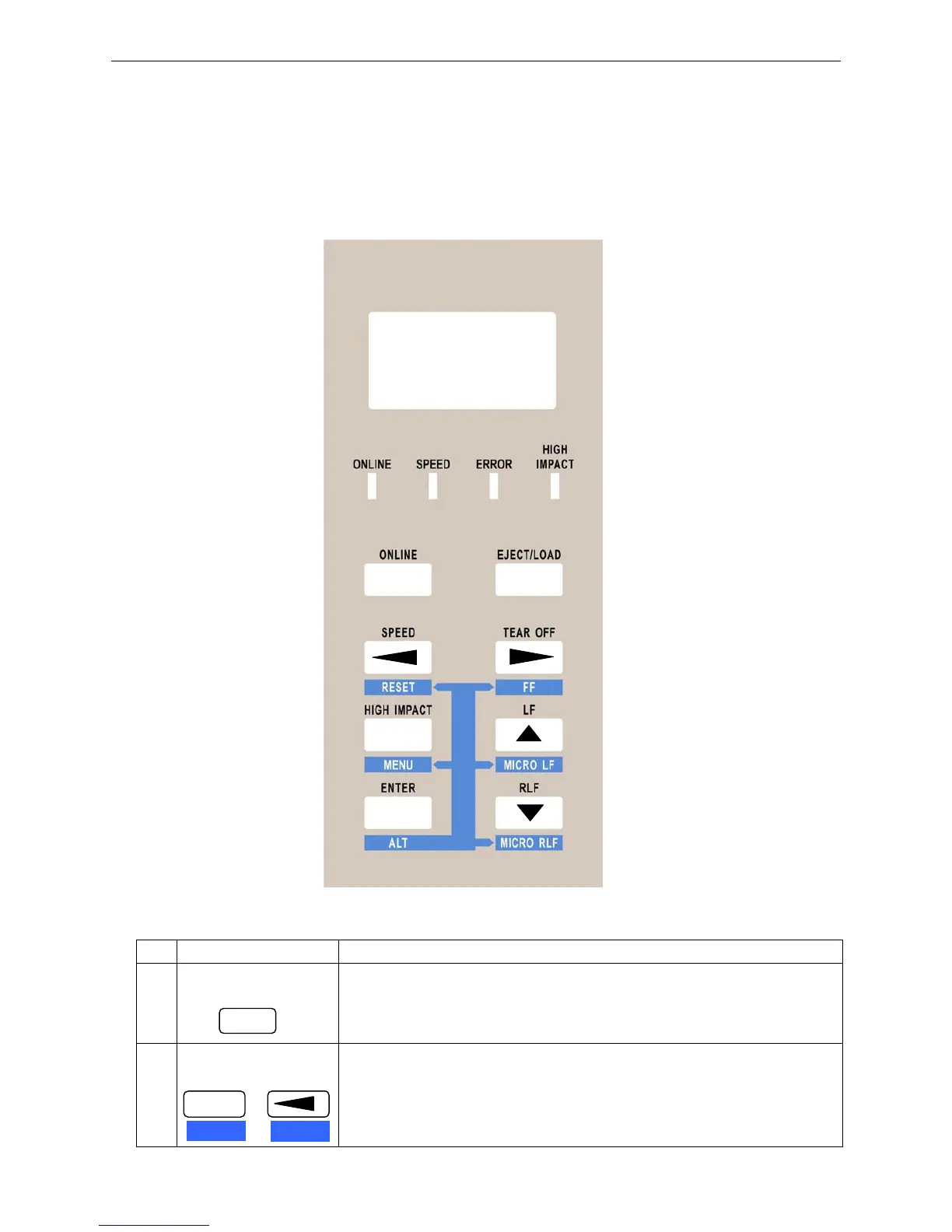
The liquid crystal display (LCD) on the control panel displays the processing conditions of the printer
and the setting of the functions. The keys on the control panel provide various functions.
3.1.1 Control Panel View
3.1.2 Function Keys
No. Function key Function descriptiom
1
ONLINE
Press ONLINE key to switch between ONLINE mode and OFFLINE
mode.
2
RESET
Press the ALT+RESET key, then “INITIALIZING...” is displayed on the
LCD, and then the printer restarts and initializes which will clean the
printing buffer. (Each time 64K)
Note: Both Online and Offline are OK.
ONLINE
LCD
ENTER
SPEED
ALT
+
RESET


 To Next Page