ACCEL-7450 User's Manual
- 47 -
Length: 127 ~ 430 mm
Ply: ≤7
Thickness: 0.12 ~ 0.52 mm
Weight: 40 g/m
2
(1+6)
Card
Width: 127 ~ 430 mm
Length: 127 ~ 430 mm
Thickness: 0.08 ~ 2 mm
Max printing thickness 2.0 mm
Copy
Original + 6 copies
Standard mode: Original +4 copies
Copy mode: Original + 6 copies
Automatic function Automatic thickness detection, Automatic skew detection, Paper edge detection
Especial functions Chinese LCD display
635 mm (width) × 335 mm (depth) × 294 mm (height) (no front table)
Physical dimensions
635 mm (width) × 465 mm (depth) × 294 mm (height) (with front table)
Weight Approx. 22 Kg
Operating environment: Temperature: 5 ~ 40℃
Humidity: 40%RH ~ 90%RH (No condensation)
Environmental conditions
Storage environment: Temperature: -40 ~ 55℃
Humidity: ≤93%RH (40°, No condensation)
Rated voltage range: 110 / 220 V
Power requirements
Rated frequency range: 50 / 60 Hz
Power
①working power: 110 W; ②Largest power: 260 W; ③Stanby: 14 W.
Caution: Only when the product is unconnected with outer power supply, it can achieve zero
energy consumption state.
Reliability MTBF≥20,000 hours (IEC 605.7standard)
Safety marks GB 4943
Wireless disturbance Grade B
7.2 Interface Specification
This ACCEL-7450 printer can be configured with 2.0 Full-Speed USB interface, Centronics (IEEE1284
NIBBLE) parallel interface, RS-232 serial interface or 10/100Base-T Ethernet interface (according to
specific interface standards). You can connect the printer to computer according to your requirement.
7.2.1 Parallel Interface
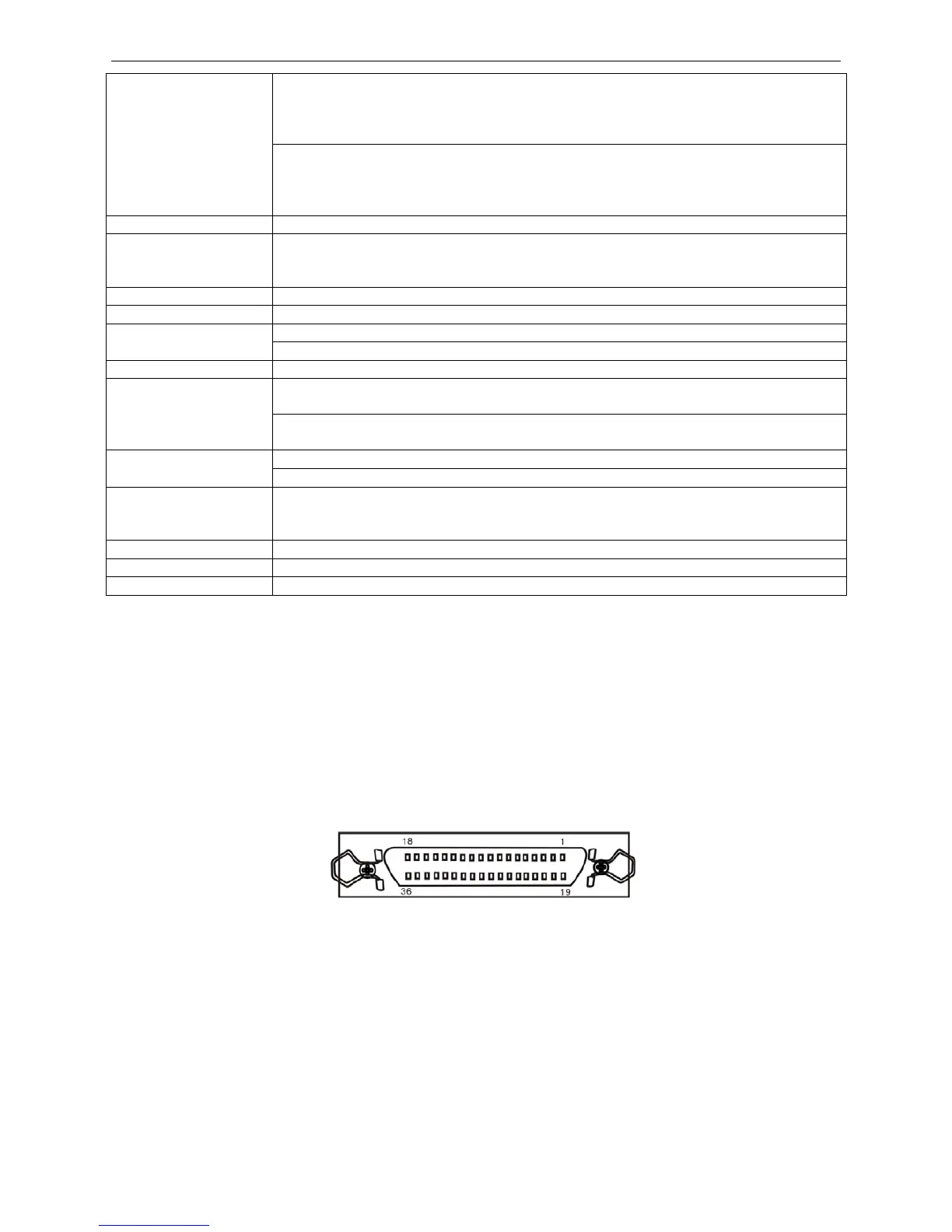
Standard Centronics (IEEE1284 NIBBLE) parallel interface connector is DB-36 pin type connector. Its
pin numbers are as Figure 7-1 shown.
Sequence and signal level
Sequence Diagram as 7-2
Signal level
Input High level: 2 ~ 5 V Low level: 0 ~ 0.8 V
Output High level: 2.4 ~ 5 V Low level: 0 ~ 0.4 V
Figure 7-1 Parallel interface connector pin number


 To Next Page