ACCEL-7450 User's Manual
- 33 -
5.4 Compress Printing
Select the transverse 75% compress printing function on or off. When the function is on, normal speed,
high 1 speed and high 2 speed setting is invalid.
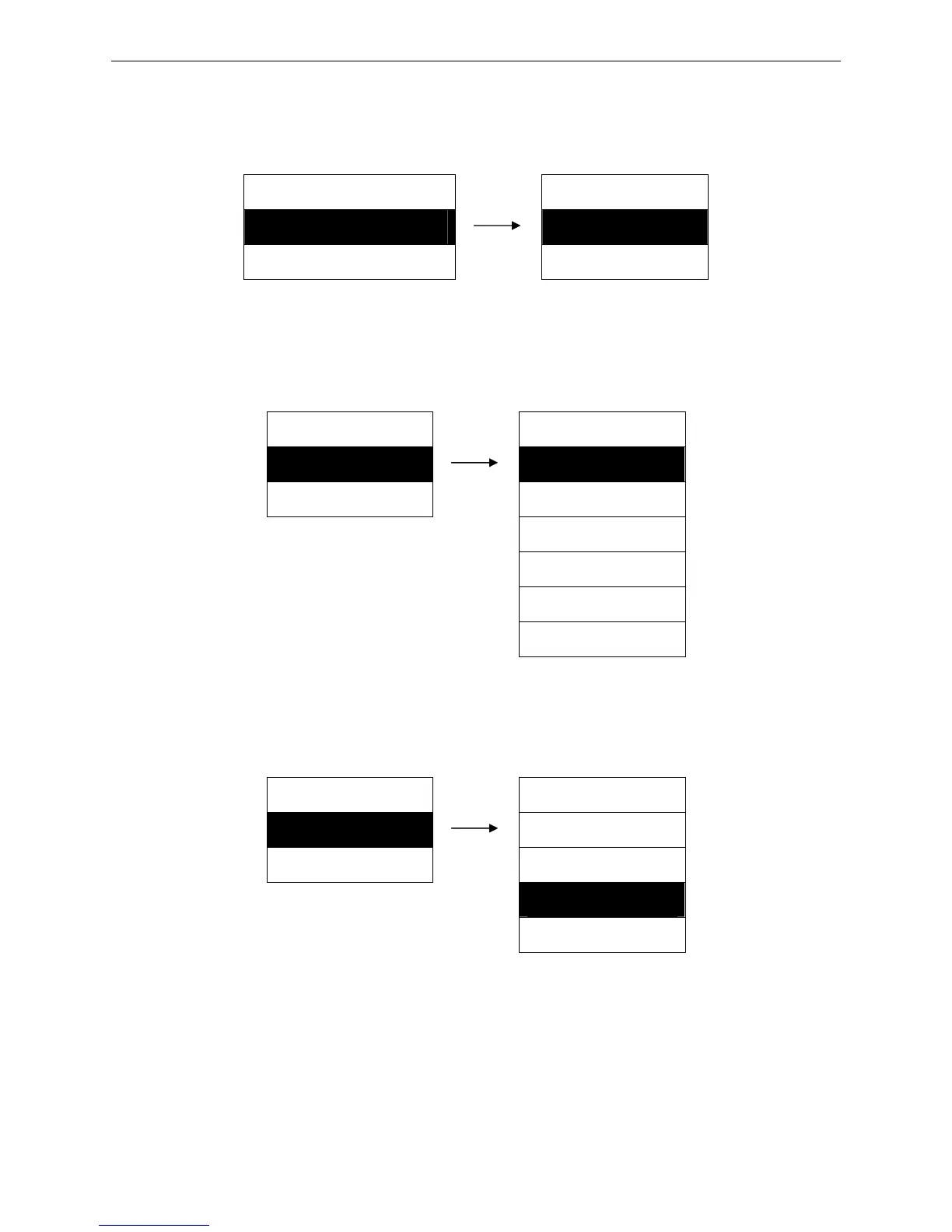
Setting process:
MENU SETUP COMPRESS PRN
4. COMPRESS PRN ► 1. OFF ※
5. CHR PITCH ► 2. ON
5.5 Characters Pitch
Select the ASCII characters horizontal pitch.
Setting process:
MENU SETUP CHR PITCH
5. CHR PITCH ► 1. 10 CPI ※
6. CHN PITCH ► 2. 12 CPI
3. 15 CPI
4. 17 CPI
5. 20 CPI
6. PROPORTION
5.6 Chinese Pitch
Select the Chinese character horizontal pitch.
Setting process:
MENU SETUP CHN PITCH
6. CHN PITCH ► 1. 5 CPI
7. LF PITCH ► 2. 6 CPI
3. 6.7 CPI ※
4. 7.5 CPI
5.7 Line Feed Pitch
Set the printing characters’ line feed pitch which can be 1/3 inch, 1/4 inch, 1/6 inch (initialized value),
1/8 inch or 1/9 inch.
Setting process:


 To Next Page