ACCEL-7450 User's Manual
- 50 -
when connect to the computer.
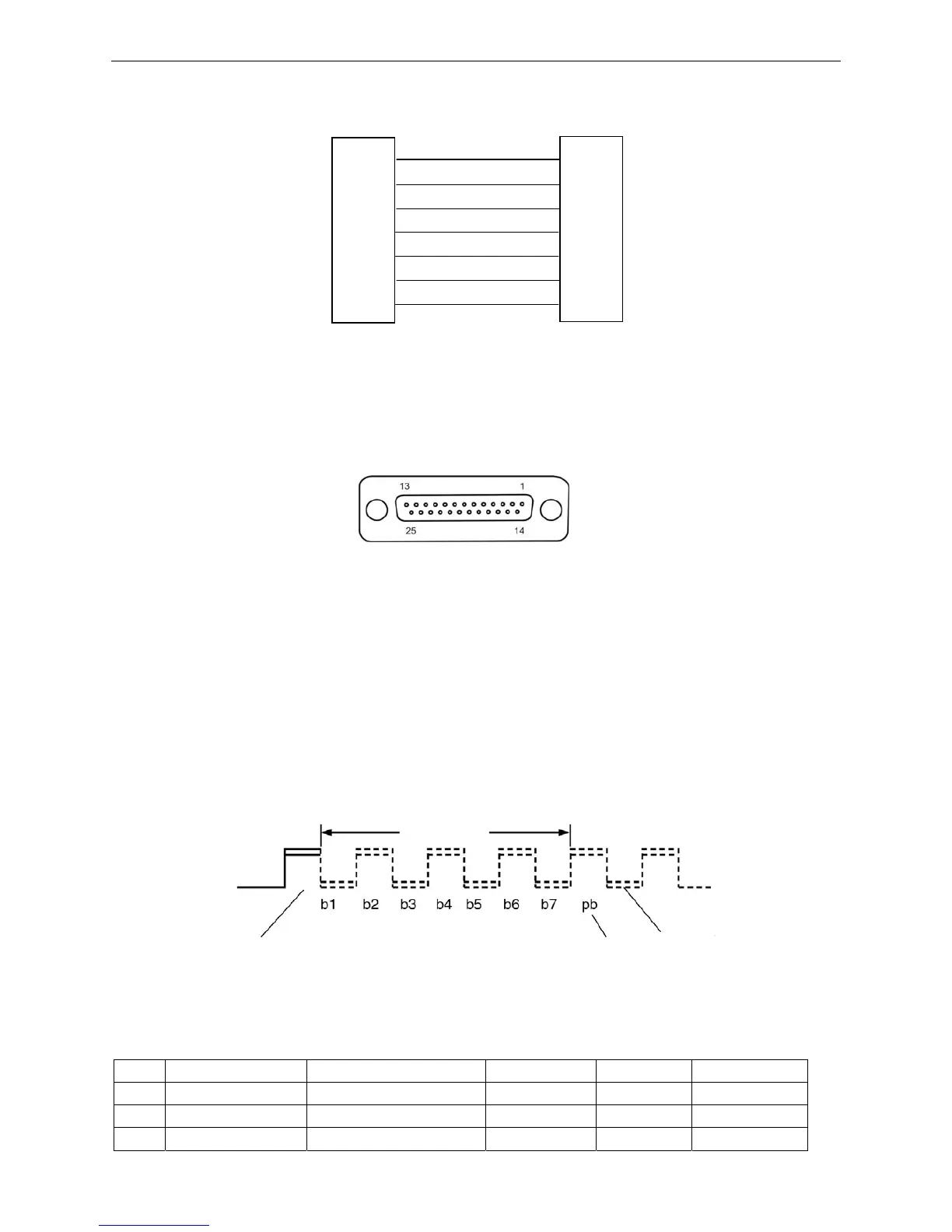
Serial interface connect relations are as follow:
7.2.4.2 Serial interface (DB-25)
DB-25 serial interface connector’s pin number is shown as Figure 7-7:
Data input/output mode: 7-bit or 8-bit serial interface
Data input code: ASCII, JIS 7-bit or 8-bit, International character code, CG, Dot matrix graphic code
based on graphic symbol code (8-bit)
Data buffer: 64K bytes most
Signal level: RS-232C: ±12V
Data transit speed (baud rate) RS-232C: 1200bps, 2400bps, 4800bps, 9600bps, 19200bps
Data transmission protocol RS-232C: READY/BUSY (DTR) or X-ON/X-OFF
Synchronous system: Original bit: 1 bit Stop bit: 1~2 bit
Character length: 7~8 bits
Connector Pin Assignments
RS-232C default settings
PIN ABBREVIATION NAME DIRECTION RDY/BSY X-ON/X-OFF
1 FG Frame Ground —— O O
2 SD Transmitted Data OUT X O
3 RD Received Data IN O O
Figure 7-6 The connection of printer and HOST
DSR
DTR
RTS
CTS
GND
TXD
RXD
6
4
DTR
DSR
CTS
RTS
GND
RXD
TXD
7
8
5
3
2
4
6
8
7
5
2
3
HOST 9 PIN connecto
Printer 9 PIN connector
Stop bit
Data bit
Original bit Parity check bit
Figure7-8 Serial data format
Figure 7-7 DB-25 serial interface connector pin number


 To Next Page