Start up Guide for Axpert-VT240S Series AC Drive
13
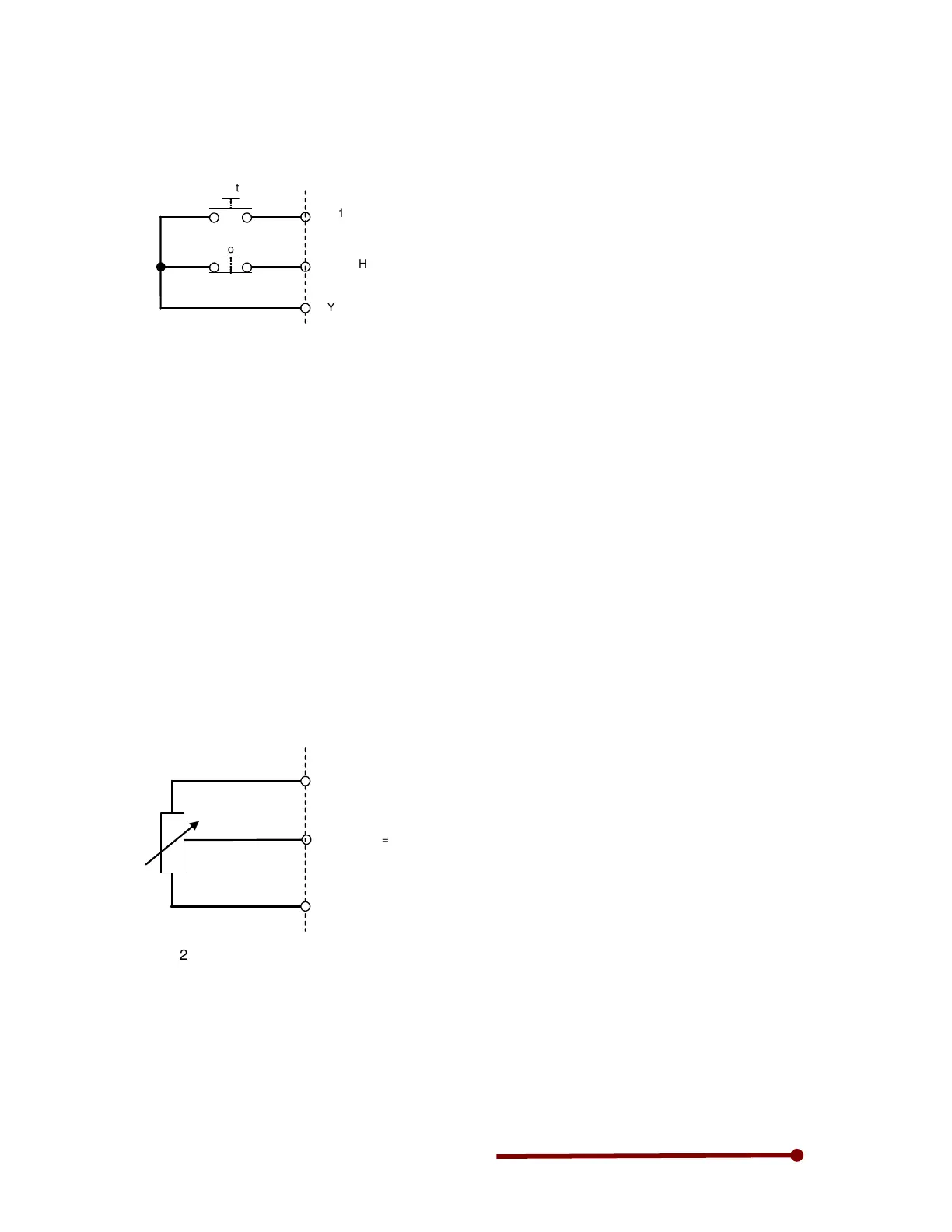
assigned to RESET in C03-7, set C03-7=0. In this mode, the start operation is controlled by normally
open type push button connected between PSI1 & RY0 and stop by normaly close type push button
connected between PSI2 & RY0. Press start push button to start the drive. Press stop push button to
stop the drive.
F: RUN
HOLD
RY0
Stop
PSI2
PSI1
Start
4-2 Speed reference setting selection
The ten types of speed setting inputs shown below can be used.
One of the ten types of inputs can be selected by setting a parameter or with the sequence input.
In default condition, the speed reference is from the digital operation panel (keypad) A00-0. The speed
reference can be assigned to any of the following.
4-2-1 Keypad (A00-0)
The frequency reference from keypad when the start/stop operation is through terminal can be assigned
by setting following parameters.
Step-1: Set C03-D=0.
Step-2: Set the desired frequency in A00-0.
4-2-2 Potentiometer (or 0-10V)
To assign the potentiometer (or 0-10V) as speed reference, one needs to connect the potentiometer (or
0-10V) to any one analog input from AI1, AI2 or AI3. Follow below steps to use potentiometer (or 0-10V)
as speed reference.
Step-1: Select the analog input. In this example, the potentiometer (or 0-10V) is connected to AI1. Set
C12-0=1 and DIP switch DS1-2 to OFF position.
2k/2W
AI1
P10
Potentiometer
COM
DS1-2=OFF
Step-2: Assign the selected analog input (AI1, AI2 or AI3) to speed setting input1, speed setting input2 or
speed setting input3 using C07-0, C07-1 and C07-2. By default, AI1 is assigned to speed setting input1
(C07-0=2)
Step-3: Set speed setting input using C03-D, C03-E or C03-F. In our example, as we have used speed
setting1, we need to set C03-D=16: ON Fixed.
If one requires switching the speed reference between digital operation panel (A00-0) and potentiometer
(or 0-10V), assign any sequence input (PSI) to C03-D. For example, PSI5 is assigned to switch reference.
Set C03-D=5 and C03-3=0. When PSI5 is open, the speed reference will be through keypad (A00-0) and
when PSI5 is closed the speed reference will be potentiometer (or 0-10V).


 To Next Page