10
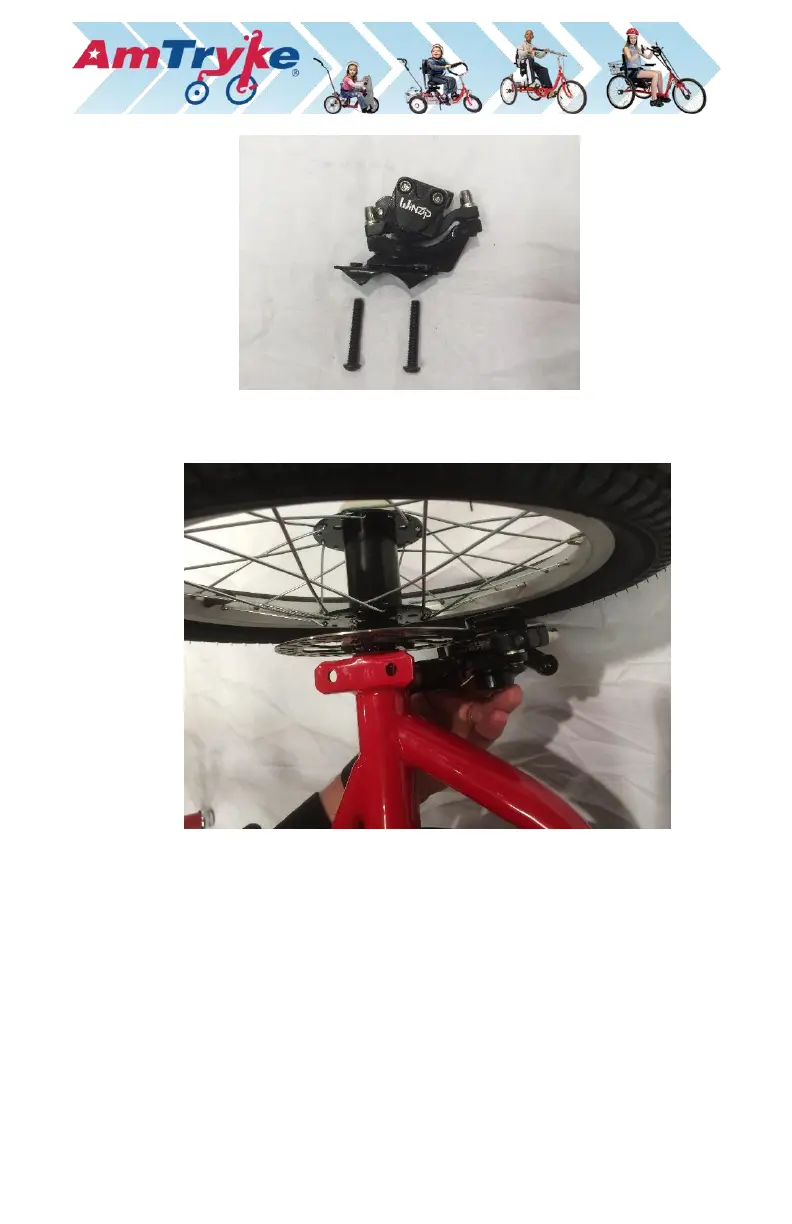
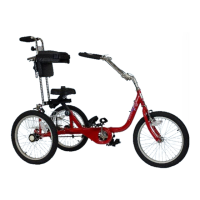
a.) TIP: Flip the bike upside down. It is easier to install the disc brake
caliper and steering control arm support plate from the bottom.
b.) Insure brake pads slide smoothly over brake rotor or disk.
c.) Put in black bolts with 5mm Allen wrench. Hint: tighten the shorter
rear bolt first as it will touch the bracket. Then tighten the front bolt
until the brake is secure. Be sure both sides of the brake bracket
contacts the red rear axle tube evenly.
d.) Test the rear axle rotation. It should spin easily without binding.
6. Install Chrome Steering Control Arm Support.
a.) Use two (2) of the 15mm hex screws provided in the parts bag to
install the chrome support plate in the center of the rear tryke frame.
The groove in the plate should be on the left side of the tryke when
upright.
b.) While you have the tryke upside down. Loosen the two (2) screws
holding the black basket plate on the main frame. Do not remove—
just loosen! This will help in installing other parts.


 To Next Page