Code display
Use this method to display the code that is programmed.
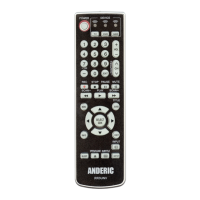
1. Press and release the mode key you would like know code for (e.g. TV).
2. Press key “[MENU]” and “[1]”, the Mode key flash times indicate the first digit of the code.
3. Press key “[MENU]” and “[2]”, the mode key flash times indicate the second digit of the
code.
4. Press key “[MENU]” and “[3]”, the mode key flash times indicate the third digit of the code.
5. Press key “[MENU]” and “[4]”, the mode key flash times indicate the fourth digit of the
code.
NOTE: If the current digit is 0, the mode key will not flash.
Multi-mode Combine Power
When enabled, this feature allows for powering on/off multiple devices with a single press of the
POWER button.
Enable - Multi-mode Combine Power
1. Press and hold any mode key (e.g. TV) for about 3 seconds until mode key lights and remains
on, release the mode key.
2. Input code "9 9 8 0". Mode key remains lit.
3. Press all mode keys (i.e. TV, STB, DVD) you wish to enable multi-mode combine power for.
4. Press [POWER] key to save and exit.
Disable - Multi-mode Combine
1. Press and hold any mode key (e.g. TV) for about 3 seconds until mode key lights and remains
on, release the mode key.
2. Input code "9 9 8 0". Mode key remains lit.
3. Press [POWER] key to save and exit, Mode key blinks 2 times and goes out.


 To Next Page