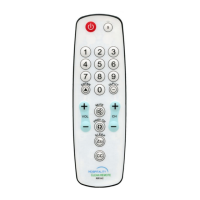
code of mode assigned, no matter what mode the remote currently resides.
1. Press and hold the mode key (e.g. STB) you wish to enable/disable Roku punch-through for,
for about 3 seconds until the mode key lights and remains on, release the mode key.
2. Input code "9 9 7 0".
a. If enabled - mode light goes out directly.
b. If disabled - mode light blinks 2 times.
Roku Punch-through (NO D-Pad)
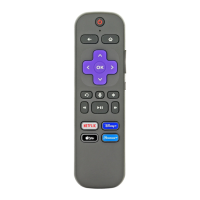
When enabled, all Roku related keys: [EXIT] (! ), [<<], [PLAY], [PAUSE], [>>], [INFO] (*),
[HOME], [REPLAY] & [NETFLIX] will always send code of mode assigned, no matter what mode
the remote currently resides.
1. Press and hold the mode key (e.g. TV) you wish to enable/disable Roku punch-through for,
for about 3 seconds until the mode key lights and remains on, release the mode key.
2. Input code "9 9 7 1".
a. If enabled - mode light goes out directly.
b. If disabled - mode light blinks 2 times.
All-Key Punch-through
When enabled, all keys will always send code of mode assigned, no matter what mode the remote
currently resides. Note: All-Key Punch-through has lowest priority amongst all punch-through types.
You may enable other punch-through modes to work along side and they will have higher priority.
1. Press and hold the mode key (e.g. TV) you wish to enable/disable all-key punch-through for,
for about 3 seconds until the mode key lights and remains on, release the mode key.
2. Input code "9 9 7 3".
a. If enabled - mode light goes out directly.
b. If disabled - mode light blinks 2 times.
Individual Key Punch-through
Individual Key Punch-through allows for individually assigning keys to “punch-through” to the mode
of your choosing. After enabling punch-through to a given key, the key will always send code for
assigned device no matter what mode the remote currently resides.
Note: Individual Key Punch-through has highest priority amongst all punch-through types.
Enable - Individual Key Punch-through
1. Press and hold any mode key (e.g. TV) for about 3 seconds until mode key lights and remains
on, release the key.
2. Input code “9 8”,
3. Press the corresponding key you wish to enable punch-through for,
4. Press the mode key you wish to assign it to (e.g. TV, STB, AUX), mode light goes out
directly.
Note: To re-assign a key to different mode, simply repeat steps 1-4.
Disable - Individual Key Punch-through
1. Press and hold any mode key (e.g. TV) for about 3 seconds until mode key lights and remains


 To Next Page