14
Luna/Alba | EN
Setting the grinding degree
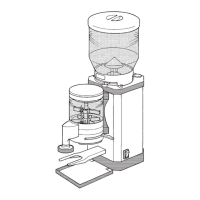
You can infinitely adjust the desired grinding degree with the grinding degree adjust-
ment (3). You can read the pre-set value on the grinding degree scale (17).
» Turn the grinding degree adjustment counterclockwise to reduce the grinding
degree (= finer ground coffee).
» Turn the grinding degree adjustment clockwise to increase the grinding degree
(= coarser ground coffee).
Only reduce the grinding degree when the grinder is in operation and the
motor is running.
To avoid/eliminate imbalances when setting the grinding degree, it is advis-
able to set a coarser grinding degree to begin with and then reduce the
grinding degree adjustment to the desired finer grinding degree from there.
Setting or changing the recipe/grinding time
Proceed as follows if you wish to change the grinding time of one of the recipes:
1. If required, change to the Pro mode ( ) (owner password: 1932) (see “Func-
tioning” section).
2. Select the desired recipe by tapping the respective display on the touchscreen(16).
3. Tap the symbol on the touchscreen to edit the selected recipe.
4. Set the new grinding time for the recipe by tapping the (increase grinding
time) or (reduce grinding time) symbol on the touchscreen (several times).
5. Tap the symbol on the touchscreen to confirm the new grinding time.
The touchscreen then shows the recipe selection display again.
Tap the symbol to cancel the process.



 To Next Page