Page 17 of 28
7.1 How to Reset the Fan Wi-Fi.
Should you for any reason find that you are unable to pair the fan with your
smartphone, or that the Wi-Fi indicator light does not blink rapidly, or you are changing
the smartphone, you may need to reset the Wi-Fi to get it to pair properly.
• Wi-Fi Indicator blinking rapidly: means ready to pair to Smartphone.
• Wi-Fi Indicator on permanently:
means the fan has been paired and connected with the phone / network successfully.
• Wi-Fi Indicator not illuminated:
means no Wi-Fi signal is available or the Wi-Fi is turned off. Make sure the smart fan and
your phone is near your router and your router has a strong Wi-Fi signal.
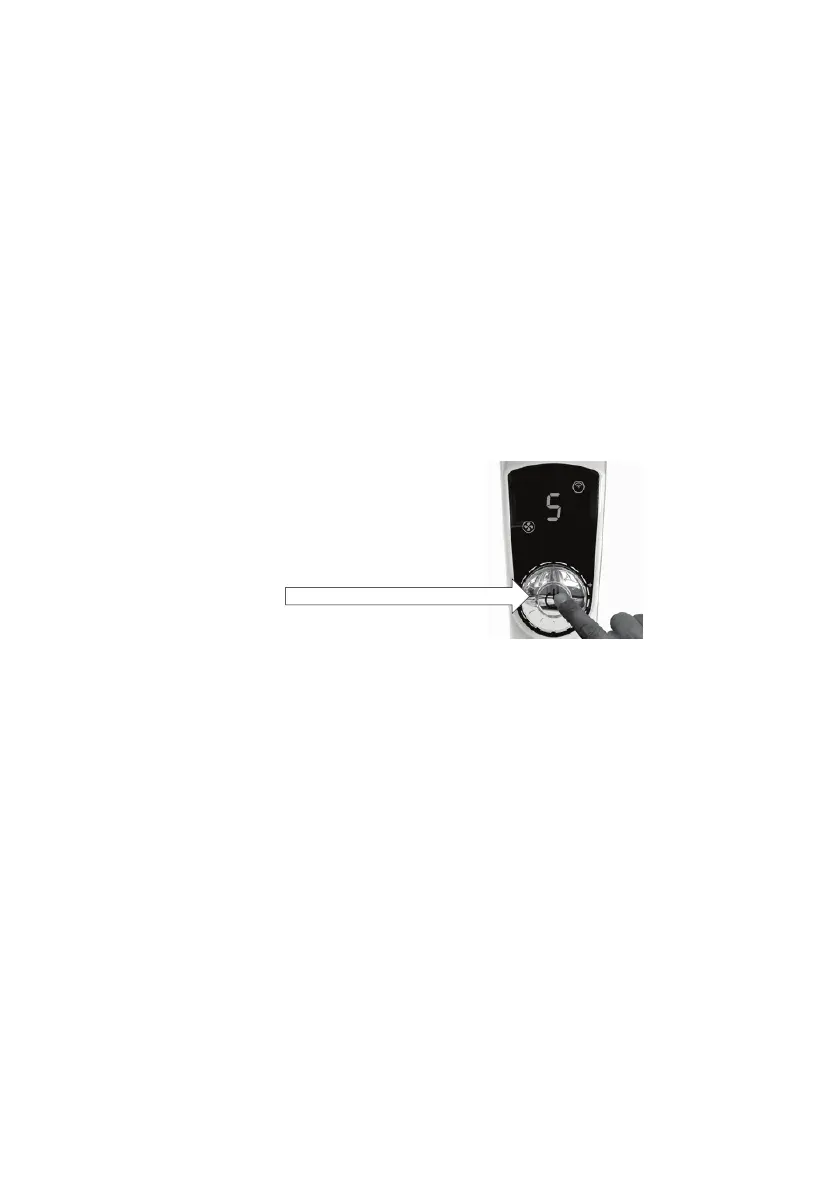
To reset: Plug the fan into the power point and switch on.
Press the knob to turn the fan on then immediately Press and hold the knob for 2 seconds
until you hear three squeals “ee.., ee.., ee..”
Wait until the Wi-Fi indicator light illuminates and starts to blink rapidly and then you can
press and immediately release the knob again to turn the fan motor off.
You have now reset the Wi-Fi and the Wi-Fi indicator light will be blinking rapidly.
You can now follow the instructions on Wi-Fi Pairing in this instruction Manual.
Note: When you press the knob again, the fan will turn off, but the Wi-fi function is still
working, you can switch on the fan with your smartphone App.
When you press the knob again for approximately 8 seconds until you hear the long
squeal “ee---”, the fan will completely turn off, including the Wi-Fi signal. You will no
longer be able to control the fan with your smartphone App until you turn the Wi-Fi back
on.


 To Next Page