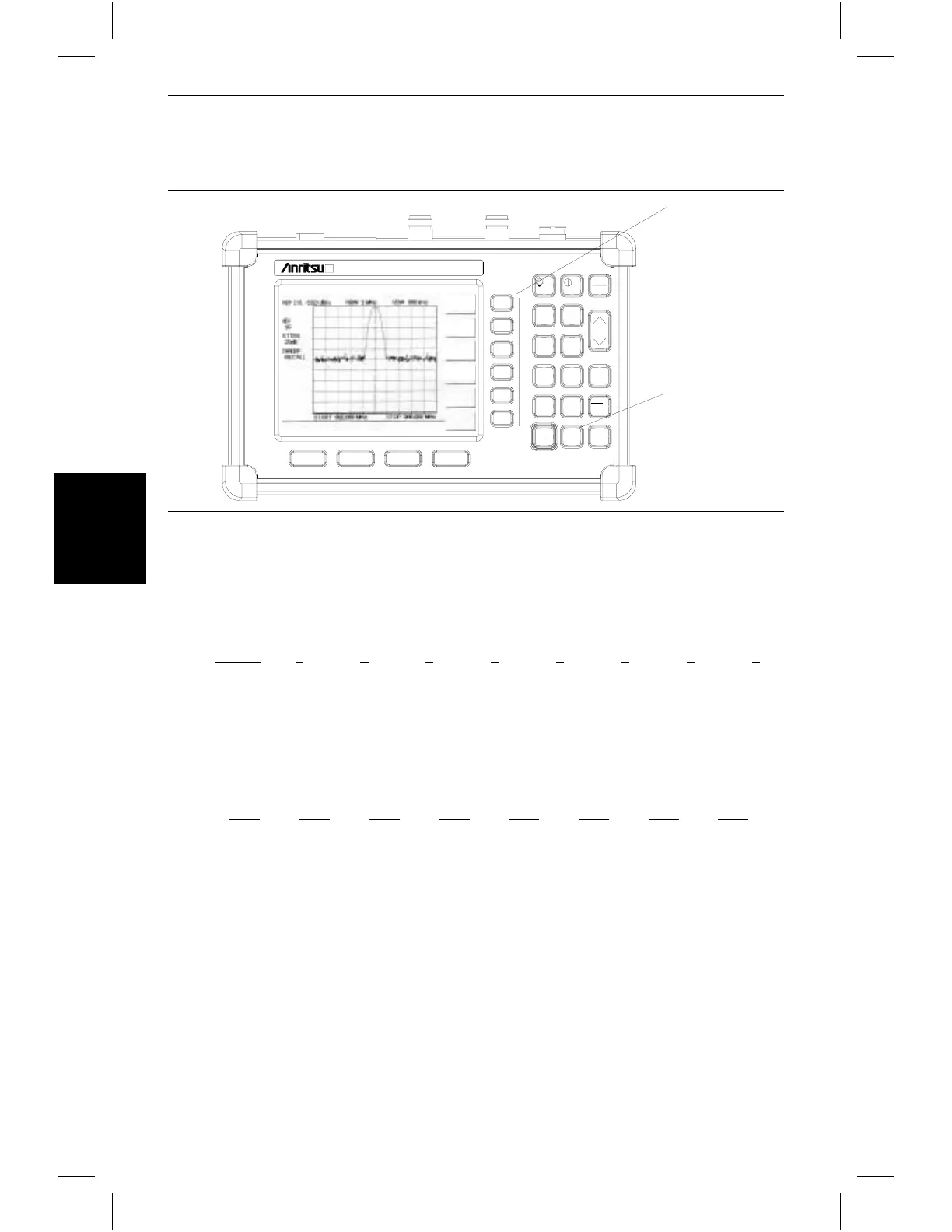
Step 4. Press the PRINTER soft key and select from the displayed menu of supported
printers.
Step 5. Press the
PRINT key. (Figure 3-13).
Printer Switch Settings
Set the switches, SW1, SW2, and SW3, on the Seiko DPU-414 thermal printer as follows:
Set the switches on the serial-to-parallel interface cable to the HP Deskjet 340 ink jet
printer as follows:
3-20
Chapter 3 Functions and Operations
HOLD
RUN
START
CAL
AUTO
SCALE
SAVE
SETUP
RECALL
SETUP
LIMIT
MARKER
SAVE
DISPLAY
RECALL
DISPLAY
PRINT
MODE
FREQUENCY
AMPLITUDE
BANDWIDTH
SYS
ENTER
CLEAR
ESCAPE
ON
OFF
/
1
2
4
5
6
7
8
9
0
3
+
-
.
PRINT
PRINTER
CHANGE
DATE
Site Master S332B
Figure 3-13. PRINTER Soft Key and PRINT Key
Switch
1 2 3 4 5 6 7 8
SW1 OFF ON ON ON ON OFF ON ON
SW2 ON ON ON ON ON ON ON OFF
SW3 ON ON ON OFF OFF ON ON ON
SW1
SW2 SW3 SW4 SW5 SW6 SW7 SW8
OFF ON OFF OFF OFF OFF ON OFF














 To Next Page