Setting the Markers
The following procedure sets the markers.
Step 22. Press the
MARKER key to call up the Markers menu.
Step 23. Press the
M1 soft key to select the M1 marker function. Press the EDIT soft key
and enter 5, 0, 0 using the keypad or Up/Down arrow key. Press
ENTER to set
M1 to 500 MHz. (Note: pressing the
ON/OFF soft key activates or deactivates
the M1 marker function.)
Step 24. Press the
BACK soft key to return to the Markers menu.
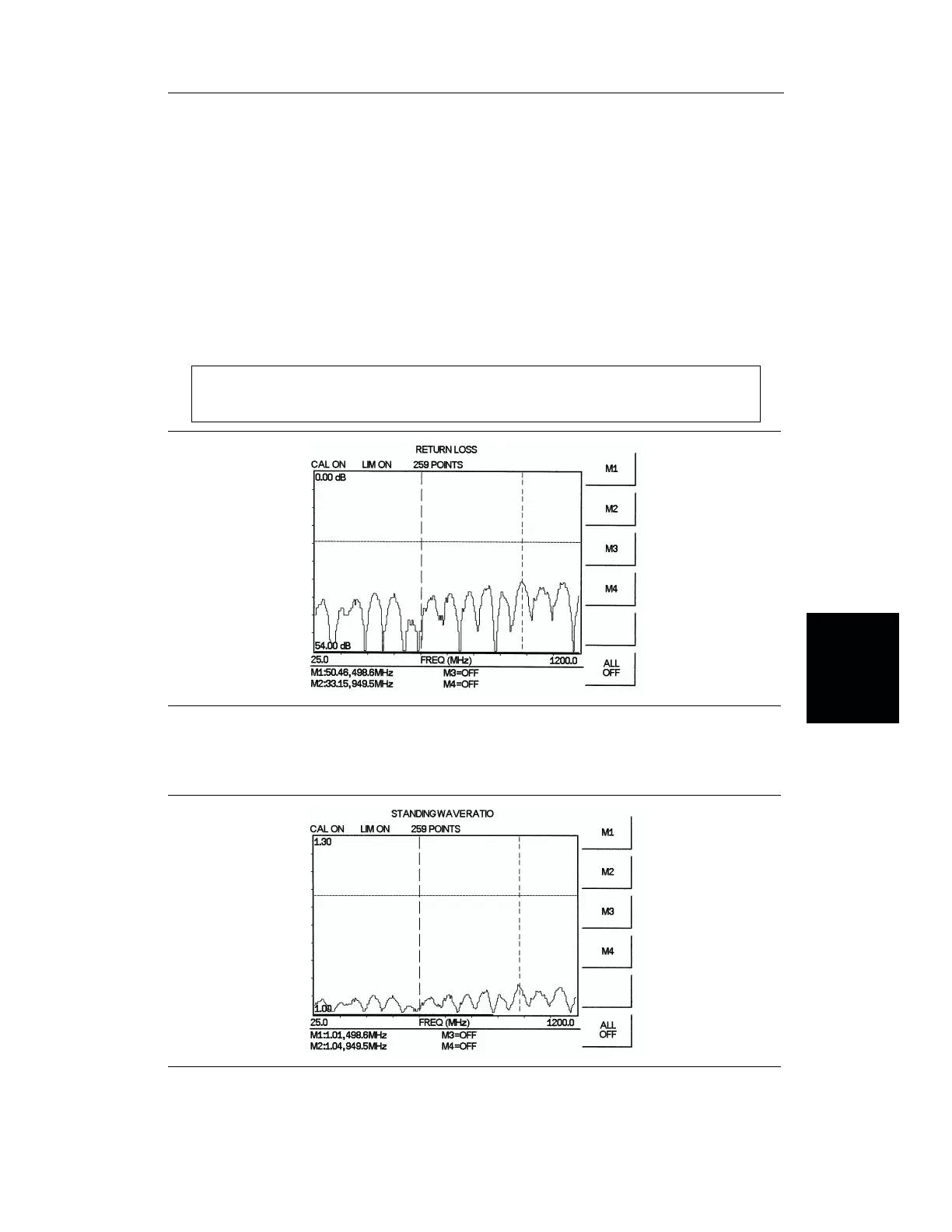
Step 25. Repeat steps 22 and 23 for marker M2. Set M2 to 950 MHz (Figures 4-5 and 4-6
depict the Return Loss and SWR measurements).
NOTE:
Refer to page 4-4 for instructions on saving and recalling a setup or display.
4-9
Chapter 4 Measurements
Figure 4-5. Cable Return Loss Measurement Results
Figure 4-6. Cable SWR Measurement Results














 To Next Page