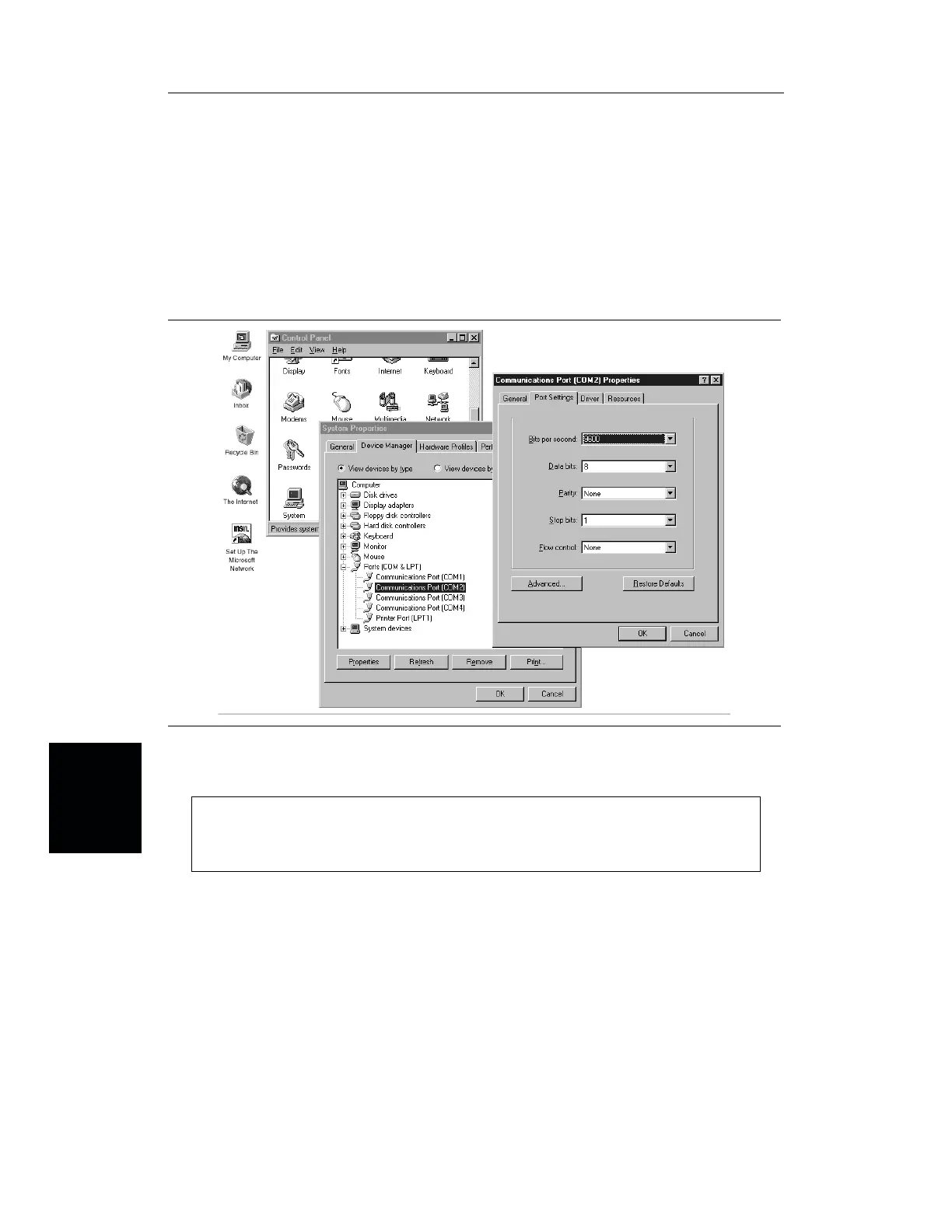
Step 6. Choose Port Settings, then change to the following settings if necessary.
Baud Rate: 9600
Data Bits: 8
Parity: None
Stop Bits: 1
Flow Control: None
Step 7. Choose
Resource and verify the COM Port Base Address and IRQ. Click OK
when done.
Step 8. Click
OK again to close the System Properties window.
Note:
If you changed the COM Port Base Address and/or IRQ, you will need to restart
Windows.
5-2
Chapter 5 Software Tools Program
Figure 5-1. Windows 95/98/NT COM Port Setting Dialog Boxes














 To Next Page