16
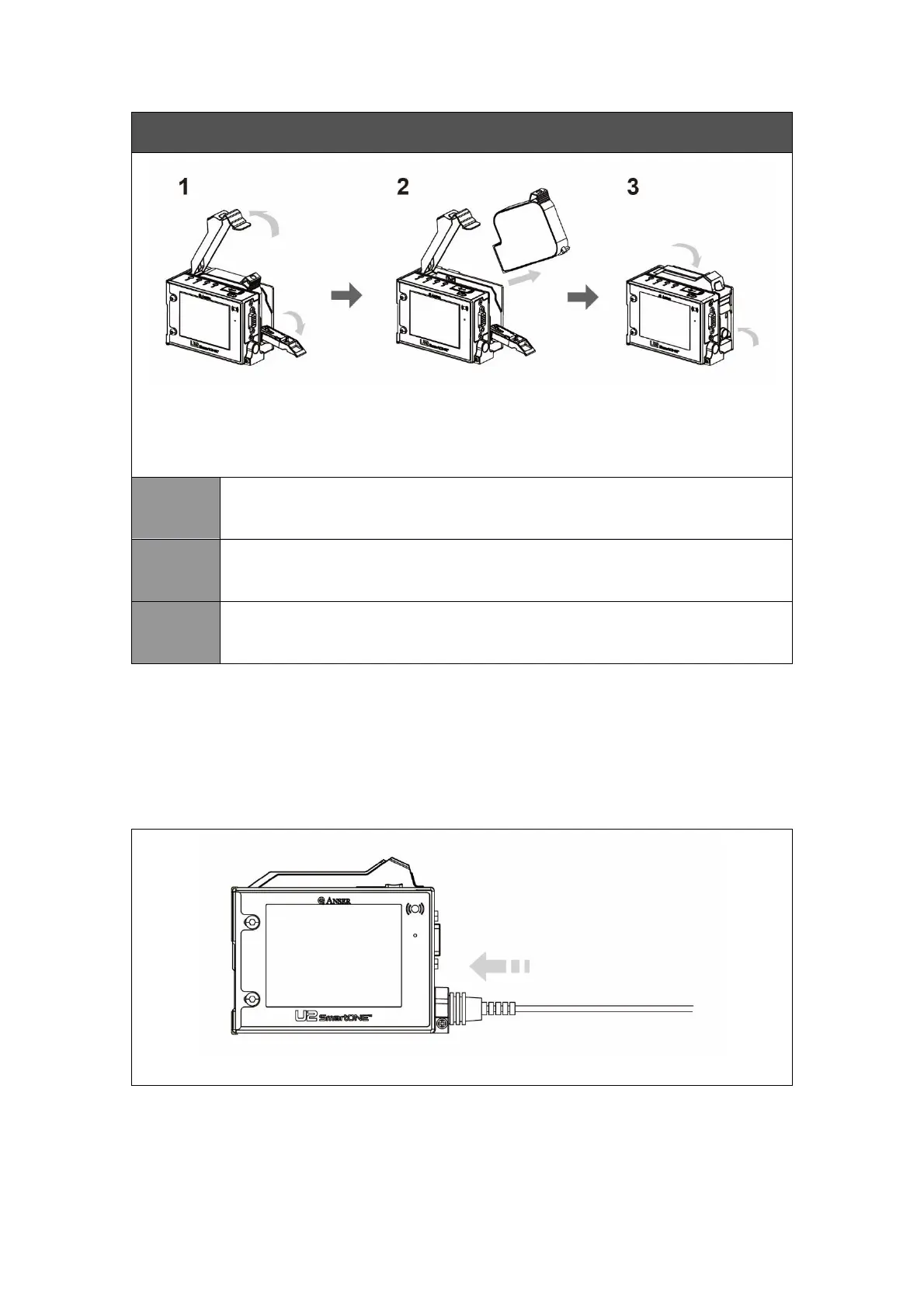
Remove Ink Cartridge from Printer
* Please make sure the printer is idle before removing ink cartridge from printer.
* Always cap your cartridge when it’s not used. And, store the cartridge properly.
1. Open the dust cover on the top of the printer.
2. Open the latch on the rear of the printer.
Remove the ink cartridge from the printer at a 15 degree angle.
1. Close the latch on the rear of the printer.
2. Close the dust cover on the top of the printer.
3.3 Printer Startup & Shutdown
3.3.1 Printer Startup
CAUTION: Only use the power adapter provided by ANSER.



 To Next Page